Automatic tool to cut and create ASMR clips from long videos, with AI-based intelligent audio analysis to identify the best moments.


- 🎯 Intelligent audio analysis - Automatically detects the best ASMR triggers (clicks, taps, crunches)
- 🎨 Modern graphical interface - Intuitive GUI with tkinter
- ⚡ GPU acceleration - NVIDIA NVENC support for ultra-fast encoding
- 🎞️ Quality preserved - Maintains source video quality (2K/4K)
- 📊 Customizable parameters - Adjustable clip duration, pre/post-roll
- 🗂️ Organized output - Automatically saves clips with ordered timestamps

The program analyzes video audio using three metrics:
- Spectral Centroid - Identifies sound brightness
- Onset Strength - Detects trigger impact and suddenness
- Zero Crossing Rate - Finds sharp metallic/plastic sounds
It combines these parameters to create a "crispness" index and automatically selects the best moments.
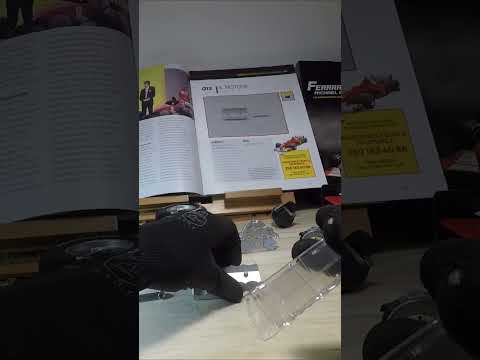
See what ASMR Pro Cutter can do! This Short was automatically generated from a 5-minute video:
- Python 3.8 or higher
- NVIDIA GPU (optional, for hardware acceleration)
- FFmpeg (automatically installed with
imageio-ffmpeg)
- Clone the repository
git clone https://github.com/lordpba/ASMR-Pro-Cutter.git
cd ASMR-Pro-Cutter- Create a virtual environment (recommended)
python -m venv .venv- Activate the virtual environment
Windows:
.venv\Scripts\activateLinux/Mac:
source .venv/bin/activate- Install dependencies
pip install .Or for development:
pip install -e .python gui.py- Click "Select Video" and choose your ASMR video
- (Optional) Select a custom output folder
- Adjust parameters if needed:
- Total target duration: Total duration of combined clips (~58s for Shorts)
- Pre-roll: Seconds before trigger (default 1.2s)
- Post-roll: Seconds after trigger (default 1.3s)
- Final clip extra: Extra seconds for last clip closing shot (default 2.0s)
- Click "START PROCESSING"
- Clips will be saved to
videoname_shorts/with ordered names
python main.pyPlace videos in video_input/ and the program will automatically process all found video files.
your_video_shorts/
├── clip_001_at_0045s.mp4
├── clip_002_at_0123s.mp4
├── clip_003_at_0189s.mp4
└── ...
Files are named with progressive number and timestamp for easy sorting in video editors.
You can modify directly in main.py or use the GUI's advanced section:
TARGET_DURATION = 58.0   # Total target duration (seconds)
PRE_ROLL = 1.2          # Seconds before trigger
POST_ROLL = 1.3         # Seconds after trigger
FINAL_CLIP_EXTRA = 2.0  # Extra seconds for last clip
MIN_FREQ = 1800         # Minimum frequency for filtering (Hz)
HOP_LENGTH = 512 # Audio analysis precisionIn encoding code (line ~146):
-
CQ Value (
-cq 18): Constant quality0= Lossless (huge files)18= Near lossless, excellent compromise (default)23= High quality28= Medium quality
-
NVENC Preset (
preset="slow"):fast= Fast, medium qualitymedium= Balancedslow= Maximum quality (default)
- Input: MP4, MOV, AVI, MKV
- Output: MP4 (H.264 + AAC)
- Audio: AAC 320kbps (maximum quality for ASMR)
- Video: H.264 NVENC CQ18 (near lossless)
- For 4K videos, ensure you have at least 8GB of RAM
- GPU encoding is ~10-20x faster but requires NVIDIA GPU
- Use longer pre-roll (2-3s) for videos with slow movements
- Reduce
TARGET_DURATIONfor more selective clips
Error "No module named 'moviepy'"
pip install -r requirements.txtNVENC not available error
- Automatic fallback to libx264 (CPU)
- Make sure you have updated NVIDIA drivers
Audio not detected
- Verify the video has an audio track
- Try lowering the
MIN_FREQparameter
If you find this tool useful for your content creation, please consider supporting its development!

If you use ASMR Pro Cutter for your videos, we'd love to see them! Feel free to mention "Made with ASMR Pro Cutter" in your video description to help others discover this tool.
MIT License - See LICENSE for details
Pull requests are welcome! For major changes, please open an issue first to discuss what you would like to change. See CONTRIBUTING.md for detailed guidelines.
Created with ❤️ by lordpba for the ASMR community
⭐ If you like this project, leave a star on GitHub!