




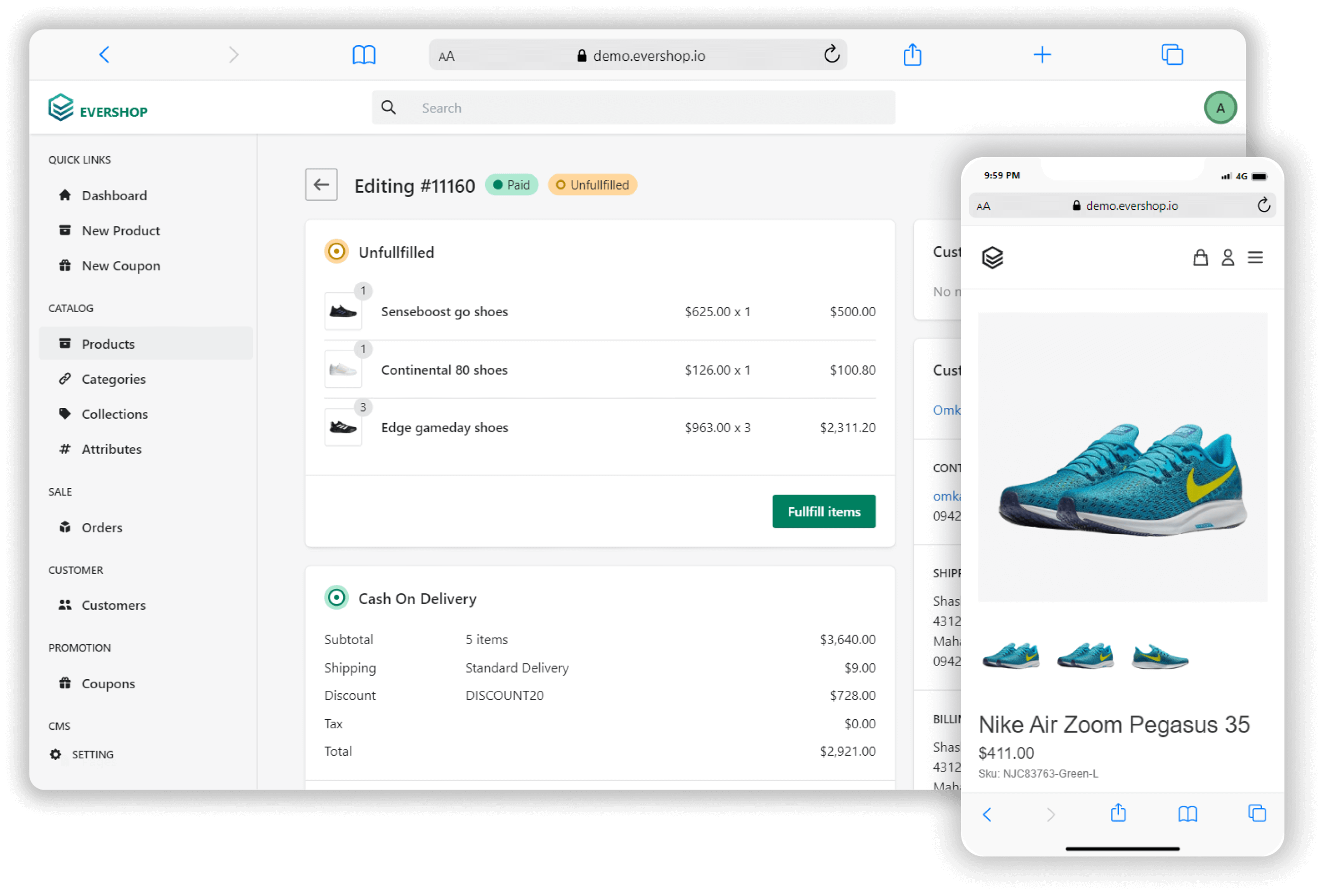
EverShop is a modern, TypeScript-first eCommerce platform built with GraphQL and React. Designed for developers, it offers essential commerce features in a modular, fully customizable architecture—perfect for building tailored shopping experiences with confidence and speed.
You can get started with EverShop in minutes by using the Docker image. The Docker image is a great way to get started with EverShop without having to worry about installing dependencies or configuring your environment.
curl -sSL https://raw.githubusercontent.com/evershopcommerce/evershop/main/docker-compose.yml > docker-compose.yml
docker compose up -d
For the full installation guide, please refer to our Installation guide.
Run the monorepo on your machine when you are working on this repository (not the published Docker image).
- Node.js (LTS or current; this repo uses
type: "module") - PostgreSQL 13+ listening on a host/port your app can reach
- npm (this repo ships a root
package-lock.json; usenpm cifor a clean install)
From the repository root:
npm ciThe root dev / start / build scripts run compiled files under packages/evershop/dist. On a fresh clone you need to compile first:
npm run compile
npm run compile:db
compile:db builds @evershop/postgres-query-builder into packages/postgres-query-builder/dist (required at runtime).
npm run buildIf npm run build-fast fails with evershop: command not found, the workspace bin link may be missing until a reinstall; you can invoke the CLI directly:
node ./packages/evershop/dist/bin/evershop.js build -- --skip-minifyCreate a database (example name: evershop) and a database user with access to it.
Create a .env file in the repository root (do not commit real credentials). EverShop reads database settings from the environment:
DB_HOST="localhost"
DB_PORT="5432"
DB_NAME="evershop"
DB_USER="postgres"
DB_PASSWORD="your_password"
DB_SSLMODE="disable"
Alternative — interactive install: npm run setup walks you through database questions and writes .env for you. Skip this if you already manage .env yourself.
Runtime folders: ensure these exist (the install command also creates them):
mkdir -p media publicnode ./packages/evershop/dist/bin/evershop.js seed --allnpm run startBy default the app listens on http://localhost:3000 (override with PORT if needed).
Useful URLs
| What | URL |
|---|---|
| Storefront | http://localhost:3000/ |
| Admin (redirects to login) | http://localhost:3000/admin → http://localhost:3000/admin/login |
| Storefront GraphQL (POST) | http://localhost:3000/api/graphql |
| Admin GraphQL (POST, auth required) | http://localhost:3000/api/admin/graphql |
CMS page by url_key |
http://localhost:3000/page/<url_key> (e.g. /page/about-us after seeding) |
Admin user: after a manual .env setup, create the first admin with:
node ./packages/evershop/dist/bin/evershop.js user:create --name "Admin" --email "you@example.com" --password "yourSecurePassword"(Password must be at least 8 characters.) Or use npm run setup, which can create an admin during installation.
Note: you may see node-config warnings about config/ or NODE_ENV; the app can still run. To silence “no configuration directory” warnings you can set SUPPRESS_NO_CONFIG_WARNING=1 in the environment.
- 依赖:Node.js + PostgreSQL 13+;在仓库根目录执行
npm ci。 - 编译:必须先
npm run compile与npm run compile:db,再npm run build(若报找不到evershop,改用node ./packages/evershop/dist/bin/evershop.js build -- --skip-minify)。 - 数据库:创建库与用户;在根目录放置
.env(含DB_HOST、DB_PORT、DB_NAME、DB_USER、DB_PASSWORD、DB_SSLMODE);也可用npm run setup交互生成.env。建议执行mkdir -p media public。 - 演示数据(可选):
node ./packages/evershop/dist/bin/evershop.js seed --all - 启动:
npm run start,默认http://localhost:3000 - 后台:
http://localhost:3000/admin/login;若手动配好.env后还没有管理员,用上面的user:create(密码至少 8 位),或在npm run setup里创建。 - GraphQL:前台
POST http://localhost:3000/api/graphql;后台POST /api/admin/graphql(需登录)。 - CMS 静态页:路径为
/page/<url_key>(例如种子数据里的/page/about-us),不是根路径下的/<url_key>。
Explore our demo store.

Email: demo@evershop.io
Password: 123456
If you like my work, feel free to:
- ⭐ this repository. It helps.
about EverShop. Thank you!

EverShop is an open-source project. We are committed to a fully transparent development process and appreciate highly any contributions. Whether you are helping us fix bugs, proposing new features, improving our documentation or spreading the word - we would love to have you as part of the EverShop community.
You can ask questions, and participate in discussions about EverShop-related topics in the EverShop Discord channel.

If you see an error message or run into an issue, please create bug report. This effort is valued and it will help all EverShop users.
If you have an idea, or you're missing a capability that would make development easier and more robust, please Submit feature request.
If a similar feature request already exists, don't forget to leave a "+1". If you add some more information such as your thoughts and vision about the feature, your comments will be embraced warmly :)
Please refer to our Contribution Guidelines and Code of Conduct.
EverShop is seeing rapid organic growth and strong adoption from the developer community. We are now scaling our operations and building EverShop Cloud.
If you are a strategic investor interested in the future of Node.js commerce and our mission to set a new standard for modern eCommerce, we’d love to share our vision and roadmap with you.
📩 Get in touch: support@evershop.io