

Render Mermaid diagrams to SVG in pure .NET.
No browser. No DOM. No JavaScript runtime. AOT-ready.


- Why Mermaider?
- Quick Start
- Theming
- Render Options
- Strict Styling
- SVG Sanitization
- CLI
- MSAGL Layout Provider
- AOT Support
- Benchmarks
- Building from Source
- Supported Diagrams
- Attribution
- Projects using Mermaider
- License
Mermaider is a complete Mermaid parser, layout engine, and SVG renderer built entirely in .NET. Hand it a Mermaid string; get a sanitized, consistently styled SVG back. No interop, no child processes, no headless browsers.
It covers all 24 major Mermaid diagram types, always-on allowlist SVG sanitization with no opt-out,
and a unified design-token model so every diagram type renders from the same RenderOptions — one API,
one theming model, consistent output regardless of diagram type.
- Pure .NET, zero interop: just a NuGet reference. No Chromium, no Node.js, no subprocess management.
- Native AOT: every public API proven in CI on Linux, macOS, and Windows.
- Built-in layout engine: zero-dependency Sugiyama, far leaner than MSAGL.
- 24 diagram types: one API, one theming model for all of them.
- Unified theming: 15 themes, live-switchable via CSS custom properties.
- Always-on SVG sanitization: allowlist-only, no opt-out.
- Strict styling mode: enforce your design system on user-authored diagrams.
- Fast: ~23 µs, ~46 KB allocated for a simple flowchart.
Mermaider parses Mermaid's text DSL and renders SVG output using only managed .NET code. There is no dependency on JavaScript, Chromium, or any external process. This means deterministic output, no cold-start penalty, and trivial deployment: just a NuGet reference.
Graph-based diagrams (flowchart, state, class, ER) need a layout algorithm to position nodes and route edges. Other diagram types (pie, quadrant, timeline, gitgraph, radar, treemap, venn, mindmap, gantt, journey, C4, sankey, xychart, requirement, packet, kanban, architecture, block, treeview) use purpose-built layout arithmetic directly in their renderers. Rather than depending on an external engine, Mermaider ships its own lightweight Sugiyama layout engine with zero dependencies.
During development, Microsoft MSAGL (Automatic Graph
Layout) was evaluated as the layout backend. MSAGL is a capable research-grade library, but it carries
baggage from a different era of .NET: high allocations (~554 KB for a 6-node flowchart), WPF-era
BinaryFormatter usage, and trim/AOT warnings that make it unsuitable for modern deployment targets.
The built-in engine is purpose-built for the small-to-medium directed graphs Mermaid produces:
| Phase | MSAGL | Built-in Sugiyama | Improvement |
|---|---|---|---|
| Layout only | 247 µs / 558 KB | 3.4 µs / 16 KB | 73× faster, 35× less memory |
| End-to-end render | 351 µs / 586 KB | 24 µs / 46 KB | 15× faster, 13× less memory |
If you still want MSAGL for its higher-fidelity edge routing on complex graphs, install the optional
Mermaider.Layout.Msagl package (see below).
Every public API is compatible with .NET Native AOT. The CI pipeline publishes and invokes a native binary on Linux, macOS, and Windows to prove it. No reflection, no runtime code generation, no surprises.
Security and visual consistency are not afterthoughts when embedding user-authored diagrams. Both shaped Mermaider's design from the start.
Every rendered SVG passes through an element/attribute allowlist before leaving the library. There is no way to opt out. The allowlist is the only gate:
<script>,<foreignObject>, and event handlers are absent from the allowlist, not pattern-matched- External
hrefURIs are structurally excluded; the only permittedhrefis a base64data:image/svg+xmlordata:image/pngon an<image>element - A second sanitizer pass on any output is always a no-op, proving convergence
Coverage: unit tests and a deterministic fuzzer with 4,000 generated cases across mutation and structured element/attribute/value cross-products.
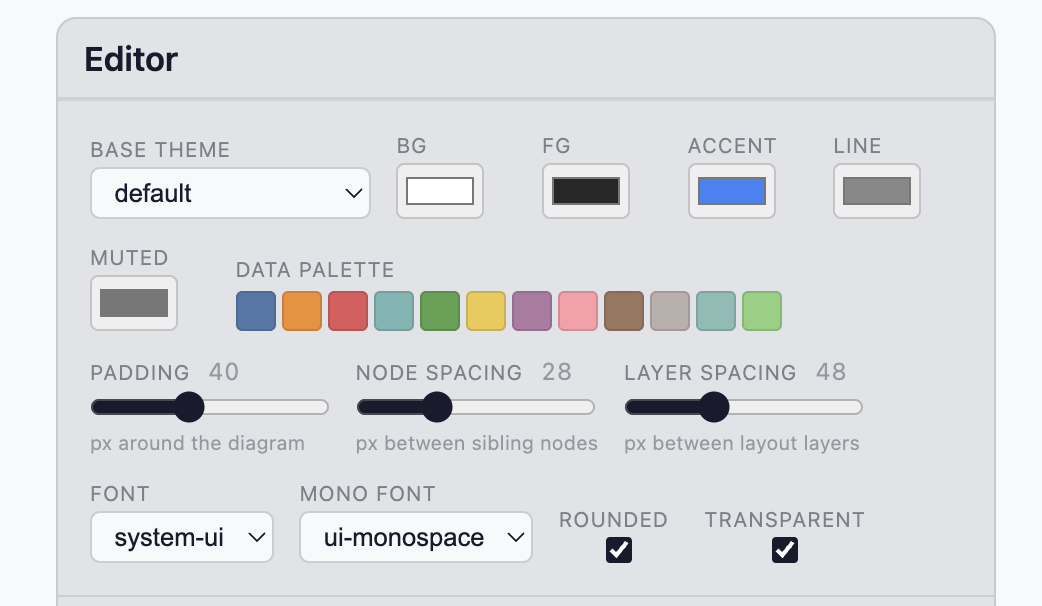
All 24 diagram types render from the same RenderOptions. A single set of values controls:
- Colors:
Bg,Fg,Accent,Muted,Surface,Border,Line - Typography:
Font,MonoFont,FontSizeand size ratios - Data palette: categorical colors for pie, sankey, timeline, gitgraph, and the rest
There is no per-type color system or per-type font stack. The design token model is the only model.
Strict Styling goes further for user-authored content: classDef, style, linkStyle, and theme overrides are stripped (and optionally reported via callback), and nodes are constrained to a class allowlist you define.
dotnet add package Mermaiderusing Mermaider;
var svg = MermaidRenderer.RenderSvg("""
graph TD
A[Start] --> B{Decision}
B -->|Yes| C[OK]
B -->|No| D[End]
""");Every diagram derives its palette from just two colors (background and foreground) using
color-mix() CSS functions embedded in the SVG. Override individual roles for richer themes:
var svg = MermaidRenderer.RenderSvg(input, new RenderOptions
{
    Bg = "#1E1E2E",
    Fg = "#CDD6F4",
    Accent = "#CBA6F7",    // arrow heads, highlights
    Muted  = "#6C7086",    // secondary text, edge labels
});
Because the SVG uses CSS custom properties, themes switch live without re-rendering: just update the
--bg / --fg properties on the root <svg> element.
15 themes ship out of the box. Pass the name via the theme init directive in your diagram source, or
resolve one programmatically:
var colors = Themes.BuiltIn["tokyo-night"];
var svg = MermaidRenderer.RenderSvg(input, new RenderOptions
{
    Bg = colors.Bg, Fg = colors.Fg, Accent = colors.Accent, Muted = colors.Muted,
});| Theme | Style |
|---|---|
zinc-light |
Default light |
zinc-dark |
Default dark |
tokyo-night / tokyo-night-storm / tokyo-night-light |
Tokyo Night family |
catppuccin-mocha / catppuccin-latte |
Catppuccin |
nord / nord-light |
Nord |
dracula |
Dracula |
github-light / github-dark |
GitHub |
solarized-light / solarized-dark |
Solarized |
one-dark |
One Dark |
Dark themes automatically ship a brighter data palette (pie slices, sankey nodes, timeline bands, etc.) that maintains legibility on dark backgrounds. You can override the data palette entirely:
var svg = MermaidRenderer.RenderSvg(input, new RenderOptions
{
    DataPalette = ["#ff6b6b", "#feca57", "#48dbfb", "#ff9ff3", "#54a0ff"],
});| Option | Type | Default | Description |
|---|---|---|---|
Bg |
string? |
"#FFFFFF" |
Background color (hex or CSS) |
Fg |
string? |
"#27272A" |
Foreground / primary text color |
Line |
string? |
derived | Edge/connector stroke color |
Accent |
string? |
derived | Arrowheads, highlights |
Muted |
string? |
derived | Secondary text, edge labels |
Surface |
string? |
derived | Node fill tint |
Border |
string? |
derived | Node/group stroke |
Font |
string? |
"Inter" |
Font family for all text |
MonoFont |
string? |
system stack | Monospace font for ER attribute types and Class member signatures |
FontSize |
string? |
"1rem" |
Base font size (--fs-m). Accepts px, rem, em, and % units |
FontSizeSmall |
double? |
0.875 |
Ratio for small text (--fs-s) |
FontSizeExtraSmall |
double? |
0.75 |
Ratio for extra-small text (--fs-xs) |
FontSizeLarge |
double? |
1.125 |
Ratio for large text (--fs-l) |
DataPalette |
string[]? |
theme default | Categorical colors for pie, sankey, timeline, gitgraph, radar, mindmap, venn, journey, packet, xychart, treemap |
AllowedDiagrams |
DiagramTypes |
DiagramTypes.All |
Allowlist of accepted diagram types; diagrams outside this set throw MermaidParseException |
RoundedEdges |
bool |
true |
Rounded corners (6px radius) on edge paths |
Transparent |
bool |
true |
Transparent background |
Padding |
double? |
40 |
Canvas padding in px |
NodeSpacing |
double? |
28 |
Horizontal spacing between sibling nodes |
LayerSpacing |
double? |
56 |
Vertical spacing between layers |
Strict |
StrictStylingOptions? |
null |
Optional host-controlled styling policy |
SanitizeMode |
SanitizeMode |
Strip |
Strip SVG violations, or throw MermaidSvgException in Block mode |
Both Font and MonoFont accept a font-family name (not an arbitrary CSS declaration):
var svg = MermaidRenderer.RenderSvg(input, new RenderOptions
{
    Font = "system-ui",            // sans-serif system font
    MonoFont = "ui-monospace",     // system monospace (e.g. SF Mono, Cascadia)
});
Generic CSS keywords (monospace, sans-serif, serif, etc.) are passed unquoted as required by CSS.
Named fonts are automatically quoted: 'Courier New', 'JetBrains Mono', etc.
Color-encoded diagram types (pie, sankey, timeline, gitgraph, radar, mindmap, venn, journey, packet,
xychart, treemap) all draw from a single 12-color Tableau-derived palette. Dark themes ship a brightened
variant automatically. Use DataPalette to supply your own colors:
// Brand colors for pie/sankey/etc.
var svg = MermaidRenderer.RenderSvg(input, new RenderOptions
{
    DataPalette = ["#0f62fe", "#da1e28", "#198038", "#f1c21b"],
});
The CategoricalPalette class exposes all 12 colors by semantic name for use in custom logic:
using Mermaider.Rendering;

// Named colors (index-stable)
string blue  = CategoricalPalette.Blue;   // #4e79a7
string red   = CategoricalPalette.Red;    // #e15759
string green = CategoricalPalette.Green;  // #59a14f

// Dark variants (same hue, ~20% lower lightness — suitable for strokes/borders)
string redDark  = CategoricalPalette.RedDark;
string blueDark = CategoricalPalette.BlueDark;

// Ordinal access (wraps at 12)
string color = CategoricalPalette.At(7); // PinkAllowedDiagrams is a [Flags] enum that controls which diagram types the renderer will accept.
Diagrams whose detected type is outside the set throw MermaidParseException. The default is
DiagramTypes.All.
// Stable diagrams only, plus Architecture:
var opts = new RenderOptions
{
    AllowedDiagrams = DiagramTypes.Stable | DiagramTypes.Architecture,
};

// Everything except TreeView and Block:
var opts = new RenderOptions
{
    AllowedDiagrams = DiagramTypes.All & ~(DiagramTypes.TreeView | DiagramTypes.Block),
};

// Only flowcharts and sequence diagrams:
var opts = new RenderOptions
{
    AllowedDiagrams = DiagramTypes.Flowchart | DiagramTypes.Sequence,
};
Named sets:
| Set | Contents |
|---|---|
DiagramTypes.All |
All 24 diagram types (default) |
DiagramTypes.Stable |
15 types with stable Mermaid syntax (no -beta keyword) |
DiagramTypes.Beta |
9 types that use a -beta keyword (radar-beta, architecture-beta, etc.) |
Edges use rounded corners by default (6px radius). To render straight/angular edges instead:
var svg = MermaidRenderer.RenderSvg(input, new RenderOptions
{
    RoundedEdges = false,
});
Font sizes are emitted as CSS custom properties in the SVG <style> block:
:root { --fs-xs: 0.75rem; --fs-s: 0.875rem; --fs-m: 1rem; --fs-l: 1.125rem; }All text elements reference these variables, so downstream consumers can override sizing by
redefining the custom properties on the <svg> element without re-rendering.
Strict styling is about visual uniformity, not safety. It does not make output safe to publish. SVG sanitization does that, and it is always on regardless of this setting. Use strict styling when you want a consistent look controlled by your design system rather than by whatever colors a diagram author wrote.
When you embed user-authored Mermaid in a product, you typically want uniform styling controlled by your
design system, not arbitrary colors injected via classDef or style directives.
Strict styling:
- Strips
classDef,style, andlinkStyledirectives (diagram renders; violations reported viaOnStripped) - Strips source-authored
theme/themeVariablesoverrides from%%{init}%%and frontmatter - Strips C4
UpdateElementStyle/UpdateRelStyle/UpdateBoundaryStyle - Enforces a pre-approved class allowlist with theme-aware colors
- Generates
@media (prefers-color-scheme: dark)CSS for automatic light/dark switching - Auto-derives dark mode colors by inverting HSL lightness (or use explicit overrides)
The default mode is StrictStylingMode.Strip — disallowed directives and unknown class references are silently dropped and the diagram still renders. Wire OnStripped to log what was dropped:
var svg = MermaidRenderer.RenderSvg(input, new RenderOptions
{
    Strict = new StrictStylingOptions
    {
        AllowedClasses =
        [
            new DiagramClass
            {
                Name = "ok",
                Fill = "#D4EDDA", Stroke = "#28A745", Color = "#155724",
            },
            new DiagramClass
            {
                Name = "warn",
                Fill = "#FFF3CD", Stroke = "#FFC107", Color = "#856404",
            },
            new DiagramClass { Name = "custom-highlight" },
        ],
        OnStripped = v => logger.LogWarning("Strict mode stripped {Kind}: {Message}", v.Kind, v.Message),
    }
});
Set Mode = StrictStylingMode.Block to throw MermaidParseException instead (the original fail-closed behavior):
Strict = new StrictStylingOptions
{
    Mode = StrictStylingMode.Block,
    AllowedClasses = [ ... ],
}
Nodes reference classes via Mermaid's ::: shorthand or class directive:
graph TD
  A[Healthy]:::ok --> B[Warning]:::warn --> C[Custom]:::custom-highlight
Sanitization is the safety mechanism, and it is always on. Every rendered SVG is run through an
element/attribute allowlist on every RenderSvg call before it leaves the library. There is no way to
turn it off, and it is completely independent of strict styling. This is defense-in-depth on
top of the per-renderer output escaping: even if a renderer had a bug, disallowed markup cannot reach a
published page.
The sanitizer is allowlist-only: anything not explicitly affirmed as safe is removed. There is deliberately
no blocklist of "known bad" constructs. Safety never depends on us having enumerated every dangerous
attribute. Because they are absent from the allowlist, the main XSS vectors are denied as a consequence:
<script>, <foreignObject>, on* event handlers, and href/xlink:href with javascript:/http(s):/
non-image data URIs. The single positive exception is a base64 data:image/svg+xml or data:image/png
URI href on an <image> element (used for diagram icons).
The renderer-only stylesheet is accepted through a separate exact generated grammar. Standalone
untrusted SVG cannot retain <style> elements or style attributes. Custom sanitizer allowlists can
only narrow the built-in safety sets; they cannot opt a new element or attribute into the policy.
Use RenderOptions.SanitizeMode to choose what happens when the output contains a violation (which, for the
built-in renderers, should never happen; it indicates a bug):
SanitizeMode.Strip(default): remove disallowed content from well-formed SVG and return the stripped document. If the generated output is not well-formed XML, returnMermaidRenderer.FallbackSvg, the canonical empty SVG document.SanitizeMode.Block: throwMermaidSvgExceptionwith all detected violations (fail closed).
var svg = MermaidRenderer.RenderSvg(input, new RenderOptions
{
    SanitizeMode = SanitizeMode.Block, // fail closed instead of silently stripping
});
In Strip mode (the default), use OnSanitized to receive a callback for each removed violation instead of discovering them silently:
var svg = MermaidRenderer.RenderSvg(input, new RenderOptions
{
    OnSanitized = v => logger.LogWarning("SVG sanitizer removed {Kind} '{Name}'", v.Kind, v.Name),
});
The same engine is also exposed standalone, useful beyond Mermaid for any untrusted SVG content:
var result = SvgSanitizer.Sanitize(untrustedSvg);

if (result.HasViolations)
    Console.WriteLine($"Stripped {result.Violations.Count} violations");

var cleanSvg = result.Svg;
Malformed XML produces MermaidRenderer.FallbackSvg and a malformed-xml violation in the result.
To reject instead, call SvgSanitizer.Sanitize(untrustedSvg, SanitizeMode.Block); it throws
MermaidSvgException. A well-formed document with violations is always returned stripped by the
non-throwing overload; safe siblings are preserved.
dotnet tool install -g Mermaider.Cli

echo 'graph TD
  A --> B' | mermaid > diagram.svg

mermaid input.mmd -o output.svg --theme github-dark
mermaid --list-themesIf you prefer MSAGL for its edge routing fidelity on complex graphs, install the optional package:
dotnet add package Mermaider.Layout.Msaglusing Mermaider.Layout.Msagl;
// Global — all subsequent renders use MSAGL:
MermaidRenderer.SetLayoutProvider(new MsaglLayoutProvider());
// Or per-call:
var svg = MermaidRenderer.RenderSvg(input, new RenderOptions
{
LayoutProvider = new MsaglLayoutProvider(),
});Mermaider is fully compatible with .NET Native AOT. To publish your own AOT app:
<PropertyGroup>
  <PublishAot>true</PublishAot>
</PropertyGroup>

<ItemGroup>
  <PackageReference Include="Mermaider" />
</ItemGroup>
dotnet publish -c ReleaseGraph-based diagram types use the built-in Sugiyama engine. Measured with [MemoryDiagnoser] on .NET 10
(Apple M2 Pro):
| Method | Mean | Allocated |
|---|---|---|
| Flowchart (simple) | ~23 µs | ~46 KB |
| Flowchart (large) | ~71 µs | ~145 KB |
| Sequence | ~12 µs | ~28 KB |
| State | ~17 µs | ~47 KB |
| Class | ~13 µs | ~36 KB |
| ER | ~17 µs | ~45 KB |
dotnet run --project tests/Mermaider.Benchmarks -c Releasegit clone https://github.com/nullean/mermaider.git
cd mermaider
./build.sh build
./build.sh testMermaider renders all major Mermaid diagram types to SVG. The design model is normalized across all
types. Every diagram respects the same Bg, Fg, Accent, Muted, Font, MonoFont, and
DataPalette options.
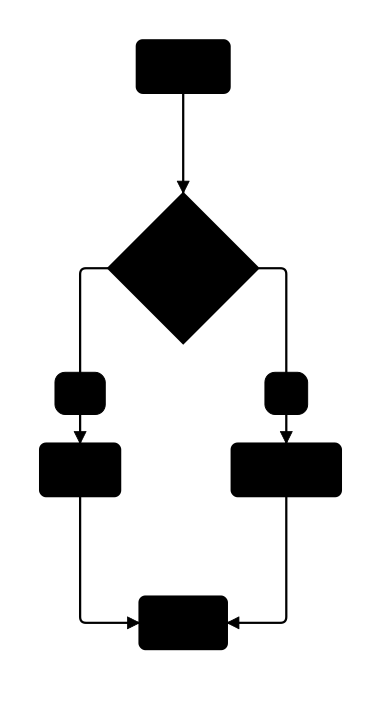
MermaidRenderer.RenderSvg("""
    graph TD
      A[Start] --> B{Decision}
      B -->|Yes| C[OK]
      B -->|No| D[Cancel]
      C --> E[End]
      D --> E
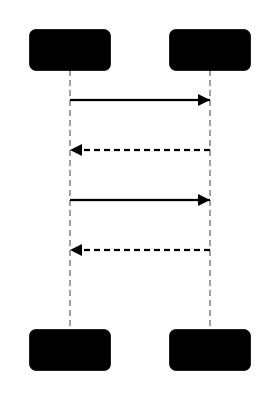
    """);
MermaidRenderer.RenderSvg("""
    sequenceDiagram
      participant A as Alice
      participant B as Bob
      A->>B: Hello Bob!
      B-->>A: Hi Alice!
      A->>B: How are you?
      B-->>A: Great, thanks!
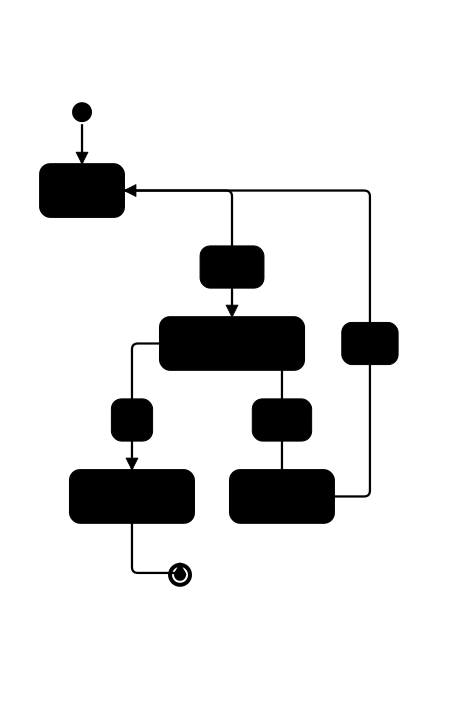
    """);
MermaidRenderer.RenderSvg("""
    stateDiagram-v2
      [*] --> Idle
      Idle --> Processing : submit
      Processing --> Success : ok
      Processing --> Failed : error
      Success --> [*]
      Failed --> Idle : retry
    """);
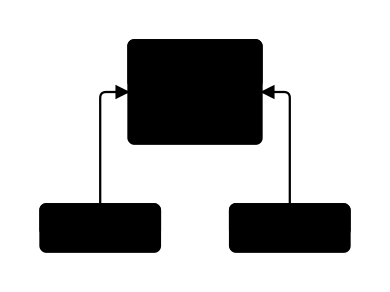
MermaidRenderer.RenderSvg("""
    classDiagram
      class Animal {
        <<abstract>>
        +String name
        +eat() void
      }
      class Dog { +bark() void }
      class Cat { +purr() void }
      Animal <|-- Dog
      Animal <|-- Cat
    """);
MermaidRenderer.RenderSvg("""
    erDiagram
      CUSTOMER ||--o{ ORDER : places
      ORDER ||--|{ LINE_ITEM : contains
      CUSTOMER {
        string name PK
        string email UK
      }
      ORDER {
        int id PK
        date created
      }
    """);
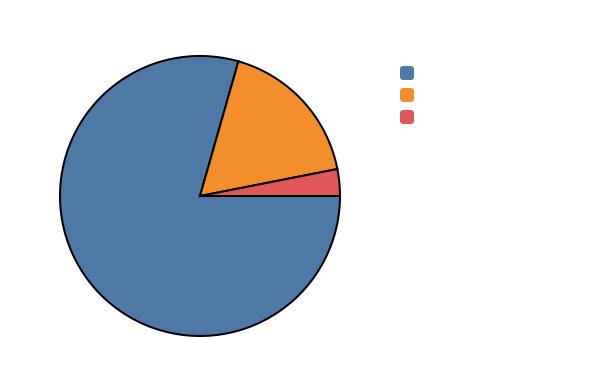
MermaidRenderer.RenderSvg("""
    pie
    title Pet Adoption
    "Dogs" : 386
    "Cats" : 85
    "Rats" : 15
    """);
MermaidRenderer.RenderSvg("""
    quadrantChart
    title Priority Matrix
    x-axis Low Effort --> High Effort
    y-axis Low Impact --> High Impact
    quadrant-1 Do First
    quadrant-2 Schedule
    quadrant-3 Delegate
    quadrant-4 Eliminate
    Feature A: [0.8, 0.9]
    Feature B: [0.2, 0.3]
    Feature C: [0.6, 0.4]
    """);
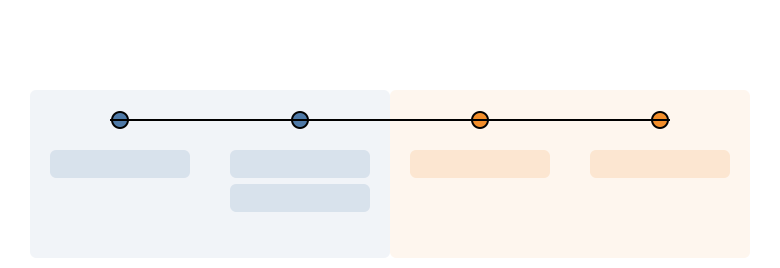
MermaidRenderer.RenderSvg("""
    timeline
    title History of Social Media
    section Early Days
    2002 : LinkedIn
    2004 : Facebook : Google
    section Modern Era
    2010 : Instagram
    2019 : TikTok
    """);
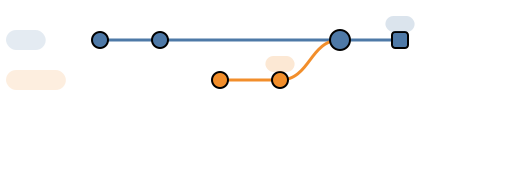
MermaidRenderer.RenderSvg("""
    gitGraph
    commit id: "init"
    commit id: "feat-1"
    branch develop
    checkout develop
    commit id: "dev-1"
    commit id: "dev-2" tag: "v0.1"
    checkout main
    merge develop id: "merge-1"
    commit id: "release" type: HIGHLIGHT tag: "v1.0"
    """);
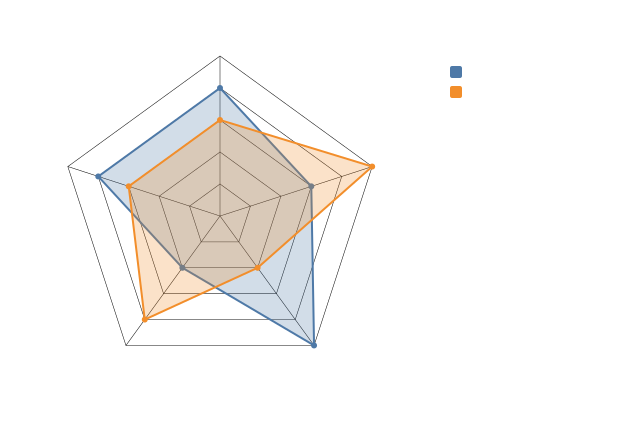
MermaidRenderer.RenderSvg("""
    radar-beta
    title Skills Assessment
    axis Design, Frontend, Backend, DevOps, Testing
    curve c1["Team A"]{4, 3, 5, 2, 4}
    curve c2["Team B"]{3, 5, 2, 4, 3}
    max 5
    graticule polygon
    """);
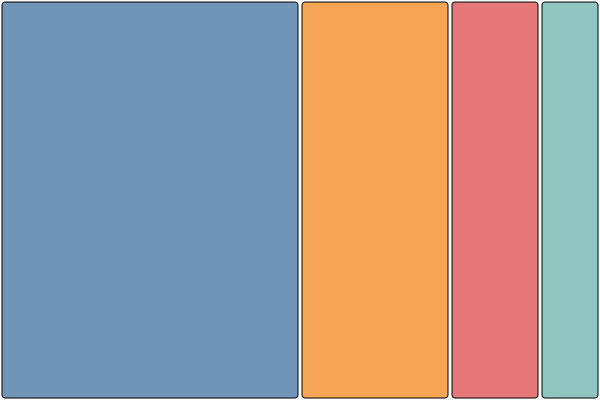
MermaidRenderer.RenderSvg("""
    treemap-beta
    "Engineering": 50
    "Marketing": 25
    "Sales": 15
    "Support": 10
    """);
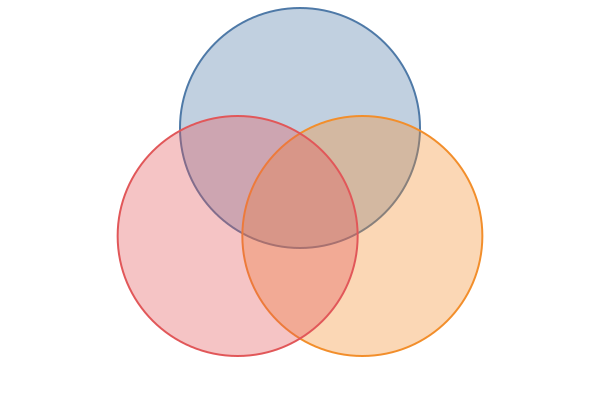
MermaidRenderer.RenderSvg("""
    venn-beta
    set A["Frontend"]
    set B["Backend"]
    set C["DevOps"]
    union A, B["Full Stack"]
    union B, C["SRE"]
    """);
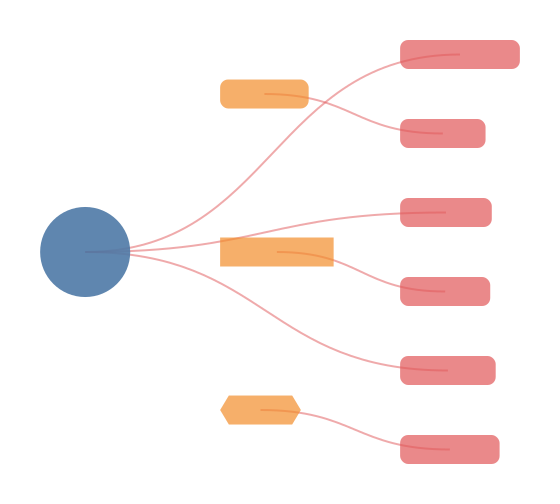
MermaidRenderer.RenderSvg("""
    mindmap
      ((Project))
        (Planning)
          Requirements
          Timeline
        [Development]
          Frontend
          Backend
        {{Testing}}
          Unit Tests
          Integration
    """);
MermaidRenderer.RenderSvg("""
    gantt
      title Shipping this file
      dateFormat  YYYY-MM-DD
      section Render
      Spike the renderer :done, a1, 2026-07-07, 1d
      Print this page    :active, a2, after a1, 1d
      section Polish
      Update tests       :crit, after a2, 12h
      Update docs        : 6h
""");MermaidRenderer.RenderSvg("""
journey
title My working day
section Go to work
Make tea: 5: Me
Go upstairs: 3: Me
Do work: 1: Me, Cat
section Go home
Go downstairs: 5: Me
Sit down: 5: Me
""");MermaidRenderer.RenderSvg("""
C4Context
title System Context diagram for Internet Banking System
Person(customer, "Banking Customer", "A customer of the bank.")
System(banking, "Internet Banking System", "View accounts and make payments.")
System_Ext(mail, "E-mail System", "Microsoft Exchange")
Rel(customer, banking, "Uses")
Rel(banking, mail, "Sends e-mails", "SMTP")
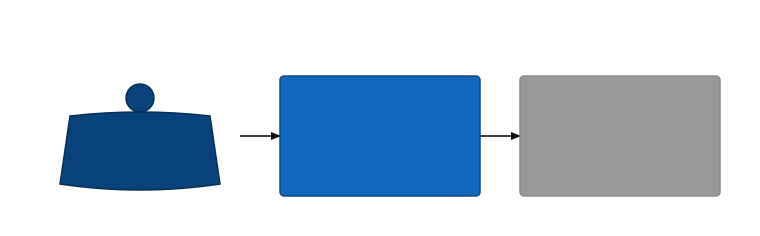
""");Supports Rel, BiRel, Rel_Back (arrow reversed vs argument order), and RelIndex. Directional forms (Rel_U / Rel_D / Rel_L / Rel_R and aliases) parse as plain Rel; layout direction hints are ignored in v1.
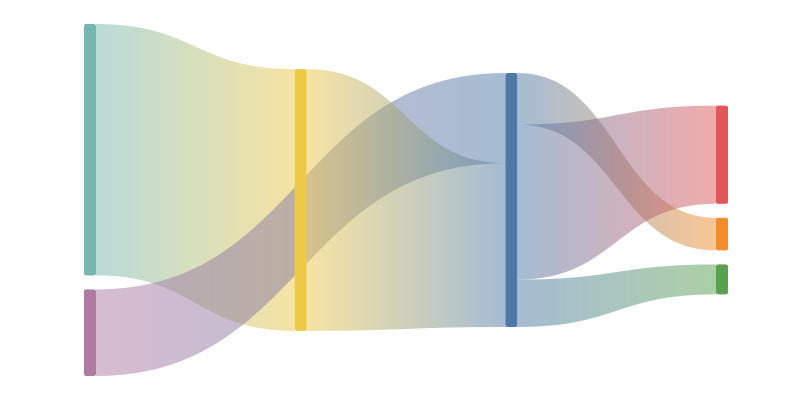
MermaidRenderer.RenderSvg("""
    sankey-beta
    Electricity grid,Over generation / exports,104.453
    Electricity grid,Heating and cooling - homes,113.726
    Electricity grid,Industry,342.165
    """);
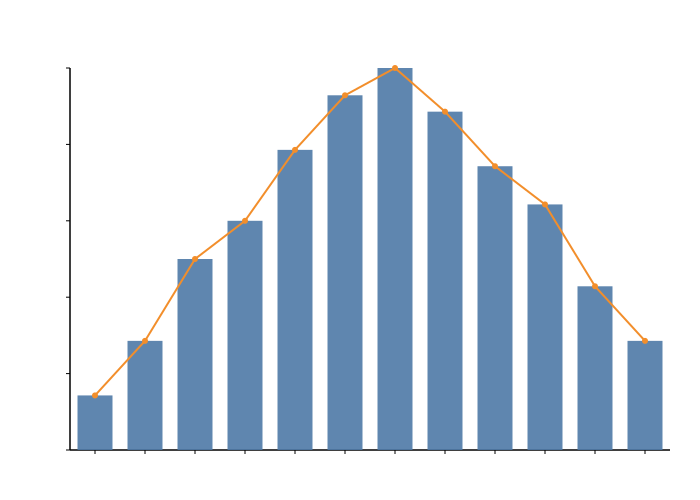
MermaidRenderer.RenderSvg("""
    xychart-beta
    title "Sales Revenue"
    x-axis [jan, feb, mar, apr, may, jun]
    y-axis "Revenue (in $)" 4000 --> 11000
    bar [5000, 6000, 7500, 8200, 9500, 10500]
    line [5000, 6000, 7500, 8200, 9500, 10500]
    """);
MermaidRenderer.RenderSvg("""
    requirementDiagram

    requirement test_req {
    id: 1
    text: the test text.
    risk: high
    verifymethod: test
    }

    element test_entity {
    type: simulation
    }

    test_entity - satisfies -> test_req
    """);
MermaidRenderer.RenderSvg("""
    packet-beta
    title UDP Header
    0-15: "Source Port"
    16-31: "Destination Port"
    32-47: "Length"
    48-63: "Checksum"
    """);
Supports range fields (0-15: "Label"), single-bit fields (106: "URG"), and bit-count form (+16: "Source Port").

MermaidRenderer.RenderSvg("""
    kanban
      Todo
        Task1
        Task2
      In Progress
        Task3
      Done
        Task4
    """);
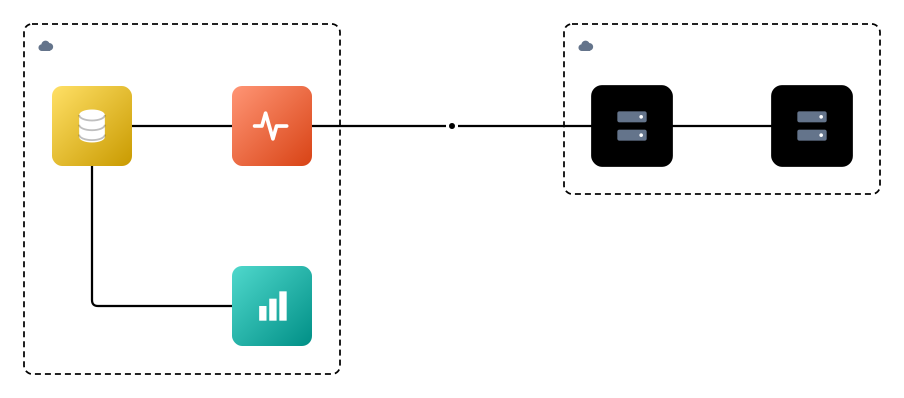
MermaidRenderer.RenderSvg("""
    architecture-beta
    group k8s(cloud)[k8s]
    group ech(cloud)[ECH]

    service edot(server)[EDOT] in k8s
    service oteldemo(server)[OtelDemo] in k8s
    service es(elastic:elasticsearch)[Elasticsearch] in ech
    service kbn(elastic:kibana)[Kibana] in ech
    service apm(elastic:apm)[APM] in ech

    junction otlp

    edot:L -- R:otlp
    otlp:L -- T:apm
    oteldemo:L -- R:edot
    kbn:L -- T:es
    apm:L -- R:es
    """);
Icons resolve through Mermaider.Icons.IconRegistry, referenced in a diagram as service id(iconName)[Title].
| Pack | Icons |
|---|---|
| Default (no prefix) | cloud, database, disk, internet, server, generic |
aws: / azure: / gcp: |
compute, storage, database, networking, serverless, load-balancer, queue, cdn, cache |
elastic: |
elasticsearch, kibana, logstash, beats, fleet, serverless, apm, security, observability |
ext: (vendor-neutral) |
waf, api-gateway, k8s, pod, pool, reverse-proxy, web, api, load-balancer, queue, cdn, cache |
The vendor and ext: icons are original, simplified pictograms, not the vendors'
official trademarked artwork. AWS/Azure/GCP's real icon sets are licensed for use in your own
diagrams, not for bundling into a redistributable library, which is why these are bespoke
shapes; register the real logos yourself (see below) if you have the rights to use them.
They render with a colored gradient badge behind them (vendor hue for
aws:/azure:/gcp:/elastic:, neutral slate for ext:). Default-pack icons render plainly
on the themed node box instead.
Register any SVG under a name of your choosing, including bare names or pack:icon style
names to group related icons:
using Mermaider.Icons;

IconRegistry.Register("mycompany:widget", """
    <svg xmlns="http://www.w3.org/2000/svg" viewBox="0 0 24 24">
      <circle cx="12" cy="12" r="8" fill="#0f62fe"/>
    </svg>
    """);
architecture-beta
service w(mycompany:widget)[Widget]
Register also has ReadOnlySpan<byte> and Stream overloads for loading icons from disk or
embedded resources without decoding them yourself:
IconRegistry.Register("mycompany:logo", File.ReadAllBytes("logo.svg"));

using var stream = typeof(Program).Assembly.GetManifestResourceStream("MyApp.Icons.logo.svg")!;
IconRegistry.Register("mycompany:logo", stream);
Regardless of which overload you use, every registered icon is stored as sanitized SVG text and
rendered the same way: as a base64 data URL on an <image> element
(<image href="data:image/svg+xml;base64,...">), sized and centered in the service box.
Registration validates and sanitizes the SVG using the same allowlist as
SvgSanitizer: <script> tags, event-handler attributes, and any
href other than a validated base64 data:image/svg+xml/data:image/png URI are rejected outright
(MermaidSvgException), not silently stripped. Custom icons render inside the plain themed node
box, same as the default pack. The colored gradient badge is only applied to the built-in
vendor/ext: icons. If you have the rights to use a vendor's real logo (e.g. inside your own
company's tooling), register it under whatever name you like and it renders exactly as provided.
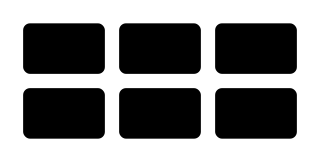
MermaidRenderer.RenderSvg("""
    block-beta
    columns 3
      A["A"] B["B"] C["C"]
      D["D"] E["E"] F["F"]
    """);
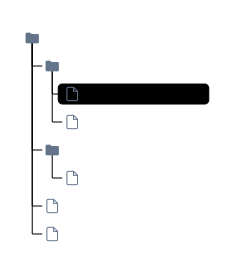
MermaidRenderer.RenderSvg("""
    treeView-beta
        my-project/
            src/
                index.ts :::highlight ## entry point
                utils.ts
            tests/
                index.test.ts
            package.json
            README.md
    """);
Supports indentation-based and box-drawing (├──/└──/│) input formats. Annotations:
:::className (highlighting), ## description (inline notes), icon(name) (custom icons).
Built-in icons: file, folder, folder-open, file:code, file:image, file:document,
file:config, file:data.
This project started as a .NET port of beautiful-mermaid by Craft Docs (lukilabs). Their TypeScript library pioneered the idea of rendering Mermaid diagrams without a browser or DOM: fast, themeable, and synchronous.
beautiful-mermaid itself credits mermaid-ascii by
Alexander Grooff for its ASCII rendering engine, which was ported from Go to TypeScript and extended.
beautiful-mermaid, relies on an external battle hardened layout engine elk.js,
We owe a huge thank-you to both projects for the excellent foundation.
This codebase was written with a coding agent (Claude). That said, care was taken to follow modern .NET 10
idioms and keep allocations low: ReadOnlySpan<char> parsing, [GeneratedRegex] with ReDoS timeout guards,
FrozenDictionary / FrozenSet for hot-path lookups, SearchValues<char> for character classification,
object pooling, and file-scoped namespaces throughout. The benchmark numbers above reflect the result.
Projects that use Mermaider and have contributed back:
- elastic/docs-builder - Elastic's documentation build toolchain
- tig/winprint - WinPrint uses Mermaider as its default Mermaid renderer
MIT. See LICENSE.txt.