


BlazeRules evaluates YAML rules over high-volume event batches. Use it from Python, embed it in C++, or run the local agent to read logs and event streams from HTTP, stdin, file tails, Kafka, Arrow, Avro, Protobuf, S3, or local files.
Website: https://blazerules.dev/
Documentation: docs.blazerules.dev
License: Apache-2.0.
The engine is batch-first internally. Ingestion adapters collect events into microbatches, infer or bind a schema, evaluate rules, and emit compact decisions or dead-letter records.
pip install blazerulesThe Python package exposes blazerules and blazerules_io and installs the
same local executables shipped in the native archives: blazerules,
blazerules_agent, and blazerules_dashboard. It includes the core rule
engine, IO helpers, ONNX scoring, the full batch/stream CLI, the local ingest
agent, and the local dashboard. numpy and pyarrow are installed as Python
dependencies.
python -c "import blazerules, blazerules_io; print(blazerules.__version__, blazerules.simd_backend())"
blazerules info
blazerules_agent --help
blazerules_dashboard --help
Native CLI archives are attached to GitHub Releases and are built by GitHub Actions from the tagged source revision:
These archives include blazerules, blazerules_agent, and
blazerules_dashboard. Release binaries and wheels are built with the same
feature set: ONNX, IO, Kafka, Avro, Protobuf, S3, dashboard, agent, full native
CLI, and runtime SIMD dispatch. Linux keeps generic code portable and uses
runtime-dispatched AVX2/AVX-512 kernels when the host CPU supports them; macOS
arm64 uses the NEON backend.
The blazerules CLI exposes the same engine and IO stack without requiring
Python integration:
blazerules info

blazerules eval \
  --rules rules.yaml \
  --input ndjson \
  --path events.ndjson \
  --output grouped-decisions

blazerules eval \
  --rules rules.yaml \
  --input arrow-ipc \
  --path events.arrow \
  --output summary

blazerules stream kafka \
  --rules rules.yaml \
  --brokers localhost:9092 \
  --input-topic transactions \
  --output-topic decisions \
  --dlq-topic decisions-dlq \
  --format protobuf \
  --descriptor transaction.desc \
  --message payments.Transaction \
  --workers 4 \
  --queue-depth 64 \
  --output-mode grouped \
  --consumer-conf security.protocol=SASL_SSL
Supported eval inputs are ndjson, jsonl, json, json-array, debezium,
arrow-ipc, arrow, parquet, csv, avro, protobuf, protobuf-delimited,
and auto. avro auto-detects a real Object Container File (multi-record,
self-describing schema, no --schema needed) versus a bare single Avro value
(needs --schema); protobuf-delimited reads a file of N varint-length-prefixed
messages (--descriptor/--message required) since Protobuf has no magic bytes
to auto-detect that from plain protobuf, which still decodes exactly one
message. Top-level JSON arrays use the direct JSON-array evaluator; they do not get
minified into NDJSON first. Output
modes are none, summary, decisions-jsonl, grouped-decisions, rule-counts,
bitmasks, and arrow-ipc (a binary Arrow stream of per-row decisions that
mirrors the in-memory BatchResult a Python caller reads). Python-only in-memory
objects such as pyarrow.RecordBatch map to CLI file/stdin equivalents such as
Arrow IPC, Parquet, or CSV.
eval, validate, backtest, and stream kafka accept --config run.yaml,
a single-run config (rules/input/output/engine/models/aws) that
maps onto the flags below; explicit flags override the file. blazerules stream kafka adds
--dlq-topic (route undecodable records to a dead-letter topic and keep
consuming) and repeatable --consumer-conf k=v / --producer-conf k=v for
librdkafka settings such as SASL/SSL. Malformed records in an NDJSON stream are
skipped and counted by default; set ingest_error_mode=HARD_FAIL when a stream
should stop on the first bad record.
| Surface | What it is | Entry points |
|---|---|---|
Python SDK (blazerules, blazerules_io) |
In-process library; accepts native pyarrow.RecordBatch objects and NDJSON/bytes |
RuleEngine, evaluate_ndjson/_batch/_messages, run_stream, decoders |
blazerules CLI |
Full batch/stream data plane without Python; same rules, operators, models, lookups, S3, formats | info, validate, eval, backtest, stream kafka |
blazerules_agent |
Long-running operational ingest | HTTP /v1/logs, stdin, file_tail |
blazerules_dashboard |
Local read-only observability UI | serves decision/dead-letter logs |
The Python SDK and the blazerules CLI expose the same rules, operators,
model/lookup/S3 support, ingestion formats, streaming modes, and output/routing
primitives. The only difference is the boundary: Python takes in-memory objects,
while the CLI takes files, stdin, and Kafka (Arrow IPC/Parquet/CSV are the
on-the-wire equivalents of an in-memory pyarrow.RecordBatch).
| Input | How to use it | Typical use |
|---|---|---|
| JSON / NDJSON bytes | RuleEngine.evaluate_ndjson(...) or blazerules eval --input ndjson |
API payloads, application events, log lines already formatted as JSON. |
| Top-level JSON arrays | RuleEngine.evaluate_json_array(...) or blazerules eval --input json-array |
Batch APIs that send one JSON array per request/file. |
| Python lists of JSON strings | RuleEngine.evaluate_messages(...) |
Small integrations and local scripts. |
| PyArrow / Arrow batches | RuleEngine.evaluate_batch(...) or blazerules eval --input arrow-ipc|parquet|csv |
Typed pipelines, Parquet/Arrow data, high-throughput paths. |
| Kafka | blazerules stream kafka, blazerules_io.KafkaConsumer, or run_stream(...) |
Microbatch JSON, Arrow IPC, Avro, Protobuf, or Debezium consume → evaluate → produce decisions. |
| HTTP logs/events | blazerules_agent --input http or instances[].input.type: http |
Apps POST NDJSON to /v1/logs. |
| stdin | blazerules_agent --input stdin |
Pipe terminal output or process logs into BlazeRules. |
| File tail | blazerules_agent --input file_tail --path app.log |
Pod logs, stdout/stderr files, node-local log files. |
| Plain text logs | wrap each line as JSON first | Unstructured terminal/stdout/stderr text. |
| Kubernetes logs | Helm chart / DaemonSet file-tail mode | Tail /var/log/containers/... and write decisions/DLQ. |
| Debezium CDC | blazerules eval --input debezium, blazerules_io.unwrap_debezium(...) |
Evaluate database change events. |
| Arrow IPC | blazerules eval --input arrow-ipc, blazerules_io.ArrowIpcDecoder |
Binary columnar frames. |
| Avro | blazerules eval --input avro, blazerules_io.AvroDecoder, blazerules_io.decode_avro_ocf_file_each |
Schema-based binary events; Object Container Files decode every record. |
| Protobuf | blazerules eval --input protobuf|protobuf-delimited, blazerules_io.ProtobufDecoder.decode_delimited_file_each/_parallel |
Descriptor-backed binary events; delimited files decode every message, optionally in parallel. |
| S3 / local files | CLI --path s3://..., read_ndjson_bytes(...), read_record_batches(...) |
Offline jobs, backtests, lookup/model/rule loading. |
All paths converge on the same batch evaluation engine. The adapters differ in how they collect and decode records; rule execution stays the same.
import blazerules

engine = blazerules.RuleEngine()
engine.load_rules("rules.yaml")

payload = b"""
{"event_id":"e1","card_token":"card_1","amount":2500.0,"device_type":"emulator","country_code":"US"}
{"event_id":"e2","card_token":"card_2","amount":50.0,"device_type":"ios","country_code":"GB"}
"""

result = engine.evaluate_ndjson(payload)
print(result.n_records, result.n_matched)
print(result.decisions)
print(result.match_counts)
Rules can be loaded before a schema exists. The first evaluated batch samples rule-referenced fields and binds the inferred schema. An explicit schema remains available for strict type control.
Run an HTTP ingest endpoint:
blazerules_agent \
  --rules rules.yaml \
  --input http \
  --host 127.0.0.1 \
  --port 9480 \
  --batch-size 4096 \
  --http-threads 8 \
  --eval-shards 4 \
  --sink-workers 2 \
  --flush-ms 50 \
  --ack-mode durable \
  --output ndjson \
  --output-path decisions.ndjson

curl -X POST http://127.0.0.1:9480/v1/logs \
  --data-binary $'{"event_id":"e1","message":"payment error","amount":99.5}\n'
Pipe stdin:
journalctl -u checkout -f -o json | \
  blazerules_agent --rules rules.yaml --input stdin --output stdout
Tail a file:
blazerules_agent \
  --rules rules.yaml \
  --input file_tail \
  --path /var/log/containers/checkout.log \
  --output ndjson \
  --output-path decisions.ndjson
Each agent input batches records by batch_size or flush_ms, evaluates the
batch, and writes compact decision events. Bad records can be counted, skipped,
or written to a dead-letter NDJSON file depending on ingest settings.
HTTP request, evaluation, and sink queues are bounded independently. Increase
--http-queue-depth, --eval-queue-depth, or --sink-queue-depth only after
measuring the corresponding stage. --ack-mode durable responds after output
is written; evaluated responds after evaluation while a bounded sink queue
finishes the write. Stateless rulesets may use multiple --eval-shards;
stateful rulesets remain ordered.
--output accepts stdout, ndjson, or arrow. Use --output arrow with an
--output-path to write decisions as a compact binary Arrow IPC stream instead
of NDJSON; it stores the same columns, is several times smaller on disk, and is
read directly by pyarrow, DuckDB, or pandas:
blazerules_agent --rules rules.yaml --input file_tail --path app.log \
  --output arrow --output-path decisions.arrow
import pyarrow.ipc as ipc
table = ipc.open_stream("decisions.arrow").read_all()Dead-letter output is always NDJSON regardless of the decision-log format, so
name it .ndjson even when --output arrow:
blazerules_agent --rules rules.yaml --input http \
  --output arrow --output-path decisions.arrow \
--dead-letter-path dead_letter.ndjsonA single agent process can run many independent pipelines at once — each
instance has its own ruleset, input, models, output, and dedupe settings. Pass a
config file with --config:
# agent.yaml
instances:
  - name: checkout
    rules: checkout_rules.yaml
    input: {type: http, host: 127.0.0.1, port: 9480}
    output: {type: arrow, path: logs/checkout.arrow, dead_letter_path: logs/checkout_dlq.ndjson}
  - name: fraud
    rules: fraud_rules.yaml
    models: ["risk=models/fraud.onnx"]
    input: {type: http, host: 127.0.0.1, port: 9481}
    output: {type: arrow, path: logs/fraud.arrow}
blazerules_agent --config agent.yamlEvery decision row carries the instance name and ruleset_version it came
from, so downstream consumers (and the dashboard) can tell which ruleset
produced each decision. Point the dashboard at the whole logs/ directory with
--decision-log-dir to view all instances together, and add --rules-dir (a
directory or s3:// prefix of the rule files) so the header's Ruleset
selector lists every ruleset — populated from the files on disk even before any
decisions arrive — and scopes any page (Overview, Timeline, Models, and the
Ruleset Visualizer) to one instance or compares them. Name each rule file to
match its instance (e.g. checkout.yaml for --name checkout) so one selection
drives both the data panels and the visualizer.
model_score conditions call an ONNX model registered by name. Register one or
more models with repeatable --model name=path flags (or an instance's
models: list); files may be local paths or s3:// URIs:
blazerules_agent --rules rules.yaml --input http \
  --model risk_logistic=models/risk_logistic.onnx \
  --model loss_regression=models/loss_regression.onnx \
  --output arrow --output-path decisions.arrow
# a rule referencing each model
- id: high_risk
action: review
conditions:
model_score: {model: risk_logistic, features: [f0, f1, f2], op: gte, value: 0.8}
- id: high_expected_loss
action: flag
conditions:
model_score: {model: loss_regression, features: [f0, f1, f2], op: gt, value: 120}Both classification (e.g. logistic → probability in [0,1]) and regression
(continuous output) models work; the model's raw prediction per record is
written into the decision log — as a model.<name> float column in Arrow, or a
model_scores object in NDJSON — and surfaced on the dashboard's Models page.
Models are scored in parallel across records with NEON/SIMD feature gathering, so
adding a model does not change the hot path when no rule references it.
In Python the same predictions come back on the result at full parity with the
agent: result.model_scores is a dict of model.<name> → per-row score array
(with result.model_names and a zero-copy result.model_scores_buffer(name)),
and EngineConfig.model_intra_op_threads tunes ONNX Runtime's intra-op threads
for faster single-batch inference.
BlazeRules returns per-record decisions directly in Python/C++. The agent can also write an NDJSON (or Arrow) decision log for downstream routing:
{"ts_ms":1782150000000,"instance":"checkout","batch_row":0,"ruleset_version":"1.0.0","matched":true,"decision":"REVIEW","score":72.0,"risk_band":"HIGH","winning_rule_id":"high_risk_payment","model_scores":{"model.risk_logistic":0.83}}Dead-letter records keep malformed or type-bad input out of the hot path while
preserving enough context to debug the producer: each record carries the error
code, the offending column_name, and a message naming the field that could
not be parsed. The dashboard reads decision logs, dead-letter logs, metrics,
benchmark output, and rule summaries.
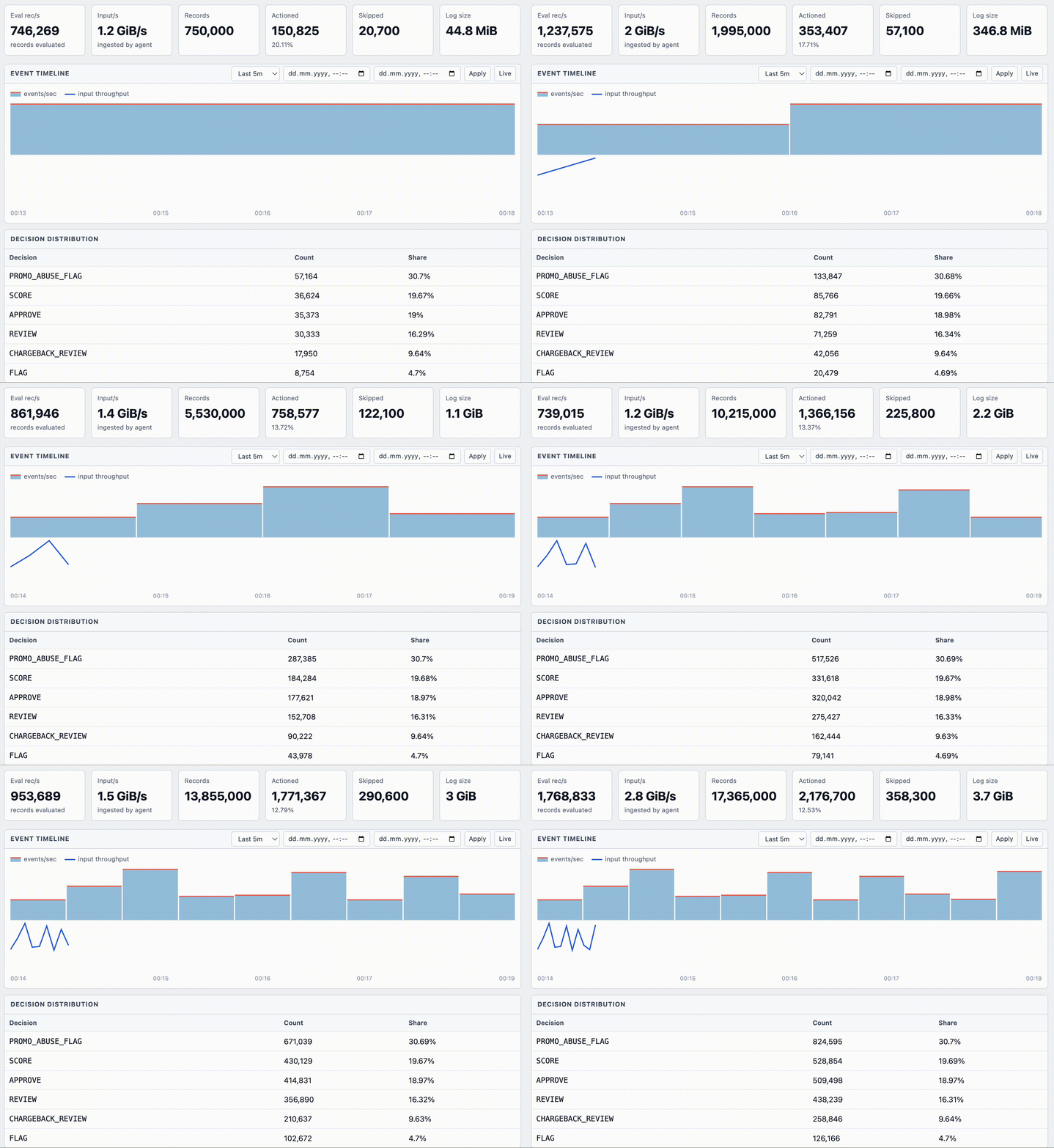
The dashboard has pages for the decision stream (Overview, Event Timeline), per-rule fire rates, a ruleset visualizer, and a Models page. A Ruleset selector in the header scopes every page to one instance/ruleset or All. A multi-instance agent can therefore compare rulesets side by side. The Models page shows, per registered model, a prediction-distribution histogram (probabilities for classification, values for regression) plus a filterable per-record prediction table, and scales to any number of models. An Instances / Rulesets panel on the Overview breaks records down by instance. (Dead-letter files are never treated as an instance, so they don't pollute the selector.)
For a multi-instance agent (one decision log per instance), point the dashboard at the directory instead of a single file:
# single instance
blazerules_dashboard --decision-log decisions.arrow --rules rules.yaml

# many instances (one *.arrow / *.ndjson per instance under logs/)
blazerules_dashboard --decision-log-dir logs/ --dead-letter-log logs/dlq.ndjsonBoth the agent's output and the dashboard's input can live on S3, so a pod keeps
no durable local state. This reuses the same aws CLI that resolves s3://
rules/lookups/models — no linked AWS SDK — and honors a custom endpoint, so it
works against AWS or any S3-compatible store (MinIO, Ceph, R2). Credentials come
from the standard AWS environment (or an instance role); region and endpoint from
the environment or explicit flags.
Point the agent's --output-path at an s3://…/prefix/. It writes rolled part
objects locally and uploads them to the prefix in the background — each part is
capped by size/age so re-upload stays bounded, and each Arrow part is a complete,
independently-readable IPC stream:
export AWS_ACCESS_KEY_ID=... AWS_SECRET_ACCESS_KEY=... AWS_REGION=eu-central-1

blazerules_agent --name checkout --rules rules.yaml --input http \
  --output arrow --output-path s3://my-bucket/decisions/checkout/ \
  --dead-letter-path dlq.ndjson \
  --s3-roll-mb 64 --s3-flush-seconds 10
Point the dashboard at the same prefix (or a parent prefix holding one sub-prefix per instance). It syncs new part objects to a local cache and feeds them into the same fast index used for local files:
blazerules_dashboard --decision-log-dir s3://my-bucket/decisions/ --rules rules.yaml
# or a single object:
blazerules_dashboard --decision-log s3://my-bucket/decisions/checkout/part-000001.arrow
Flags on both binaries: --aws-region REGION and --aws-endpoint-url URL
(otherwise read from AWS_REGION/AWS_ENDPOINT_URL). Agent roll controls:
--s3-roll-mb (part size cap, default 64) and --s3-flush-seconds (roll + upload
cadence, default 10). On SIGINT/SIGTERM the agent flushes its final part before
exiting, so a rolling deploy loses nothing. Dead-letter output remains a local
NDJSON file and requires separate replication for centralized retention.
Start here:
- Quickstart
- Ingestion Overview
- HTTP Logs Recipe
- stdin Recipe
- File Tail Recipe
- Plain Text Logs Recipe
- Kubernetes Logs Recipe
- DLQ Recipe
- Python API
- API and CLI Values Reference
- Production YAML Guide
- Build, C++ And Platforms
The standard installation path is pip install blazerules. Source builds are
intended for custom native flags, direct C++ embedding, or platform-specific
images.
cmake --preset linux-x86_64-release-dispatch
cmake --build --preset linux-x86_64-release-dispatch -j
Build details, CMake options, C++ embedding, and architecture-specific notes are kept together in the documentation instead of spread through the getting-started path.
Arrow is the appropriate path when upstream data is already typed or when a benchmark must exclude JSON parsing.
import pyarrow as pa
import blazerules

batch = pa.record_batch({
    "card_token": pa.array(["card_1", "card_2"]),
    "amount": pa.array([2500.0, 50.0], type=pa.float32()),
    "device_type": pa.array(["emulator", "ios"]),
    "country_code": pa.array(["US", "GB"]),
    "account_age_days": pa.array([2, 400], type=pa.int32()),
    "hour_of_day": pa.array([1.5, 12.0], type=pa.float32()),
})

engine = blazerules.RuleEngine()
engine.load_rules("rules.yaml")
result = engine.evaluate_batch(batch)
Arrow batches may contain extra columns or different physical column order.
BlazeRules projects rule-referenced columns by name. Nested Arrow struct
fields use the same dotted names as JSON.
Minimal shape:
schema_version: "2.1"

fields:
  card_token: {type: entity_key, nullable: false}
  amount: {type: float32, nullable: false}
  device_type:
    type: categorical
    values: [ios, android, web, emulator]

ruleset:
  name: Fraud Rules
  version: "1.0.0"
  rules:
    - id: high_amount_emulator
      action: block
      severity: HIGH
      weight: 40
      conditions:
        and:
          - field: amount
            op: gt
            value: 2000
          - field: device_type
            op: eq
            value: emulator
Top-level fields are optional hints, not a mandatory user schema. They are
useful for entity keys, timestamps, nullability, and closed categorical values.
Without hints, BlazeRules infers referenced fields from the first batch.
action must be one of the five built-ins (approve, score, flag,
review, block), which set scoring and risk-band behavior. To emit a custom
decision instead of the built-in name, add an optional label — the rule keeps
its action semantics but reports the custom label as the decision:
decisions:
  precedence: [approve, score, flag, review, bot_block, block]
rules:
  - id: bot_traffic
    action: block
    label: bot_block
    conditions: {field: bot_score, op: gt, value: 0.9}
The label appears everywhere the decision does — result.decisions,
grouped_decision_indices(), the agent decision log, and the dashboard. List
custom labels in decisions.precedence to control how they rank against the
built-ins.
Logical forms:
conditions:
  and:
    - field: amount
      op: gt
      value: 1000
    - or:
        - field: country_code
          op: in
          values: [US, GB]
        - not:
            field: device_type
            op: eq
            value: ios
SQL expression form:
conditions:
  sql: "amount > 1000 AND any_match(items, x -> x.price > 100)"
See rules.yaml for a compact file covering every operator family supported
by the parser, plus a top-level instances section for the local agent.
Numeric:
gt lt gte lte eq neq
between_including between_excluding
gt_field lt_field gte_field lte_field eq_field neq_field
Categorical/entity:
eq neq in not_in
Null and empty:
is_null is_not_null is_empty is_not_empty
Strings and regex:
contains starts_with ends_with ci_eq
length_gt length_lt length_eq
regex not_regex
Arrays and flags:
contains_any contains_all intersects not_intersects
array_len_gt array_len_lt array_len_eq
flags_any flags_all flags_none
array_any
Network, temporal, geo:
ip_in_subnet ip_not_in_subnet
before after within_last day_of_week_in time_of_day_between
distance_gt distance_lt
Lookups, windows, derived values:
in_lookup not_in_lookup
window: count sum avg ratio min max
expr arithmetic: + - * /
vector_distance: cosine l2 dot
model_score
Important operator details:
gt_field,lt_field,gte_field, andlte_fieldare for numeric fields.eq_fieldandneq_fieldalso work for string/categorical/entity equality.- String and regex operators require
STRINGfields.regexandnot_regexuse RE2 partial matching; use^...$for whole-field matches. model_score.featuresandvector_distance.dimsmust be numeric fields.vector_distanceuses one scalar field per dimension, not one array column. Formetric: cosine, the computed value is cosine similarity, soop: gtmeans “more similar.”day_of_week_incurrently uses0..6, where0is Sunday and6is Saturday.ip_in_subnet,ip_not_in_subnet, andipv4_cidr_setlookups are IPv4-only. IP fields may be dotted strings or numeric IPv4 values.is_emptyandis_not_emptyare text-like checks. Closed-enum array operators use the bitset path when enum values are declared in YAML.
Nested JSON:
{"merchant":{"risk":{"score":91}}}Rule:
conditions:
  field: merchant.risk.score
  op: gt
  value: 50
Array-of-object same-element semantics:
conditions:
  array_any:
    path: items
    where:
      and:
        - field: price
          op: gt
          value: 100
        - field: category
          op: eq
          value: electronics
This matches only when one item has both price > 100 and
category == electronics.
Rule files can reference CSV lookup sets:
lookups:
  blocked_merchants:
    type: string_set
    path: lookups/blocked_merchants.csv
  risky_bins:
    type: int_set
    path: lookups/risky_bins.csv
  vpn_ranges:
    type: ipv4_cidr_set
    path: lookups/vpn_ranges.csv
Supported lookup CSV columns:
| Type | Column |
|---|---|
string_set |
value |
int_set |
value |
ipv4_cidr_set |
cidr |
Relative lookup paths resolve relative to the rules file. Missing or invalid lookup files fail rule loading and do not replace an active hot-reloaded ruleset.
Use decision groups instead of Python loops over every row:
result = engine.evaluate_ndjson(payload)

approved = result.indices_for_decision("APPROVE")
needs_review = result.indices_for_not_decision("APPROVE")
groups = result.grouped_decision_indices()
Useful result fields:
n_records
n_matched
decisions
decision_codes
scores
risk_bands
winning_rule_ids
match_counts
matched_indices
timing
messages_processed
messages_skipped
error_counts
error_samples
EngineConfig.output_detail decides how much per-record detail is materialized.
The build default is OutputDetail.BITMASKS. Select the least expensive
level required by the caller:
| Detail | Materialized outputs |
|---|---|
COUNTS |
n_records, n_matched, match_counts, ingest counters, timing. No row-level decisions. |
CODES |
COUNTS plus compact integer decision_codes and decision_label_map. |
DECISIONS |
Per-record decision strings, scores, risk bands, winning rules, grouped routing indices, and model outputs. |
BITMASKS |
DECISIONS plus one per-rule, per-record match mask for rule-level attribution. |
config = blazerules.EngineConfig()

# Aggregate-only (fastest result construction): skip row-level outputs.
config.output_detail = blazerules.OutputDetail.COUNTS
engine = blazerules.RuleEngine(config)
result = engine.evaluate_ndjson(payload)
result.n_records, result.n_matched, result.match_counts

# Compact routing codes: no Python decision strings.
config.output_detail = blazerules.OutputDetail.CODES
engine = blazerules.RuleEngine(config)
result = engine.evaluate_ndjson(payload)
labels = result.decision_label_map
labels[int(result.decision_codes[0])]

# Routing-only (lighter): skip per-rule masks.
config.output_detail = blazerules.OutputDetail.DECISIONS
engine = blazerules.RuleEngine(config)
result = engine.evaluate_ndjson(payload)
result.indices_for_decision("BLOCK")   # works in both modes
result.match_counts                    # per-rule totals, both modes

# Per-rule attribution (requires BITMASKS):
config.output_detail = blazerules.OutputDetail.BITMASKS
engine = blazerules.RuleEngine(config)
result = engine.evaluate_ndjson(payload)
result["velocity_rule"]                # np.ndarray[bool]; KeyError under DECISIONS
result.indices_for_rule("velocity_rule")
Set OutputDetail.COUNTS for ingest/evaluate benchmarks, CODES for compact
high-throughput routing, DECISIONS for row-level outputs, and BITMASKS for
per-rule attribution. See
Decisions & Scoring
for the full breakdown.
Window rules read prior batch history, inject derived window columns, evaluate the current batch, then write the current batch for future batches. This means batch N sees state committed by earlier batches. Same-batch repeated entity rows do not see earlier rows from that same batch by default.
Supported window functions:
count sum avg ratio min max
engine.load_rules("rules.yaml")
engine.enable_hot_reload("rules.yaml", poll_interval_seconds=5)
status = engine.hot_reload_status()
Reload compiles and validates the new YAML/lookups off the hot path, then swaps atomically only on success. Failed reloads keep the previous ruleset active. Batches keep the ruleset observed at batch start.
Rules and schema activation are strict. Bad YAML, unknown fields, duplicate rule IDs, invalid regex, bad lookup files, and type/operator mismatches fail before activation.
Ingest defaults are tolerant:
config.ingest_error_mode = blazerules.IngestErrorMode.SKIP_AND_COUNT
config.type_mismatch_mode = blazerules.TypeMismatchMode.NULL_ON_TYPE_ERROR
Other modes:
SKIP_TO_DEAD_LETTER
HARD_FAIL
COERCE
HARD_FAIL_TYPE
import blazerules

print(blazerules.simd_backend())
print(blazerules.cpu_features_summary())

cfg = blazerules.EngineConfig()
cfg.simd_backend_override = "auto"
cfg.enable_avx512 = False
AVX-512 is disabled for auto-selection unless explicitly enabled because some server CPUs reduce frequency under wide vectors. Measure before enabling.
The full wheel and default source build include blazerules_io. Custom lean
builds require -DBLAZERULES_IO=ON and the matching decoder
flags:
BLAZERULES_IO_AVRO=ON
BLAZERULES_IO_PROTOBUF=ON
The IO module supports:
- Kafka source/sink through librdkafka.
- Debezium CDC unwrap.
- Arrow IPC frames.
- Avro binary records.
- Protobuf binary records with descriptor sets.
- Local and exact-object
s3://file reads.
Binary decoders produce Arrow RecordBatch objects and call evaluate_batch;
they do not need to convert through JSON. The same decoder path is available
through Python and the native blazerules CLI.
ArrowIpcDecoder.decode_each(...) visits IPC batches without combining them.
blazerules_io.for_each_record_batch(...) streams Arrow IPC, Parquet, CSV, or
JSON batches from local files and exact S3 objects. Kafka run_stream(...)
pipelines polling, partition-affine decode/evaluation, output delivery, and
contiguous offset commits through bounded queues; use output_mode="none" for
ingest/evaluate measurement or "grouped" for compact decision delivery.
Rules, lookup CSVs, and ONNX models can be resolved from exact-object
s3://bucket/key URIs. Data files use native Arrow S3 streams when S3 support
is compiled in, with the AWS CLI cache resolver retained as a compatibility
fallback. Arrow IPC and Parquet are evaluated batch by batch; NDJSON is read in
bounded chunks without downloading the complete object first.
The CLI and Python module finalize the native S3 runtime automatically. C++
embedders should call blazerules_io::finalize_filesystems() after all S3
readers have stopped.
import blazerules

blazerules.set_aws_profile("personal")
blazerules.set_aws_region("us-east-1")
blazerules.set_aws_endpoint_url("http://127.0.0.1:9000")

engine = blazerules.RuleEngine()
engine.load_rules("s3://bucket/rules/fraud.yaml")
Equivalent environment variables:
export BLAZERULES_AWS_PROFILE=personal
export BLAZERULES_AWS_REGION=us-east-1
export BLAZERULES_AWS_ENDPOINT_URL=http://127.0.0.1:9000Build the full native CLI bundle:
cmake --build cmake-build-release --target blazerules_cli blazerules_agent blazerules_dashboard -jDashboard:
cmake --build cmake-build-release --target blazerules_dashboard -j
./cmake-build-release/blazerules_dashboard --host 127.0.0.1 --port 9470 --rules rules.yaml
Agent:
cmake --build cmake-build-release --target blazerules_agent -jThe dashboard is read-only and unauthenticated. Bind it to localhost unless external network controls protect the listener.
If the agent returns HTTP 500 on /v1/logs (a bad ruleset, a missing lookup
file, a schema mismatch), it also logs instance '<name>': evaluation error: <message> to its own stderr (throttled to once a second), so a misconfiguration
is visible in the agent log rather than silently producing an empty decision log.
- Use Release builds.
- Batch records; do not call the engine per record.
- Prefer Arrow when upstream data is already typed.
- Use
evaluate_ndjson(bytes_blob)for NDJSON/JSONL streams. - Use
evaluate_json_array(bytes_blob)for a top-level JSON array batch. - Use
evaluate_ndjson_padded(payload, logical_size)orevaluate_ndjson_file(...)when input is already simdjson-padded or memory-mapped. - Keep streaming batches sized for latency, commonly 2K-64K rows.
- Use larger batches for throughput benchmarks.
- Use
OutputDetail.COUNTSorCODESfor adapter benchmarks and compact routing; useDECISIONSfor normal row-level outputs andBITMASKSonly when per-rule masks are required. - Keep partition/entity affinity for window-heavy streaming workloads.
- For a stateless ruleset under the agent,
blazerules_agent --eval-shards Nspreads evaluation across N cloned engines; it auto-downgrades to a single engine (with a stderr note) for stateful rulesets that use windows or dedupe. - Avoid huge unused JSON fields when chasing JSON throughput; skipped bytes are still bytes the parser must scan.
- Library version:
blazerules.__version__/blazerules.BLAZERULES_VERSION. - YAML compatibility:
blazerules.RULE_YAML_COMPATIBILITY. - Public API follows semantic versioning.
- Rule operator behavior is stable within a compatible YAML major version.
BlazeRules is licensed under the Apache License 2.0.
See LICENSE and TRADEMARKS.md.