BookThief prepares PDFs to be home-printed and home-bound in "pamphlet"-style.
Rudy said, "You know something, Liesel, I was thinking. You’re not a thief at all. Stealing is what the army does. Taking your father, and mine." He kicked a stone and it clanged against a gate. He walked faster. "All those rich Nazis up there, on Grande Strasse, Gelb Strasse, Heide Strasse. How does it feel anyway?"
"How does what feel?"
"When you take one of those books?"
At that moment, she chose to keep still. If he wanted an answer, he'd have to come back, and he did.
"Well?" he asked, but again, it was Rudy who answered, before Liesel could even open her mouth.
"It feels good, doesn't it? To steal something back."
– Markus Zusak's "The Book Thief"
On Debian GNU/Linux, BookThief can be easily installed via the deb.rail5.org repository:
sudo curl -s -o /etc/apt/trusted.gpg.d/rail5-signing-key.gpg "https://deb.rail5.org/rail5-signing-key.gpg"
sudo curl -s -o /etc/apt/sources.list.d/rail5.list "https://deb.rail5.org/debian/rail5.list"
sudo apt update
sudo apt install bookthief
Packages are also provided in the Github Releases Page as .deb files for manual installation.
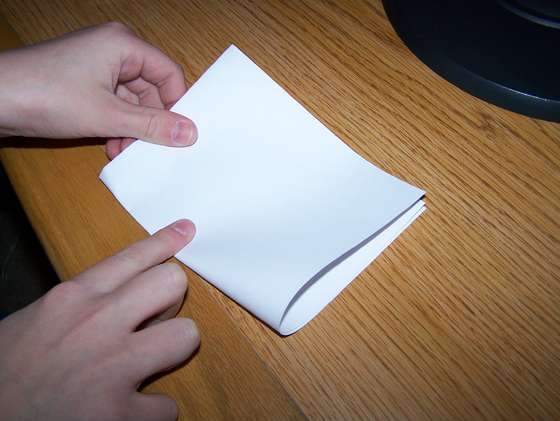
When BookThief spits out a new/converted PDF, you simply print it at home, double-sided, and then fold the stack of papers in half. (And staple them, if you want)


-
GUI (bookthief) & command-line (liesel)
-
Supports "splitting" PDFs into more manageable segments (based on how much paper you can realistically staple together)
-
Has an "advanced" window featuring a live-preview of the current settings
Suppose you're handling a PDF of a scanned book with yellow pages:

You can apply the "color threshold" to save ink when printing:

Suppose instead you're handling a PDF of another scanned book, but the scanner didn't separate the left/right pages

Normally, this would mess things up pretty bad

But we can apply the "Split pages" option to fix it for us

- fpc-3.2.2
- lcl-4.0
- pkgconf
- graphicsmagick-libmagick-dev-compat
- libpoppler-cpp-dev
- libhpdf-dev
- xgetopt-dev
- pandoc (for building manpages)
BookThief & Liesel are free software, distributed under the GNU GPL V3.0 License