USE HARDWARE ACCELERATION!!! the transparent elements will lag without it enabled and vencord to load the theme
online theme:
https://reaperwatch.github.io/themes/DarkNeon.themeMODIFIED.css
https://reaperwatch.github.io/themes/signalis_orangeNblack.css
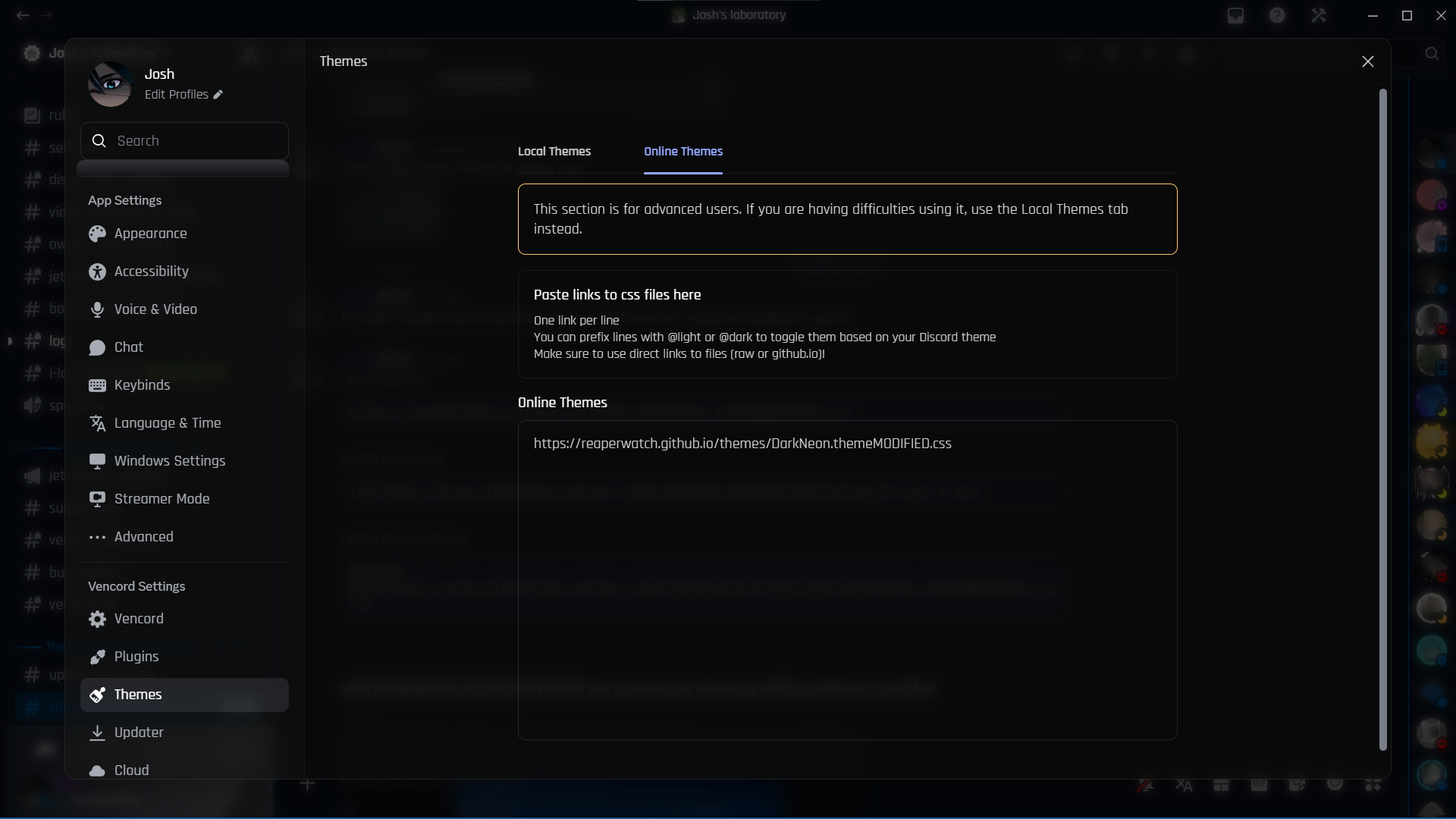
put the url as shown in the image
install commands: (for linux run "pwsh" first to enter powershell mode)
irm https://raw.githubusercontent.com/reaperwatch/themes/main/DarkNeon.ps1 | iex
irm https://raw.githubusercontent.com/reaperwatch/themes/main/signalisDark.ps1 | iex
(to modifiy the file to your liking use powershell with admin perms)
!installs inside appdata/roaming/vencord/themes/!
online import themes:
@import url("https://raw.githubusercontent.com/reaperwatch/themes/main/DarkNeon.themeMODIFIED.css");
@import url("https://raw.githubusercontent.com/reaperwatch/themes/main/signalis_orangeNblack.css");
put this import inside a css file to get the effects of this theme.