






Listens to Home Assistant system log events and sends structured log events to a remote Syslog or OpenTelemetry (OTLP) collector. Optionally forwards other Home Assistant events, such as lifecycle events, service calls, configuration updates, state changes.
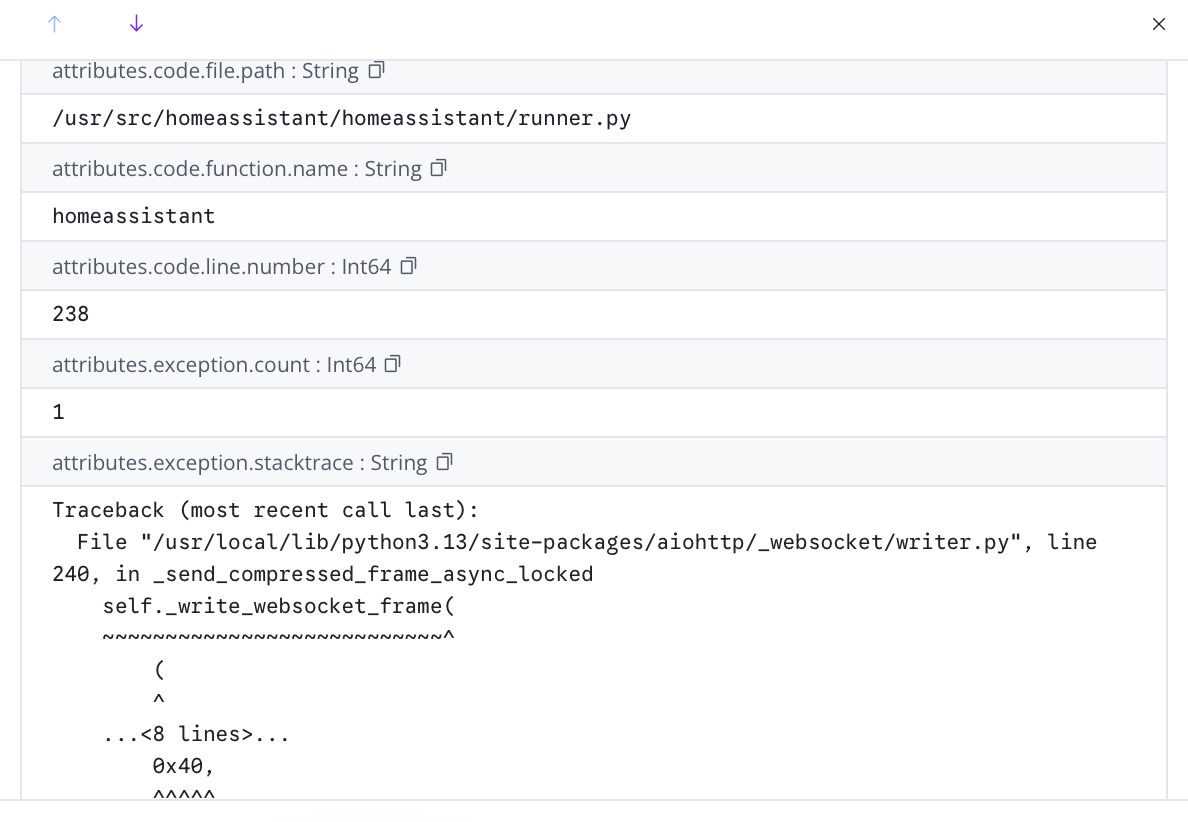
Logs structure is preserved from the Home Assistant internal event, so multi-line logs and stacktraces are preserved as single log entries, unlike console scrapers which will create a log event per line, and will capture script names, line numbers and versions properly.
Only Home Assistant server itself, with its custom components is supported. Logs from apps (previously known as 'add-ins'), HAOS or the HA Supervisor aren't provided as events to be captured, so require an alternative solution, like Bert Baron's LogSpout Home Assistant App will cover these. It can be used in combination with Remote Logger so that Home Assistant has good structured logs, and everything else is at least logged.
Translations are available for Dutch, English, French, German, Hindi, Italian, Japanese, Polish, Portuguese, Simplified Mandarin and Spanish.
Remote Logger is a HACS component, so that has to be installed first, using the instruction at Getting Started with HACS.
The integration installs using the Home Assistant integrations page, and has no YAML configuration.
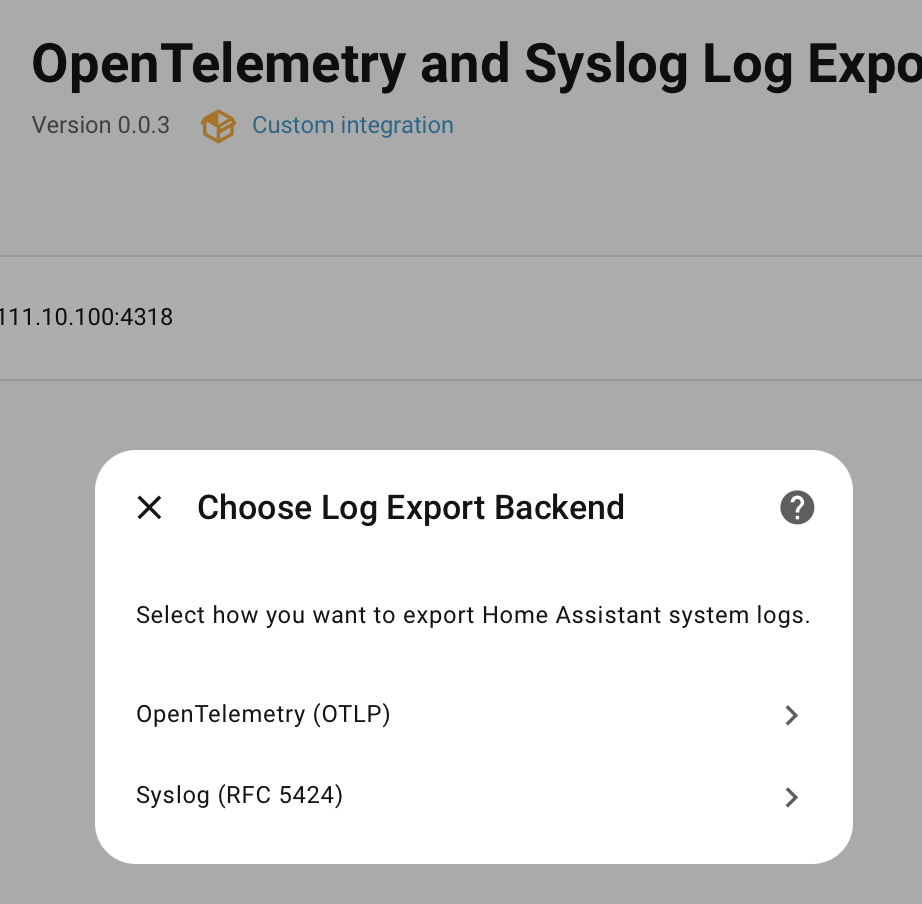
However, a YAML change is required to the Home Assistant System Log integration, to enable event forwarding for system_log_event.
system_log:
    fire_event: true
!!! tip "Choosing a Log Format"
If you're not sure about which log format to choose, Open Telemetry (*aka* **OTEL Logging**, *aka* **OTLP**) is the best if you have a modern logging service that can handle it. It has the richest format, for example knows how to hold a multi-line stacktrace attached to a log message, and generally requires minimal configuration. Syslog is the best choice if the back end logging is more primitive, since it has been around since the dawn of time, although is much more semantically limited.
Logs are sent using Open Telemetry Logs specification over a Open Telemetry Protocol(OTLP) connection, either as Protobuf or JSON, and currently only as HTTP (gRPC may be added in future).
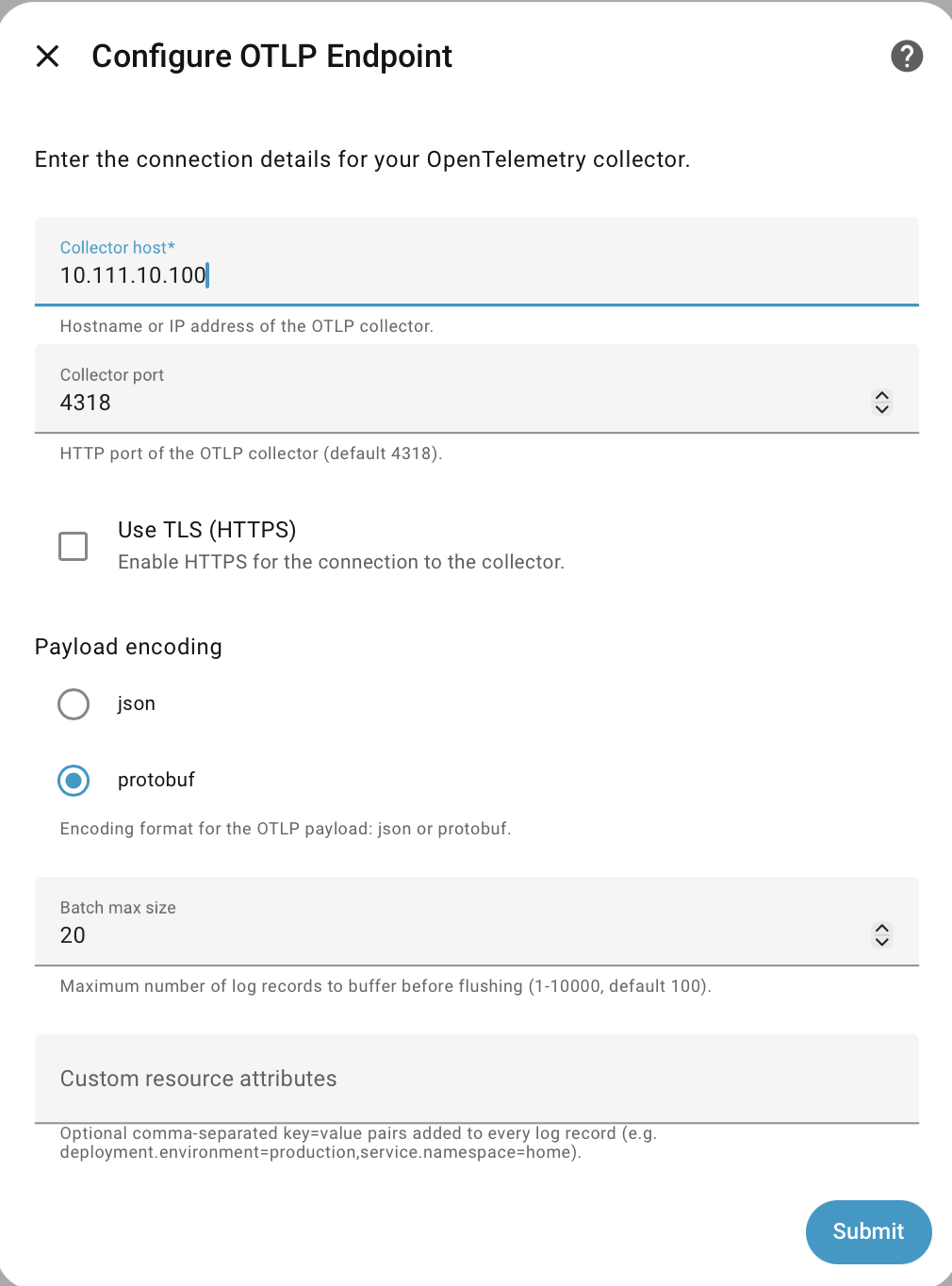
For more information, see OpenTelemetry Logging.
Log records are collected and sent in a bundle
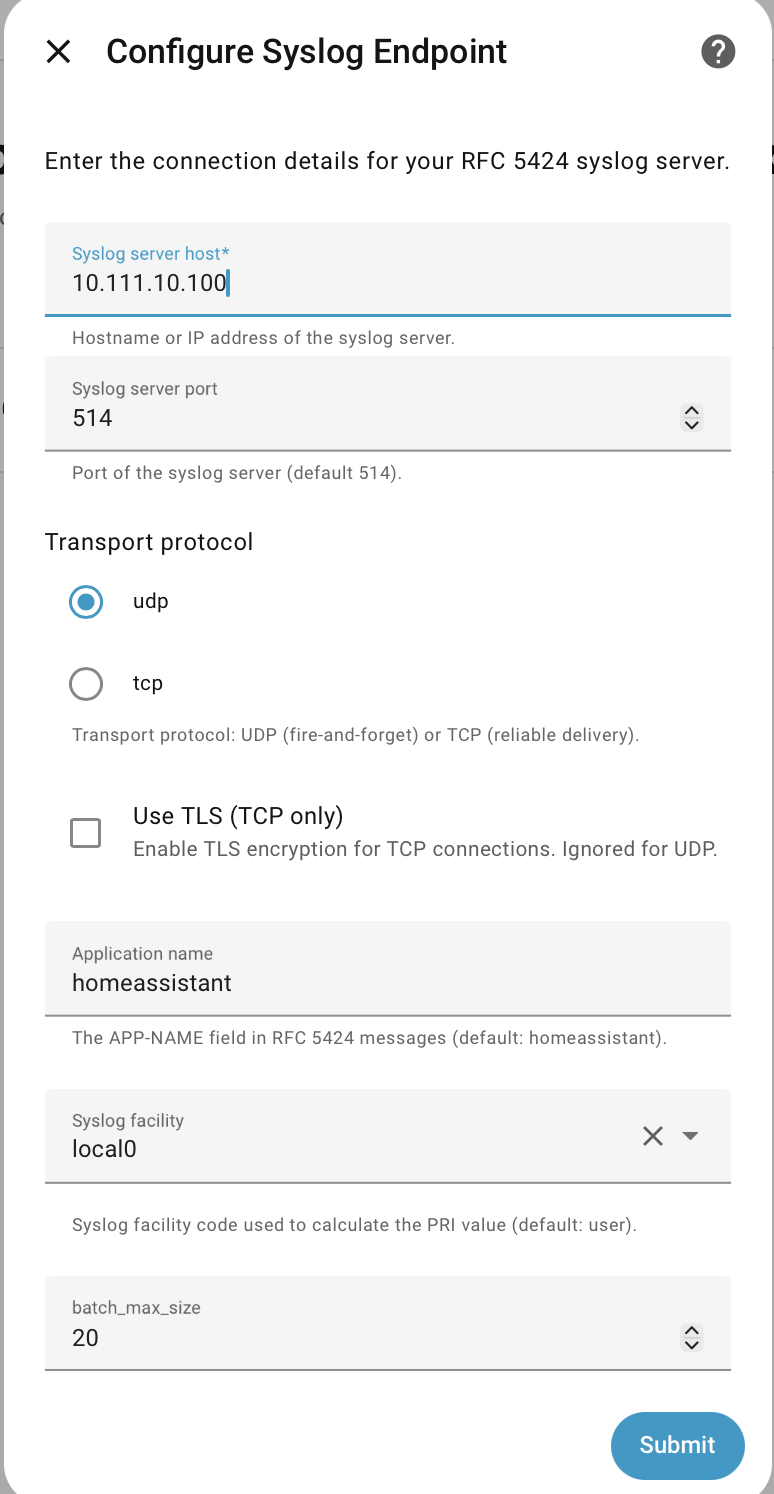
Messages are sent using the more recent RFC5424 format, with additional structured data using OTEL taxonomy (see Additional Attributes).
Syslog can be sent as TCP or UDP.
Note the requirement at Installation to enable this event, which isn't fired by default.
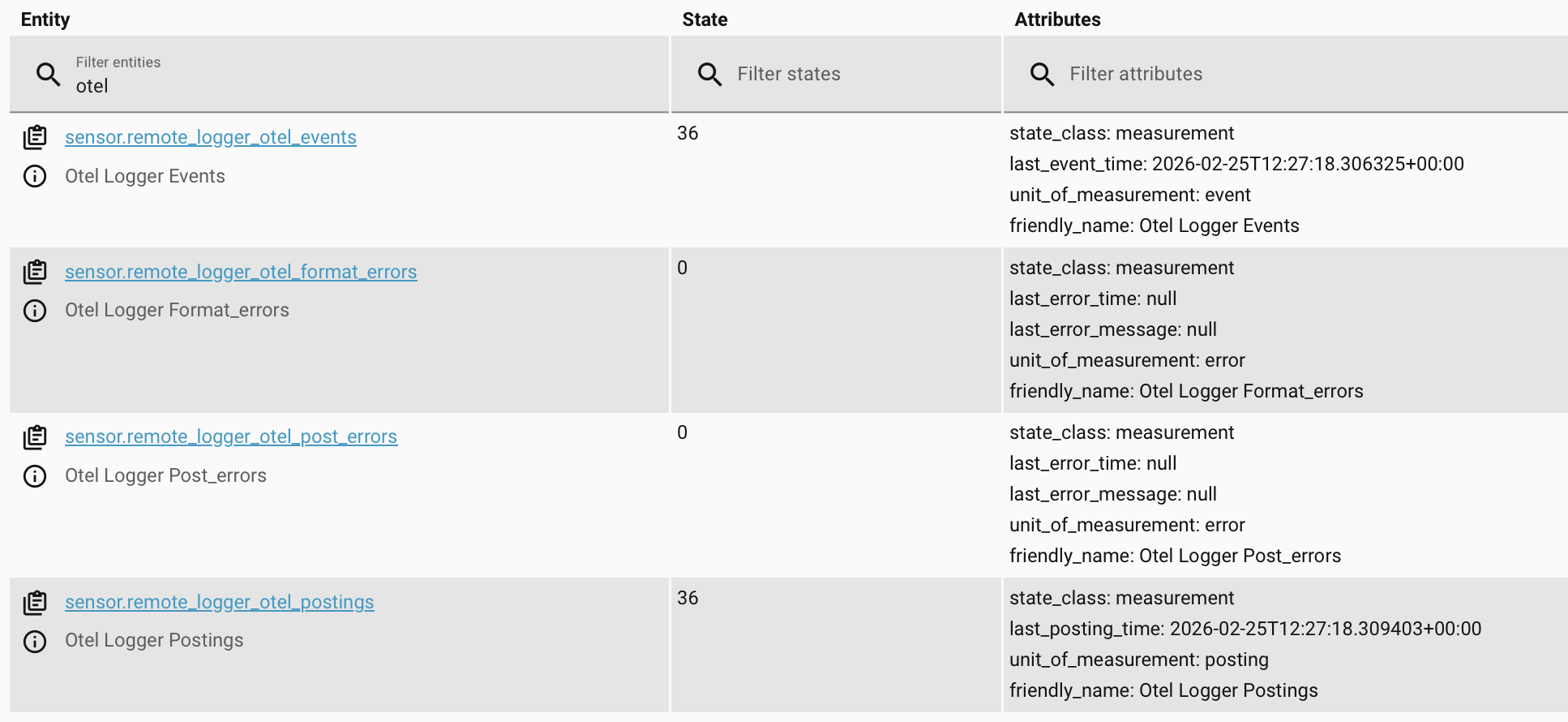
Remote Logger will omit its own log events from the stream, to prevent the possibility of event loops. As an alternative, error stats and messages are available as diagnostic entities.
The following additional attributes, derived directly from the
Home Assistant log event, are provided as Syslog STRUCTURED-DATA attributes, or OTEL attributes.
code.file.pathcode.line.numbercode.function.name(this is theloggervalue from Home Assistant)exception.countexception.first_occurredexception.stacktrace
OTEL taxonomy is used for both OTEL and Syslog since there's no standard taxonomy at this level of Syslog.
Remote Logger can log any Home Assistant event, and knows about the core ones, in order to create a more readable message.
For convenience, four pre-defined bundles of events can be switched on.
| Bundle | Description |
|---|---|
| Lifecycle | Home Assistant server start and stop events |
| Core Changes | Components and services loading or unloading, config reapplied |
| Core Activity | Actions, mobile actions, scripts, automations executed |
| State Changes | Entity state changes and log book entries, with states stripped of attributes and context to avoid huge log entries |
| Full State Changes | Entity state changes and log book entries, full and untrimmed |
The free-form event box can be used as an alternative to pick specific Home Assistant events, or any other custom component events.
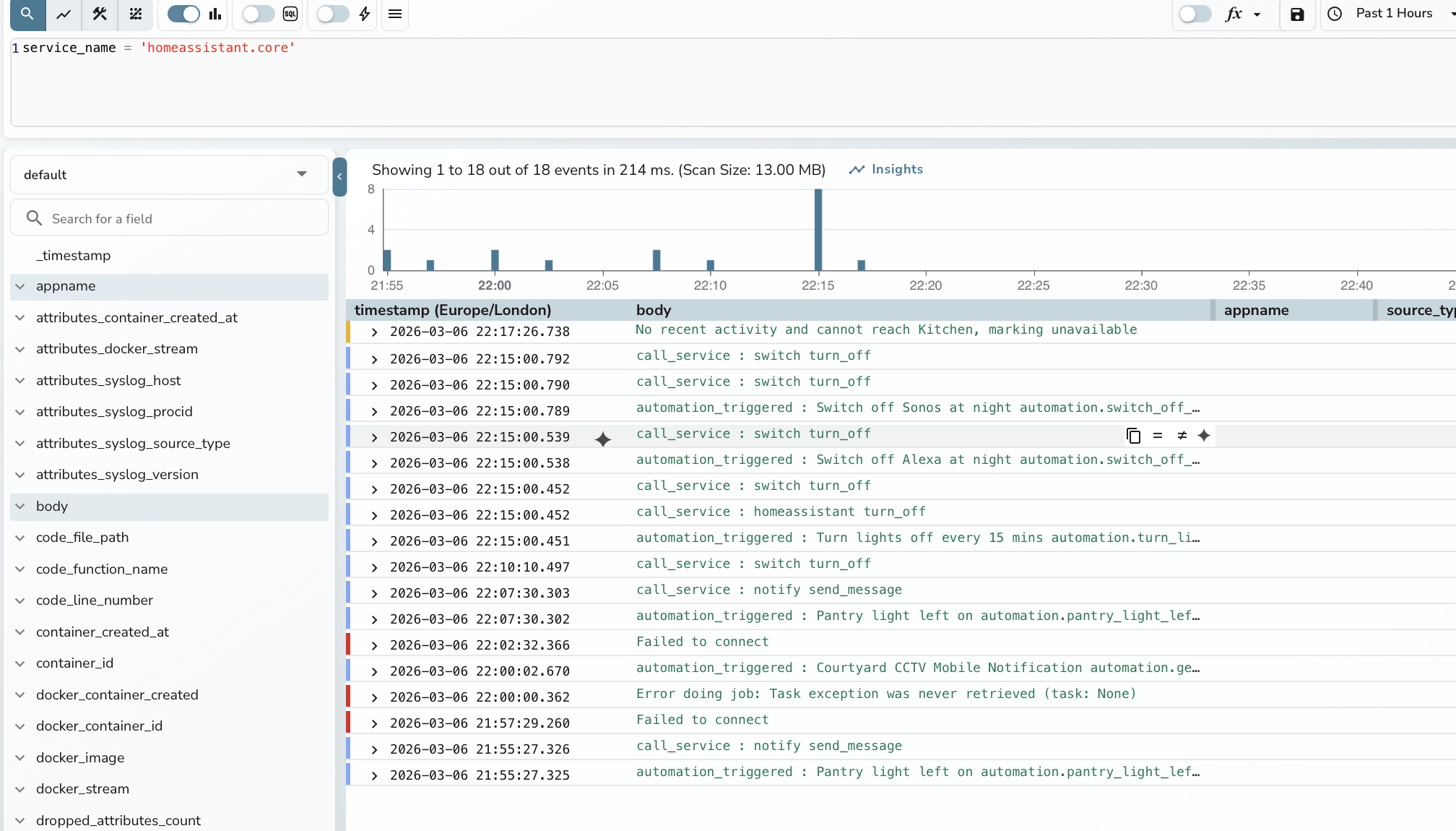
There are a zillion possible solutions for capturing, analyzing, aggregating and storing logs. Generally a log setup requires:
- Collector - The thing that sits on the monitored service and sends out the logs. This Remote Logger is a collector for Home Assistant core, as is LogSpout Home Assistant App for HAOS.
- Aggregator - Receives logs from collectors, enriches, filters, converts formats and forwards on. See Log Aggregators for more information.
- Store - Typically a database that holds the logs, and any column indexes or free text search indexes
- Analytics - Query by SQL or similar, keyword search, graphing, counting etc
These suggestions are for options that are open source and free, at least for home use, and will work in Docker.
-
Vector as the aggregator and GreptimeDb as the store and analytics - they are fast, lightweight, open source, customizable and run under Docker. Vector has support for OTEL logging, as well as Syslog, and has good remapping ability to fine tune each source. Its then easy to pull in logs from Docker servers, firewalls, Unifi switches or wherever else into one time-line, as well as server and network metrics. See the examples for a sample configuration.
-
OpenObserve can do all three jobs ( aggregator, store, analytics ) for many sources, although it now recommends using Vector for Syslog. It also has a more functional log query interface, especially for people used to Splunk, and reuses the VRL (Vector Remap Language) for its own pipelines.
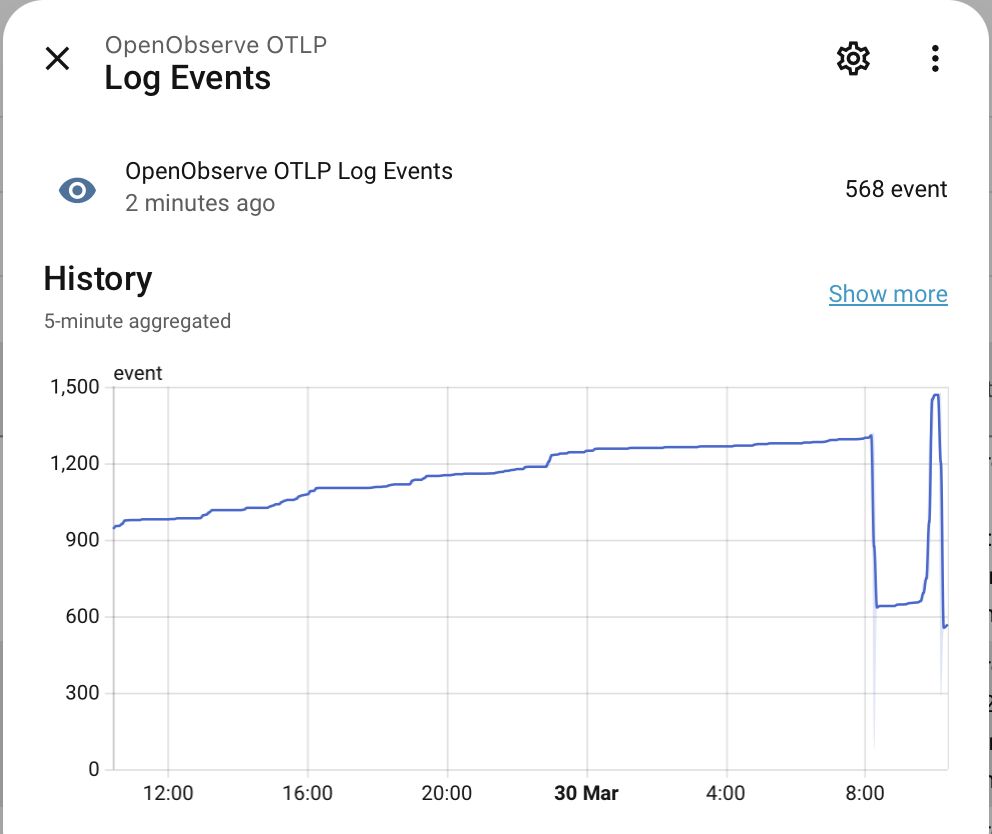
Home Assistant sensors are created and updated to monitor log activity, plus any errors either generating log messages or posting them to remote servers.
Home Assistant actions are supported to send a test event, force flush the log buffers and show the last payload posted.
- AutoArm - Automatically arm and disarm Home Assistant alarm control panels using physical buttons, presence, calendars, sun and more
- Supernotify - Unified notification for easy multi-channel messaging, including powerful chime and security camera integration.
- Anpr2MQTT - Integrate with ANPR/ALPR licence plate cameras via file system (NAS/FTP) to MQTT with optional image analysis and UK DVLA integration.
- Updates2MQTT - Automatically notify via MQTT on Docker image updates, with advanced handling to extract versions and release notes from images, and option to remotely pull and restart containers from Home Assistant. Also available on PyPI