*** Intel has discontinued support for this tool. Please contact Intel support for alternatives ***
MeshCommander is a Intel(R) Active Management Technology (Intel(R) AMT) remote management tool. It's feature rich and includes a built-in remote desktop viewer for Hardware-KVM, a Serial-over-LAN terminal, IDER-Redirection support and much more. MeshCommander is built on web technologies and runs on many plaforms. In addition to being available as a stand-alone tool, MeshCommander was built to be very space efficient to that it can be uploaded into Intel AMT flash space to have it served directly from the Intel AMT web server. There are different ways to install and use MeshCommander.
This fork is setup purely to allow installation onto Apple Silicon computers such as my MacBook Air M4. There is already an Intel Mac build floating around but this is slow to load on Apple Silicon and with the next release of Apple MacOS being the last to support Rosetta (to my knowledge) I felt it was worth building this.
I have changed the name slightly to add the AS at the end to indicate Apple Silicon. There are no changes to Intel's original code - and I won't be making any. As above, Intel have discontinued support for this tool and this fork is not intended to take over any such support. I do find MeshCommander useful though and wanted it to live in the Apple Silicon era - if only for myself.
The inspiration for this was from Jose Gomes GitHub Repo and their post at DevTTY. Similarly to Jose I now have an Apple Developer account and felt this would be a useful effort.
Much of the additions to this repo have been done utilising Claude Code. Whilst I am reasonable with JavaScript (React and React Native specifically), I am not a Swift developer. The changes would've taken me weeks to achieve without Claude Code so here we are. If you don't like that it's Claude Coded please don't use it :-)
The MeshCommanderMac/ folder in this repo is a native AppKit app (not Electron/NW.js) that wraps the same vendor HTML/JS as the rest of this project inside a WKWebView, with a small Swift bridge standing in for the Node.js networking APIs the JS expects. To build it yourself:
Requirements: an Apple Silicon Mac, Xcode (from the App Store), Homebrew, and Node.js (any reasonably recent version - only used to run one small build script, no npm packages required).
brew install xcodegen
cp Configs/Release.xcconfig.example Configs/Release.xcconfig
node Scripts/build-html.js --features Scripts/features-phase4.json
xcodegen generate
open MeshCommanderMac.xcodeproj
(Configs/Release.xcconfig is gitignored on purpose - it's where your own Apple Developer Team ID goes if you build a signed release later. The cp above just puts a harmless placeholder in place so the project generates; you don't need to edit it unless you're doing a signed build, see below.)
In Xcode, select the MeshCommanderMac scheme and hit Run. That's it - the Debug build is ad-hoc signed, so no Apple Developer account is needed just to build and run it locally for yourself.
If you want to produce your own signed, notarized, distributable .dmg (e.g. to hand the app to someone else without a Gatekeeper warning), you'll need your own Apple Developer account and a "Developer ID Application" certificate - copy Configs/Release.xcconfig.example to Configs/Release.xcconfig, fill in your Team ID, store notarization credentials once via xcrun notarytool store-credentials, then run ./Scripts/build-release.sh. See the comments at the top of that script for the exact one-time setup steps.
Or download the latest release from this repo as a prebuilt dmg.
On Windows, simply go to MeshCommander.com/meshcommander and download and install the MSI installer.
On Windows, Linux and MacOS, you can install MeshCommander from the Node Package Manager (NPM). Once you have NodeJS installed on your computer, you can do:
	mkdir meshcommander
	cd meshcommander
	npm install meshcommander
	node node_modules\meshcommander
This will start a small web server on port 3000 that you can access using a browser to use MeshCommander at http://127.0.0.1:3000.
For Intel AMT 11.6 and higher, you can load MeshCommander directly into Intel AMT storage flash space. Depending on the activation mode, MeshCommander can replace the default Intel AMT web page on HTTP/16992 or HTTPS/16993 making the built-in web site much more capable. On Windows, you can download the firmware installer here. On other platforms, you can use MeshCMD to load MeshCommander into Intel AMT.
On Windows and Linux, you can download MeshCMD, a command line tool for performing many Intel AMT management operations. Included in that tool is MeshCommander. You can start it up by running:
meshcmd meshcommander
Like the NPM version, this will start an HTTP web server on port 3000. You can then access http://127.0.0.1:3000 from any browser to access MeshCommander.
MeshCommander is a set of HTML web pages that can be used in many different ways. You can run it in a browser or in nw.js, you can run it as a stand-alone application or as a web application served from Intel AMT. Because of all the different roles MeshCommander can take and the unique requirement of being able to fit within 64k limit of Intel AMT file storage, MeshCommander has to be "compiled" using the WebSite Compiler tool that currently only runs on Windows. WebSite Compiler will merge all of the html, css and js files into a single big file, it will run a pre-processor to remove portions that are not needed and then minify and compress the output as needed.
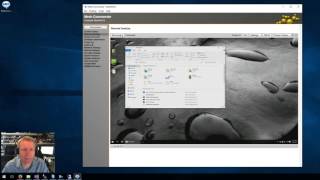
There are plenty of tutorial videos here.
Introduction to MeshCommander.


This software is licensed under Apache 2.0.