Cage is a developer tool for safely working with untrusted projects on macOS.
Given the recent rise in supply-chain attacks, it’s crucial to implement proper safeguards when executing code, including dependencies, which are primary targets for attackers. The fundamental principle should be as simple as never run code you didn’t write on your machine.
When you cd into a caged project, Cage reminds and helps you to boot an isolated VM with only that project’s directory mounted. This keeps your host clean and ensures your code inside the VM is sandboxed. Your code goes in the cage. Everything else stays free.
The name and principle are inspired by FreeBSD's jail.
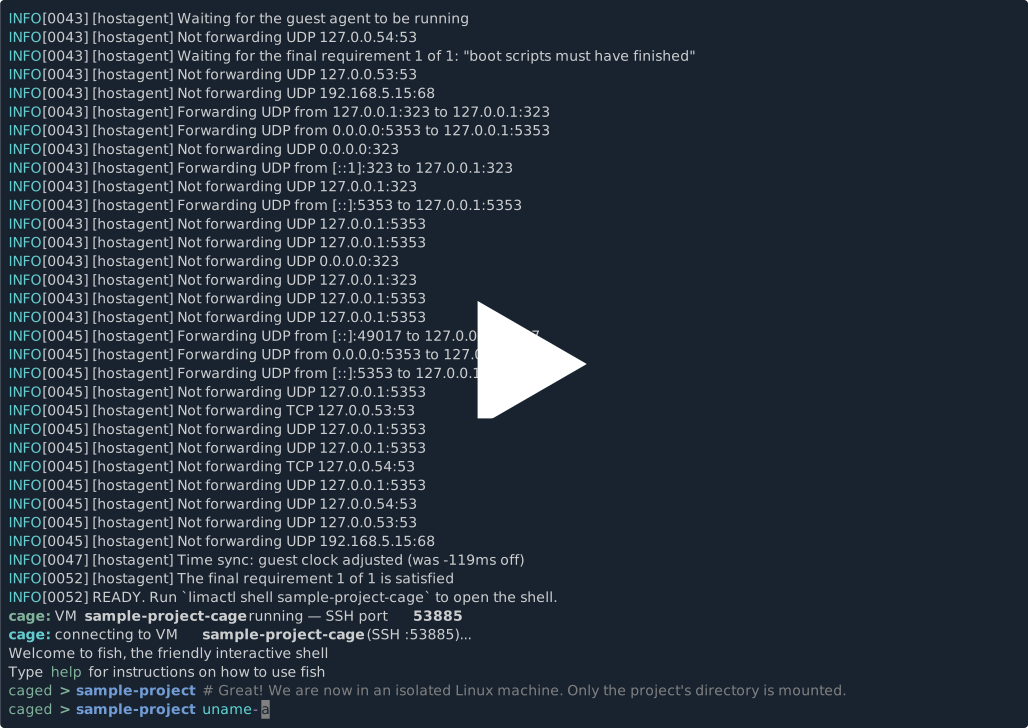
- Each project gets its own VM, provisioned on first boot (customizable script).
- Only project directory mounted; no other host files available.
misepreinstalled in VM; install runtimes there, not on host.- Shell hook detects caged directory entry and reminds to stay inside VM.
- Zed and VS Code editors connect via SSH remote; language servers, deps, terminals, and tasks run inside VM.
brew install lima
brew install --cask stackfusion/tap/cage
When it's time to update Cage's version, you can run the brew upgrade --cask stackfusion/tap/cage command.
cage installThis creates a VM template and patches your shell rc. It auto-detects your shell (bash, zsh, fish), but you can specify it explicitly.
cage install --shell fishcd ~/Workspace/some-project
cageThat's it.
Cage initializes the project, starts the VM, and opens a shell inside it. Use cage help for more information.
The hook fires automatically when you cd into a caged directory or its children.
~ $ cd ~/Workspace/sample-project
cage: caged directory — VM is not running
cage: run `cage` to start and enter the VM, or `cage ack` to suppress this banner
After cage ack, the loud banner is replaced with a subtle one-liner on subsequent visits.
To manually set up the hook:
# zsh
echo 'eval "$(cage hook zsh)"' >> ~/.zshrc

# bash
echo 'eval "$(cage hook bash)"' >> ~/.bashrc

# fish
echo 'cage hook fish | source' >> ~/.config/fish/config.fishA minimal config with your project.
vm_name: my-project-cageThe VM template (CPU, memory, disk, base image, and provisioning script) lives in ~/.config/cage/ and can be customized.
Zed and VS Code connect to the VM via SSH, where language servers, terminals, and build tools reside.
cage zed  # requires zed on PATH
cage code # requires code on PATH and the Remote-SSH extensionThe Cage is a workflow, not a security sandbox. The VM is the real boundary; the shell hook and banner are reminders that won’t stop you from running potentially dangerous code locally.
The goal is to make the right thing easy to do.