


SVAR React Kanban is a customizable, interactive Kanban board component for React. It supports drag-and-drop between columns, card reordering within a column, editing, filtering, and rich customization options. The component is a good fit for task management apps, including agile dashboards and project planning tools.
The kanban comes with full TypeScript support, extensible API, and flexible CSS styling. The PRO Edition offers extra features for enterprise projects (data export, dynamic loading, undo/redo support).
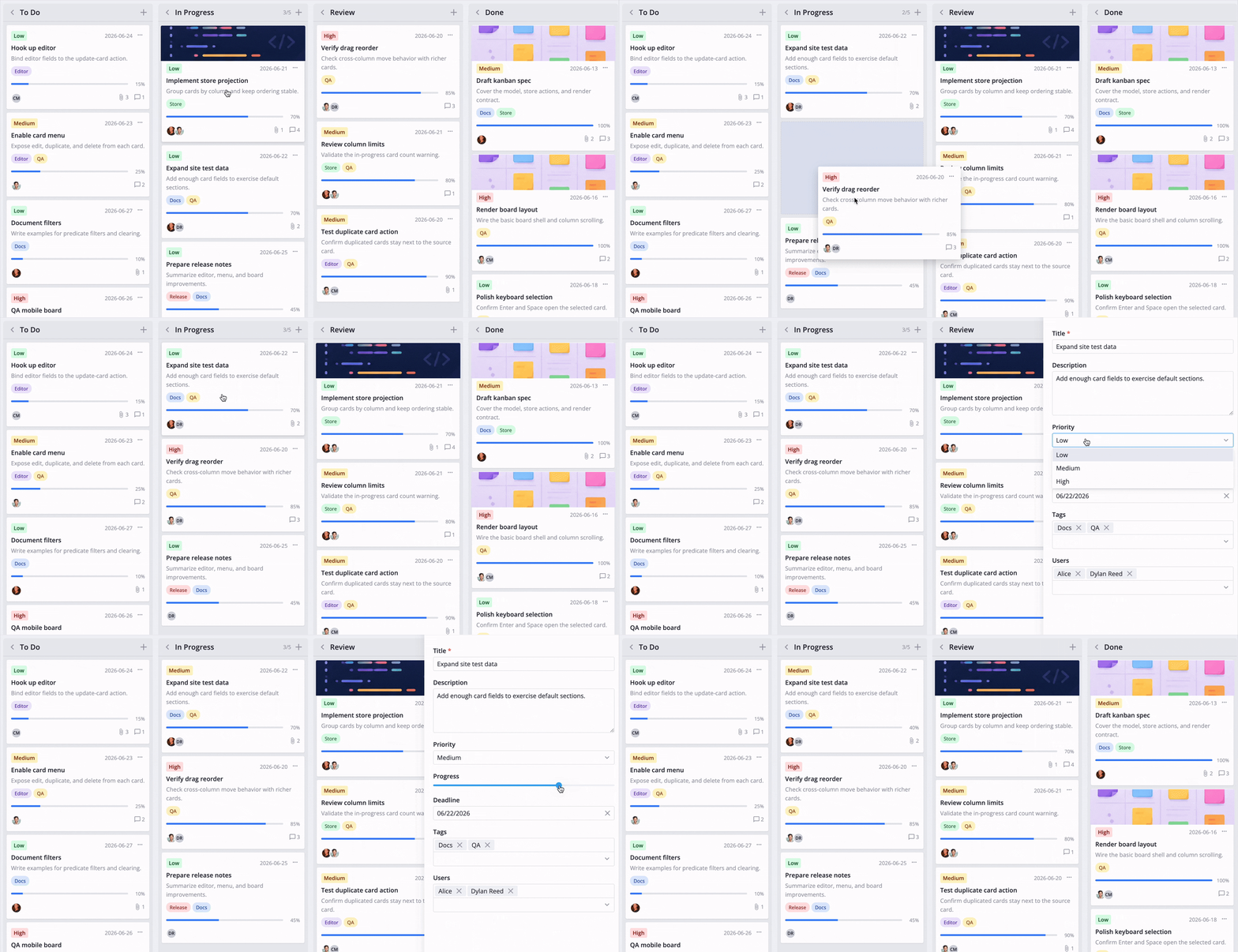
- Drag-and-drop cards between columns and rows
- Built-in card editor
- Context menu and toolbar
- Card filtering, sorting and grouping
- REST data provider for backend integration
- Custom card templates
- Localization
- Light and dark themes
- Full TypeScript support
SVAR React Kanban is available in open-source and PRO editions. PRO features include:
- Export to PDF/PNG/Excel
- Dynamic data loading
- Undo/redo support
Visit the pricing page for licensing details, feature comparison, and free trial.
Check out the live demo to see SVAR React Kanban in action.
Import the package, pass cards and columns arrays, and optionally attach the editor through the kanban API:
import { useState } from 'react';
import { Kanban, Editor } from '@svar-ui/react-kanban';
import '@svar-ui/react-kanban/all.css';

const columns = [
  { id: 'backlog', label: 'Backlog' },
  { id: 'inprogress', label: 'In Progress' },
  { id: 'done', label: 'Done' },
];

const cards = [
  { id: 1, label: 'Design landing page', column: 'backlog', priority: 'high' },
  { id: 2, label: 'Set up CI pipeline', column: 'inprogress' },
  { id: 3, label: 'Write API docs', column: 'done' },
];

export default function App() {
  const [api, setApi] = useState(null);

  return (
    <>
      <Kanban init={setApi} cards={cards} columns={columns} />
      {api && <Editor api={api} />}
    </>
  );
}
For further instructions, follow the detailed quick start guide.
Post an issue or use our community forum.
If SVAR React Kanban helps your project, give it a star. It helps other developers discover this library and motivates us to keep improving.