This is a tool for logging slack messages with Google Spreadsheet in order to allow you to analyze communication in the workplace.
By using this, you can analyze communication in your Slack workspace such as how active each channel is, who is mentioned the most, whom a member mentions, etc. For example, you can utilize it for knowing how onboarding is going well.
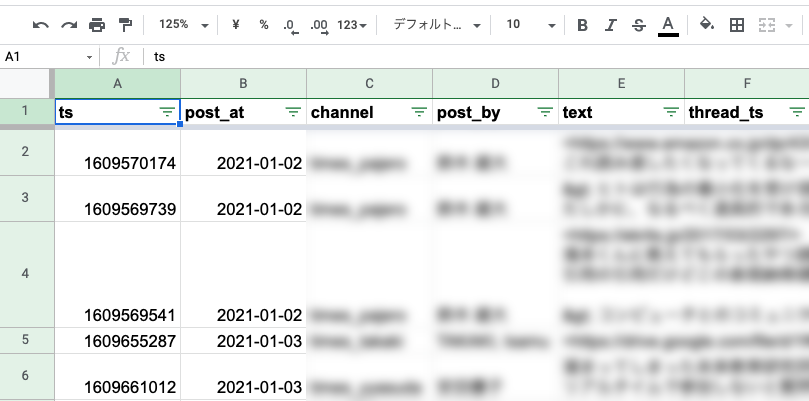
Every message in public channels in your Slack workspace is logged in the message sheet
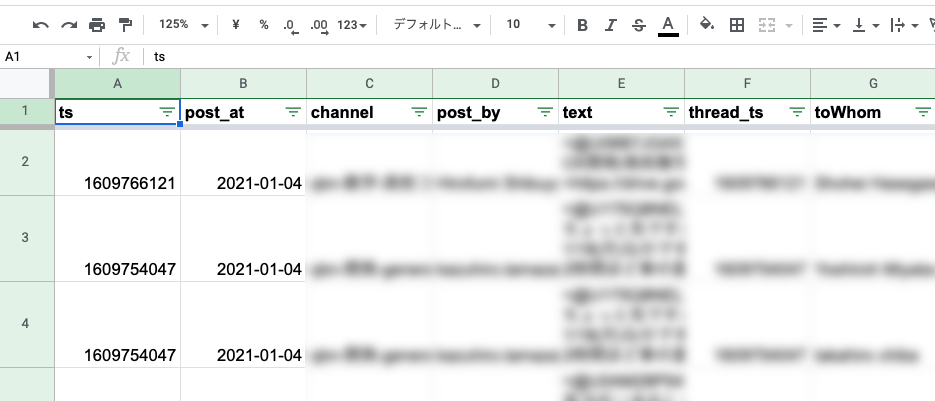
By contrast to the message sheet, only messages which mention someone are logged in the mention sheet. If a message mentions more than one person, the record is logged separate rows, which means when you mention two people, the number of rows is two.
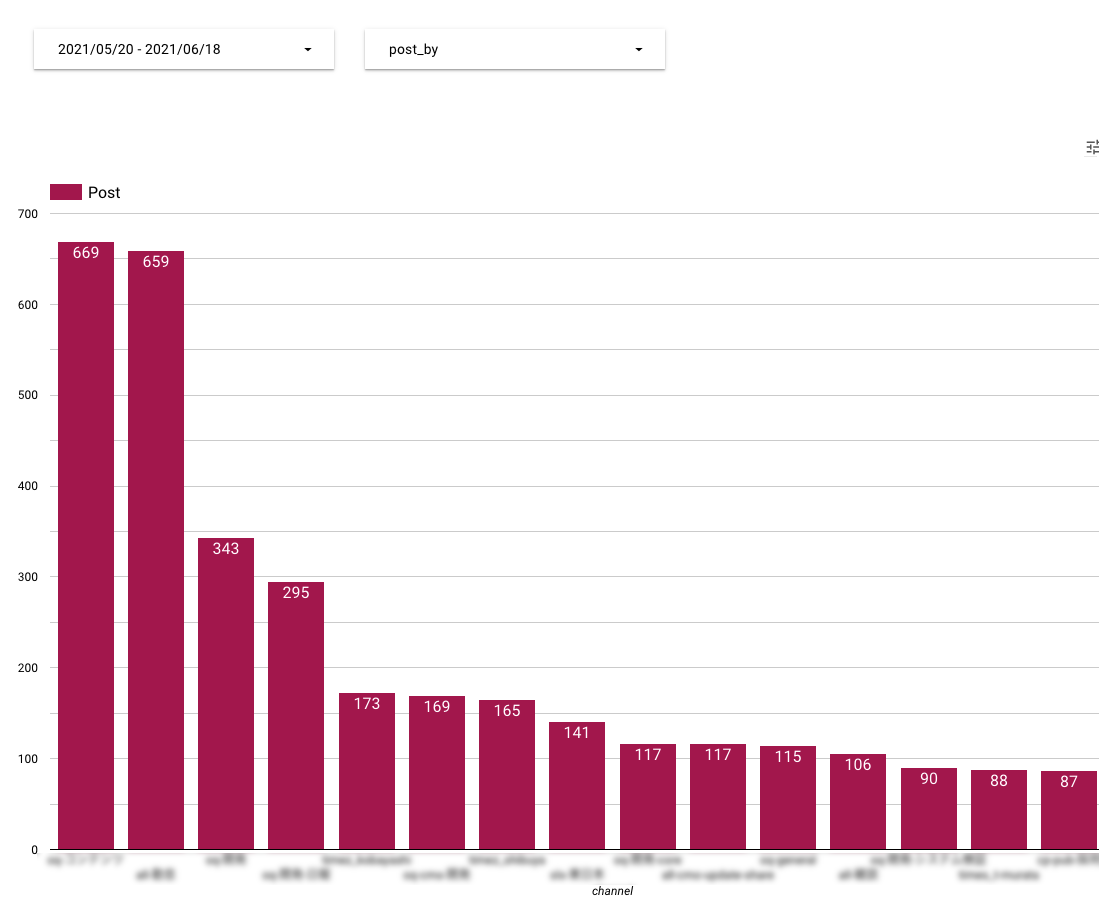
The easiest way of analyzing is using pivot table in Google Spreadsheet. However I recommend that you use Google Data Studio. You can visualize your data and easily know what is going on in your Slack workspace. The following picture is an example for Google Data Studio, which visualizes the number of posts in each channel.
- Node.js
- google/clasp
git clone https://github.com/takuya0206/slackMessageLogger.git
npm install
What is scriptId? https://github.com/google/clasp#scriptid-required
{
  "scriptId": <your_script_id>,
  "rootDir": "dist"
}
Where you can find Google spreadsheet id? https://developers.google.com/sheets/api/guides/concepts
{
  id: '<your_outputSpreadsheet_id>',
  messageSheet: 'message',
  mentionSheet: 'mention',
}
Firstly, you get Slack token. How to get a Slack token? https://api.slack.com/authentication/basics
Next, you store the Slack token in your Google Apps Script project by using ScriptProperties. The key must be the same as the one in this repository, i.e. SLACK_TOKEN. How to store data? https://developers.google.com/apps-script/guides/properties#saving_data
{
  "timeZone": "Asia/Tokyo", ## Change timeZone
  "dependencies": {
    "libraries": [
      {
        "userSymbol": "dayjs",
        "libraryId": "1ShsRhHc8tgPy5wGOzUvgEhOedJUQD53m-gd8lG2MOgs-dXC_aCZn9lFB",
        "version": "1"
      }]
  },
  "exceptionLogging": "STACKDRIVER",
  "runtimeVersion": "V8"
}
Deploy the code you have configured to your Google Apps Script project. When you deploy for the first time, you are required to login clasp and configure Google Apps Script API in https://script.google.com/home/usersettings.
npm run build
clasp push
Set a time-based trigger for the function named as logSlackMessages, which should be run everyday. This software is designed to log messages within a day.
If you want previous logs, change the following code in src/app/slack.service.ts and specify how long before you want. Then, manually run logSlackMessages.
const yesterday = dayjs.dayjs().subtract(1, 'day').unix();
GAS has limitations for Script runtime depending on your Google workspace plan. In order to avoid the limitations, system for persistent property is prepared. Once you run this script, messages are recorded. Thus, runtime will be shortened after the first time.
If you cannot run at the first time, try to run manually. Runtime often shorten more than running by trigger. If it still doesn't work, change the duration to search messages by changing searchOldestDate at index.ts.
This software is developed with gas-clasp-starter (Copyright (c) 2018 Tatsuya Nakano) and released under MIT license.