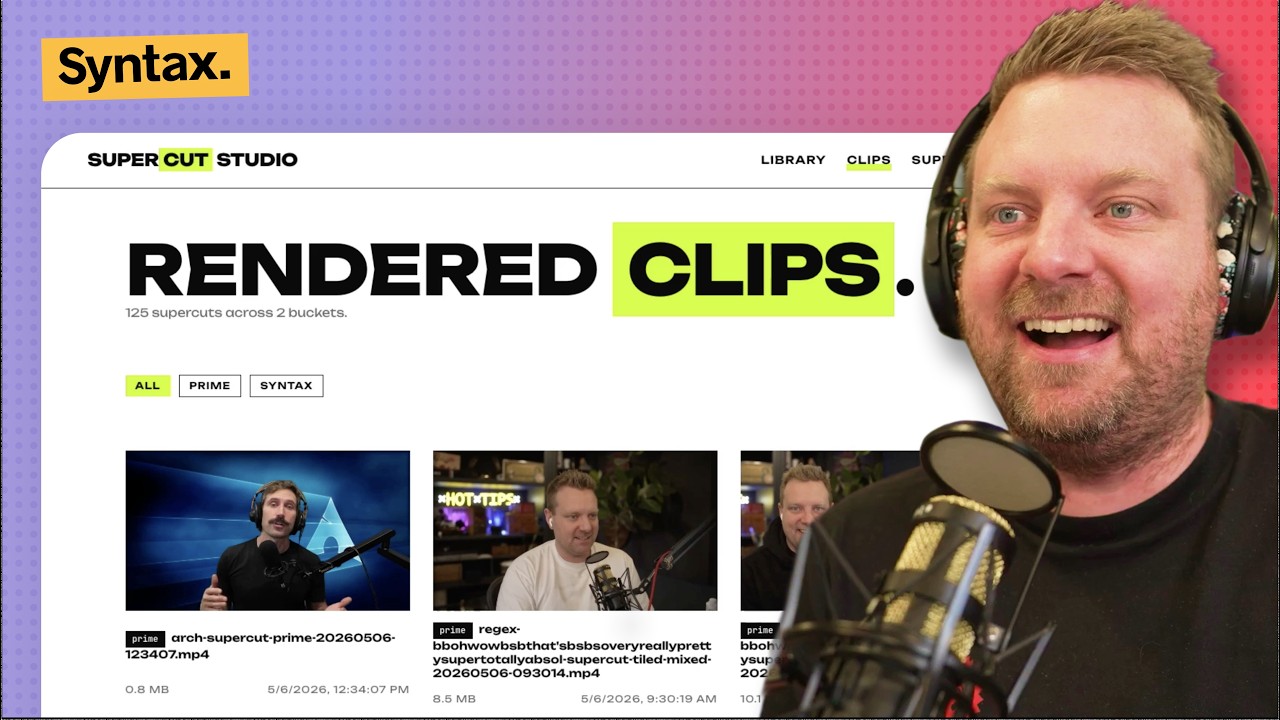
A local SvelteKit app for browsing transcript/video buckets and rendering supercuts. It can stitch phrase or regex matches, synthesize fake sentences, songify clips, transcribe missing media with xAI STT, and browse/delete finished renders.
- Node 22+
ffmpegonPATHaubiopitchonPATHfor/songify(brew install aubio)XAI_API_KEYfor/transcribeand/supercutAI regex suggestions- One or more local media buckets under
./videosby default - Source videos downloaded into those buckets, for example with
yt-dlp
Local .env files are loaded by Vite/SvelteKit. On boot, the app also tries to
hydrate missing env vars from ../syntax-transcripts-2026/.env; override that
lookup with SYNTAX_REPO_DIR=/abs/path if needed.
The app treats each direct child of the buckets root as one bucket. A valid
bucket has a videos/ folder; transcripts/ and supercuts/ are created or
read when needed.
videos/                         # bucket root
  syntax/                       # bucket name
    videos/                     # source .mp4/.mkv/.mov/.webm/.avi and .mp3
    transcripts/                # word-level .json transcripts
    supercuts/                  # generated .mp4 renders
  another-channel/
    videos/
    transcripts/
    supercuts/
Set SYNTAX_BUCKETS_DIR=/abs/path to use a different bucket root. The songify
pitch cache lives beside the bucket root as .pitch-cache.json.
Download source media into a bucket's videos/ folder before transcribing or
rendering. yt-dlp works well for pulling YouTube videos or playlists into the
expected local layout.
npm install
npm run dev
# Visit http://localhost:5180
For production-style serving:
npm run build
node build
Useful checks:
npm run check/- Library dashboard grouped by bucket. Shows video, mp3, transcript, size, word count, duration, per-row transcribe actions, and delete actions./clips- Grid of rendered.mp4files from every bucket'ssupercuts/folder, with filtering, playback, download, and delete./supercut- Phrase, regex, or AI-assisted regex supercut builder. Supports bucket selection, tile mode, clip limits, dry-run duration estimates, and debug text overlay./sentence- Picks one clip per word and stitches a sentence they never said. Supports bucket selection, fixed seeds, morphology fallbacks, and debug overlay./songify- Detects per-clip pitch withaubiopitchand arranges clips into a melody. Supports bucket selection, single-clip mode, and optional pitch shifting./transcribe- Transcribes one file or all missing files in selected buckets through xAI speech-to-text. Extracts.mp3first when needed./stats- Top words and n-grams across all bucket transcripts.
- Routes live under src/routes; shared UI lives in src/lib.
- Bucket discovery and path safety live in src/lib/server/paths.ts.
- Pipelines live under
src/lib/server/pipelines and accept an
onLogcallback for streaming progress. - Jobs are tracked in an in-memory
Mapvia src/lib/server/jobs.ts. Restarting the server clears job history; finished outputs stay on disk. - The UI polls
/api/jobs/[id]while a job is running and can cancel jobs withDELETE /api/jobs/[id]. - Media is served through
/api/media/[bucket]/[kind]/[name]withRangeheader support so<video>can seek without re-downloading. - Library file deletion uses
/api/library/[bucket]/[slug]; rendered clip deletion uses/api/clips/[bucket]/[name]. - Supercut, sentence, and songify renders write into the first selected bucket's
supercuts/folder. Multi-bucket outputs includemixedin the filename.
- Global design tokens and reusable classes live in src/app.css.
- Palette:
--bgwhite,--inknear-black, single--accent: #D0FE03. - Unbounded is the main typeface; JetBrains Mono is used for logs and code-like text.
- Sections separate with whitespace or 1px rules. Status indicators use outlined or filled squares, not colored pills.
- The log panel is the primary inverted surface: black background with accent text.