

Add root bone and retarget Mixamo animations in the play mode.
-
Add
RootMotion3Dnode as the parent of a 3D model (the.glb/.gltffile) with animations.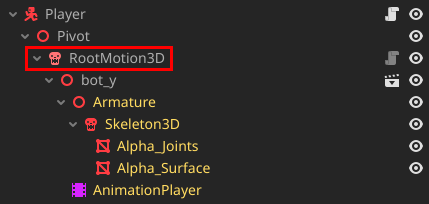
-
Activate the
RootMotion3Dproperties and add anAnimationTreenode in the Animation Tree property.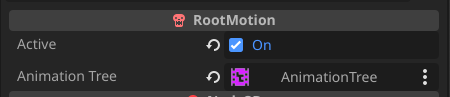
-
In the
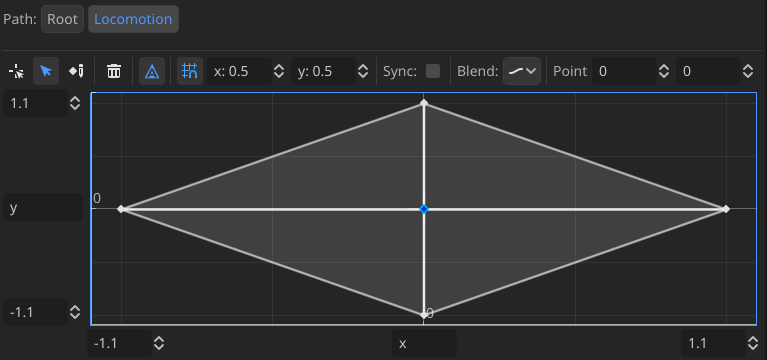
AnimationTreeyou configure normally with the 3D modelAnimationPlayernode and add a tree root.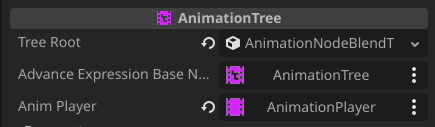
-
An example of an
AnimationTreeroot node.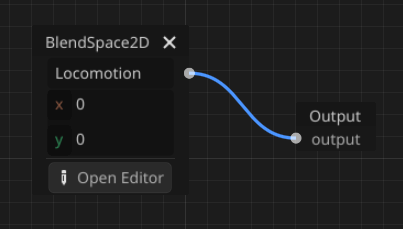
-
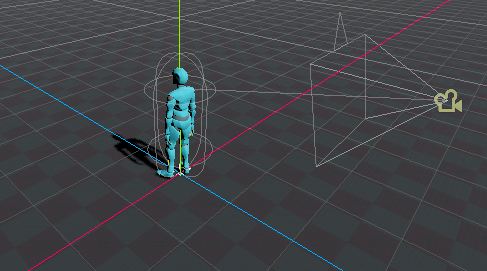
Done! Just add the player (scene) to the map scene and play. The root node will be created automatically.
!!! An example can be found in the
addons/root_motion/examplesdirectory.
- Download this repository.
- Extract the zip file and move the
addons/root_motiondirectory into the project root location. - Enable the plugin inside the
Project/Project Settings/Plugins.
- Add support to add root motion in the editor to use with the
RootMotionViewnode and preview the animations (and don't lose the original resources).- I already managed it, but for some reason Godot changes the resources of the original node, even duplicating.
- Add support for non-Mixamo animations (I haven't tested it yet).
- Add 2D support.
- Add a custom node icon.
- Make a documentation website.
- Add a video tutorial.
- RichardPerry/Mixamo-Root Blender add-on for the key inspiration.
- Godot for their amazing work creating the engine.
- ramokz/Phantom-Camera for the readme inspiration.