 █████  ██████   ██████ ██   ██     ██      ██ ███    ██ ██    ██ ██   ██
██   ██ ██   ██ ██      ██   ██     ██      ██ ████   ██ ██    ██  ██ ██
███████ ██████  ██      ███████     ██      ██ ██ ██  ██ ██    ██   ███
██   ██ ██   ██ ██      ██   ██     ██      ██ ██  ██ ██ ██    ██  ██ ██
██   ██ ██   ██  ██████ ██   ██     ███████ ██ ██   ████  ██████  ██   ██
Post-install configurator for Arch Linux — opinionated, interactive, and idempotent.
Hosted at post-install-arch.vercel.app
bash <(curl -fsSL https://post-install-arch.vercel.app/post-install.sh)Do not run as root. The script will prompt for
sudoonly when necessary.
This script automates the most tedious parts of setting up an Arch Linux system after a fresh install. It uses gum for a polished, interactive TUI experience and handles everything from installing an AUR helper to configuring your bootloader theme.
All actions are logged, all critical steps are verified, and the script is safe to re-run — already-installed components are detected and skipped.
Every layer of the boot sequence, themed.
From first pixel to desktop — a complete end-to-end rice of the Arch boot chain.
01 GRUB → 02 Plymouth → 03 SDDM → 04 Desktop
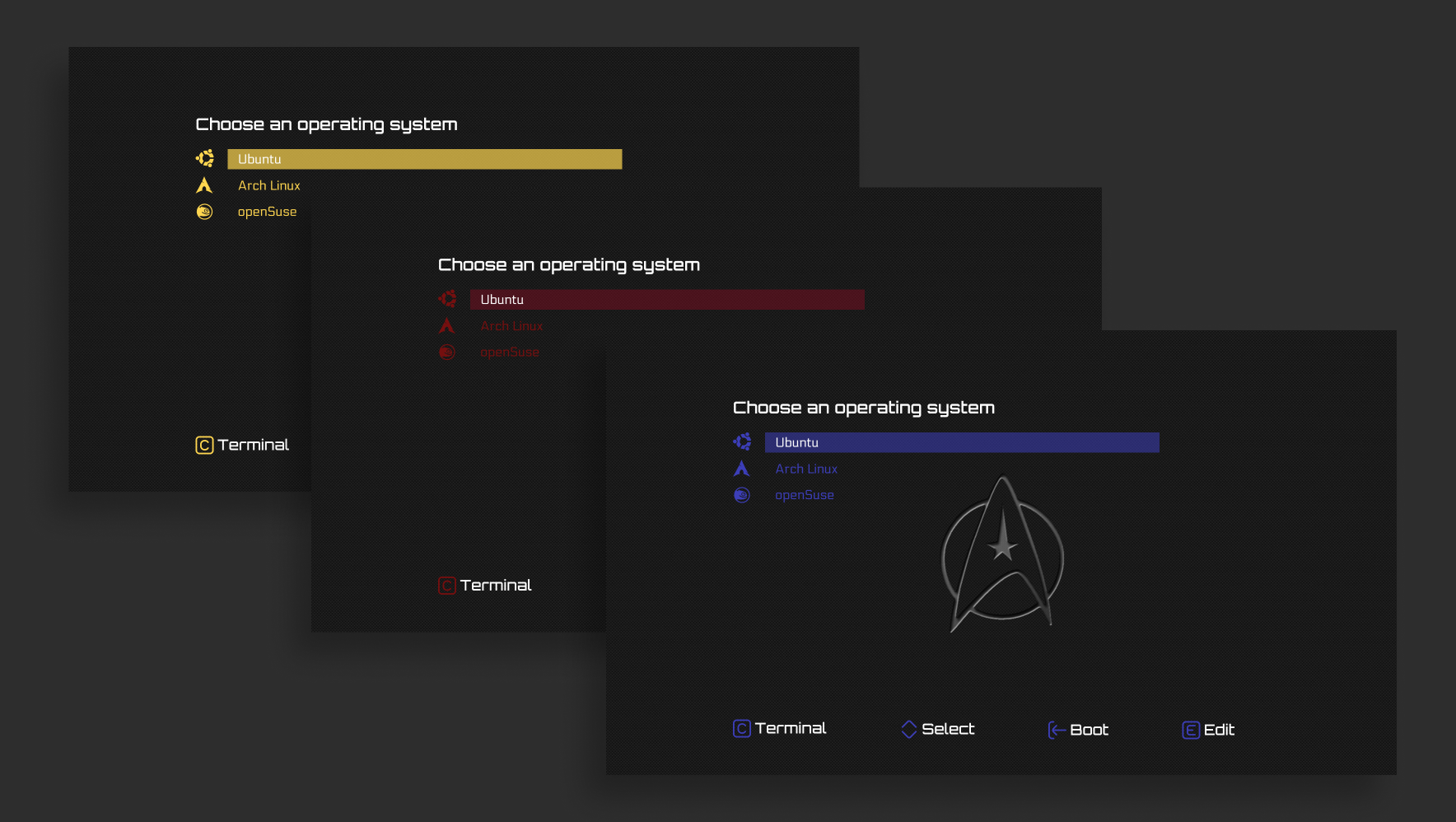
Installs the startrek-blue GRUB theme and writes a clean, single-entry GRUB configuration.
| Setting | Value |
|---|---|
| Theme path | /boot/grub/themes/startrek-blue/ |
| Theme source | post-install-arch.vercel.app/startrek-blue.zip |
| Submenus | Disabled (GRUB_DISABLE_SUBMENU=y) |
| OS Prober | Disabled (GRUB_DISABLE_OS_PROBER=true) |
| Splash | quiet splash added to kernel cmdline |
Partition and kernel detection are fully automatic. The script uses findmnt and blkid to detect:
- Your root partition UUID (
root=UUID=…— stable across hardware changes) - Your
/bootpartition UUID for the GRUBsearchcommand - Your btrfs subvolume
rootflags, if applicable - Your microcode image (
amd-ucode.imgorintel-ucode.img) - Your installed kernel by scanning
/boot/vmlinuz-*at runtime
Kernel detection supports any kernel package — linux, linux-lts, linux-zen, linux-hardened, or any custom kernel. If multiple kernels are found you will be prompted to choose one. The matching initramfs-<kernel>.img is verified to exist before the GRUB entry is written.
It then writes a clean /etc/grub.d/40_custom entry and disables the auto-generated 10_linux and 30_os-prober scripts so only your named entry appears in the menu. You will be prompted to name the menu entry (defaults to Arch Linux).
Existing
/etc/default/gruband/etc/grub.d/40_customare backed up to.bakbefore any changes are made.

Sets up a smooth animated splash screen shown during boot. Installs the custom arch-glow theme:
| Step | Action |
|---|---|
| Install | plymouth via pacman |
| Theme | arch-glow from post-install-arch.vercel.app/arch-glow.zip |
| Hook | Injects plymouth after udev or systemd in /etc/mkinitcpio.conf |
| Rebuild | Runs mkinitcpio -P to apply the new initramfs |
The theme is automatically detected and set as default via plymouth-set-default-theme -R.
The script detects whether your preset uses the udev or systemd initramfs hook and injects plymouth in the correct position. If neither hook is found the step fails with a clear error rather than silently doing nothing.
default.mp4
Installs and enables SDDM as the system display manager, and applies the SilentSDDM theme.
| Step | Action |
|---|---|
| Install | sddm, qt6-declarative via pacman |
| Enable | systemctl enable sddm |
| Theme | Cloned from uiriansan/SilentSDDM |
| Fallback | If theme install fails, SDDM is still enabled with the default theme |
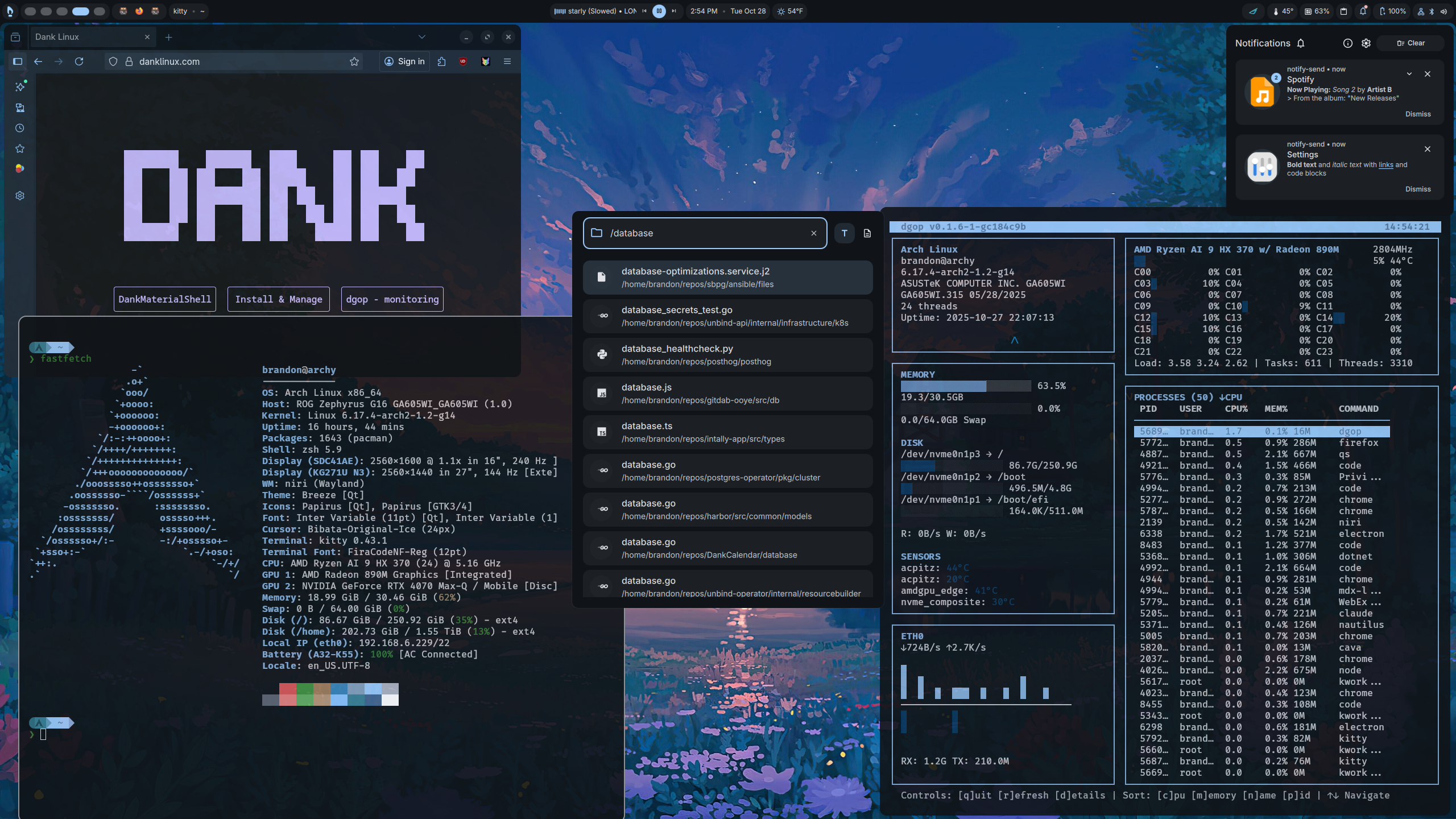
The final layer: a fully themed desktop environment built on two components installed in sequence.
DMS Linux — danklinux.com is a curated dotfile and configuration suite for a polished Material Shell desktop. Fetched and piped directly from the official installer:
Source: https://install.danklinux.com
Quickshell — quickshell.outfoxxed.me is a highly configurable Qt-based shell component toolkit installed from the AUR:
Package: quickshell-git
Source:  AUR (via yay)
quickshell-gitis installed before DMS Linux runs. The AUR build is more upstream than the pacman repo package and is the version Dank targets — it has additional features enabled that the repo package ships without. Installing it first pre-satisfies the dependency so Dank's installer never touches it; if DMS runs first and pulls in the repo version instead, conflicts and hard-to-diagnose breakage can follow.If
quickshell(the pacman repo package) is already installed the AUR build is skipped and a warning is printed noting the repo version may lack features. Ifquickshell-gitis already installed it is silently skipped.
The DMS installer is interactive — it runs directly in your terminal with no output redirection so its TUI renders normally. The script prints a notice before handing control over.
You will be prompted to enter additional packages one per line. Smart routing handles the rest:
- Packages found in the official repositories → installed via
pacman - Unknown packages or those prefixed with
aur:→ installed viayay
# Example input
firefox
neovim
aur:zen-browser-bin| Check | Requirement |
|---|---|
| User | Must not be run as root |
| Commands | curl, unzip, git, findmnt, blkid — auto-installed if missing |
| Internet | Must be reachable (curl to archlinux.org) |
| Disk space | At least 5 GB free on / |
| System | Arch or Arch-based (Manjaro, EndeavourOS, Garuda, CachyOS, Artix) |
| Compositor | Niri or Hyprland must be present (required by DMS Linux) |
| TUI tools | gum and fzf — auto-installed via pacman if missing |
| AUR helper | yay — auto-built and installed from AUR if missing |
- Re-entrant — already-installed packages are detected and skipped gracefully
- Automatic backups — GRUB config files get
.bakcopies before modification set -euo pipefail— the script exits immediately on any unexpected errortrap cleanup EXIT— temp files are cleaned up even if the script is interrupted- No root execution — the script refuses to run as root;
sudois invoked only for specific commands
Every action is written to a timestamped log file at /tmp/arch-post-install-YYYYMMDD-HHMMSS.log. The log persists after the script finishes. If any step fails, the log location is printed to the console.
You can override default settings by creating a config file at ~/.config/arch-post-install.conf:
# Example: point to a local or alternate mirror
BASE_URL="https://mirror.example.com/arch"
This file is sourced automatically at startup if it exists.
| Distro | Status |
|---|---|
| Arch Linux | ✅ Fully supported |
| EndeavourOS | ✅ Supported |
| Manjaro | ✅ Supported |
| Garuda Linux | ✅ Supported |
| CachyOS | ✅ Supported |
| Artix Linux | ✅ Supported |
| Other Arch-based |
| File | Description |
|---|---|
post-install.sh |
The main post-install script |
arch-glow.zip |
Plymouth boot splash theme |
startrek-blue.zip |
GRUB bootloader theme |
This script is part of the danadavis.dev project and is provided as-is for personal use.
