Model Fitting
RefCurv enables users to fit GAMLSS models to data. These models can be graphically depicted as percentile curves.
After data has been chosen in the main window, the model fitting window opens by navigating to "model" -> "model fitting" in the menu bar at the top. In the model fitting dialog, users can specify model parameters. For the non-parametric models in RefCurv, parameters are the effective degree of freedom (e.d.f) for L, M, and S.
In general, percentile curves show more fluctuations when e.d.f. for L, M, and S are set to be high. A typical range for these parameters is 0 to 5. Positive integers are recommended.
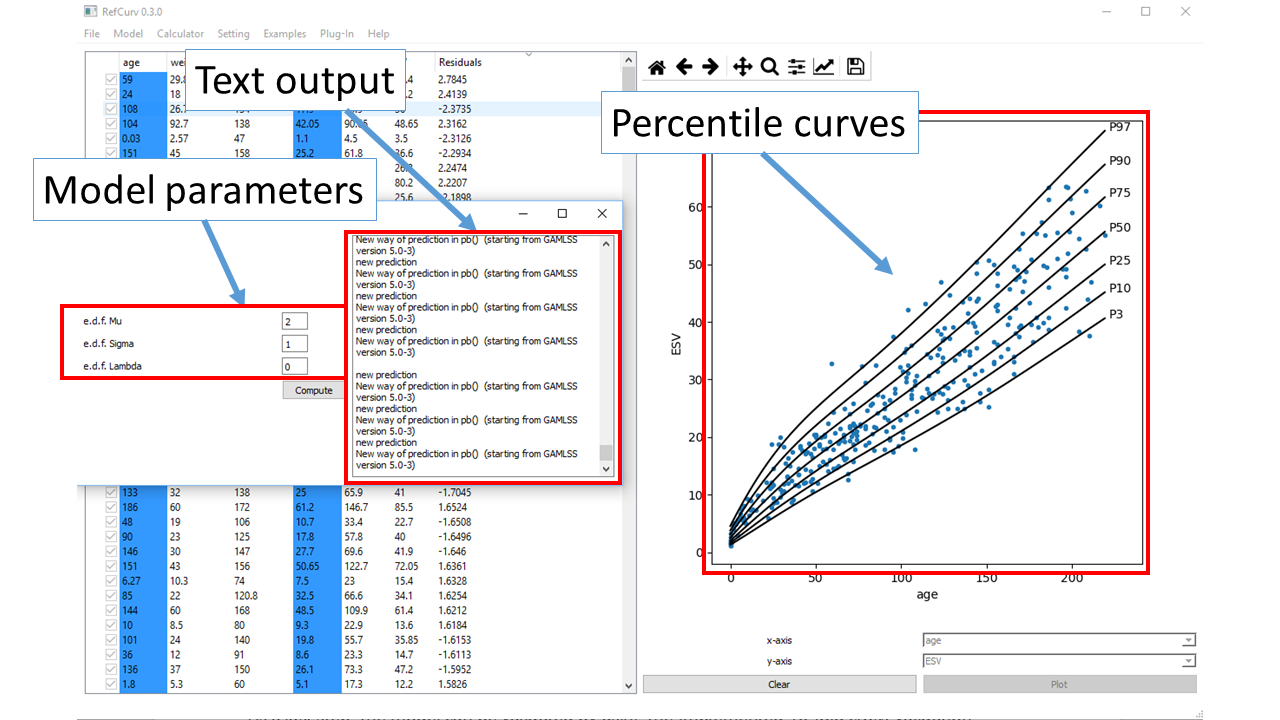
Models are fitted to data by clicking the "compute" Button in the model fitting dialog.
The output text field highlights the results from the R/gamlss fitting procedure.