[RNMobile] Update Loading and Failed Screens for Unsupported Block Editor#32395
Conversation


These strings will be referenced in an updated layout, which seeks to provide more details to users when the UBE is loading or fails to load.
These dimension will be used in an update to the "foreground_view" layout, which will display when the UBE is either loading or has failed to load.
This image will be used on a new screen, which will be displayed to users when the UBE fails to load.
 SiobhyB
changed the title
SiobhyB
changed the title
The 'foreground_view' screen is displayed to users when the UBE is loading. With this commit, an image and text (both a title and subtitle) are added to the screen.

The image is invisible by default, as it'll only be visible if the UBE fails to load. Future commits will make the image visible in cases where the UBE doesn't load, and also change the text used for the title and subtitle.
The new views (added to 'foreground_view' in the last commit) are declared and retrieved (via 'findViewById') in this commit.

Any updates to the old 'View' have also been updated to represent the fact that 'foreground_view' is now a 'LinearLayout'.
With this commit, a 'showTroubleshootingInstructions' is introduced.

This function will fire after 10 seconds, if Gutenberg still hasn't loaded after that time.
If the 'showTroubleshootingInstructions' function fires, this commit includes changes that will update the progress screen's title, text, and image accordingly.
SiobhyB
added
Mobile App - i.e. Android or iOS
The "ube.failed.xml" is currently an image of a cloud, which was copied/pasted from the WordPress Android app. See: https://github.com/wordpress-mobile/WordPress-Android/blob/develop/WordPress/src/main/res/drawable/img_illustration_cloud_off_152dp.xml

The image references a "neutral_20" color and this commit adds that color to the JS side, so that it can be called correctly.
SiobhyB
force-pushed
the
android/remove-ube-editor-check
branch
from
5bade3d to
524d6e1
Compare
This commit corrects the reference to an "in-progress" screen to "failed".

|
Marking this as ready for review as the failing tests are caused by an issue in trunk, rather than anything directly related to this PR. The tests were previously passing on this issue. |

 AmandaRiu
left a comment
AmandaRiu
left a comment
AmandaRiu
left a comment
There was a problem hiding this comment.
@SiobhyB Nice work so far! 👍 I reviewed the code and left a couple minor comments. I ran into some issues in testing. I tried to test this on WPAndroid, but when I click on the unsupported block, I get this error in the console:
Stacktrack - click to expand
 ERROR  Warning: Cannot update a component (`BlockMobileToolbar`) while rendering a different component (`SlotComponent`). To locate the bad setState() call inside `SlotComponent`, follow the stack trace as described in https://reactjs.org/link/setstate-in-render
    in SlotComponent (at slot.js:91)
    in Slot (at slot-fill/index.native.js:16)
    in Slot (at slot-fill/index.native.js:23)
    in SettingsToolbarButtonSlot (at block-mobile-toolbar/index.native.js:70)
    in RCTView (at View.js:34)
    in View (at block-mobile-toolbar/index.native.js:57)
    in BlockMobileToolbar (at with-dispatch/index.js:96)
    in WithDispatch(BlockMobileToolbar) (at with-select/index.js:57)
    in Unknown (at pure/index.tsx:43)
    in WithSelect(WithDispatch(BlockMobileToolbar)) (at block.native.js:264)
    in RCTView (at View.js:34)
    in View (at block.native.js:259)
    in RCTView (at View.js:34)
    in View (at block.native.js:213)
    in RCTView (at View.js:34)
    in View (at block.native.js:209)
    in TouchableWithoutFeedback (at block.native.js:204)
    in BlockListBlock (at with-preferred-color-scheme/index.native.js:30)
    in WithPreferredColorScheme(BlockListBlock) (at with-dispatch/index.js:96)
    in WithDispatch(WithPreferredColorScheme(BlockListBlock)) (at with-select/index.js:57)
    in Unknown (at pure/index.tsx:43)
    in WithSelect(WithDispatch(WithPreferredColorScheme(BlockListBlock))) (at block-list-item.native.js:148)
    in RCTView (at View.js:34)
    in View (at block-list-item.native.js:141)
    in RCTView (at View.js:34)
    in View (at readable-content-view/index.native.js:58)
    in RCTView (at View.js:34)
    in View (at readable-content-view/index.native.js:57)
    in ReadableContentView (at block-list-item.native.js:131)
    in BlockListItem (at with-select/index.js:57)
    in Unknown (at pure/index.tsx:43)
    in WithSelect(BlockListItem) (at block-list/index.native.js:321)
    in RCTView (at View.js:34)
    in View (at VirtualizedList.js:2015)
    in VirtualizedListCellContextProvider (at VirtualizedList.js:2030)
    in CellRenderer (at VirtualizedList.js:807)
    in RCTView (at View.js:34)
    in View (at ScrollView.js:1107)
    in RCTScrollView (at ScrollView.js:1238)
    in ScrollView (at ScrollView.js:1264)
    in ScrollView (at VirtualizedList.js:1250)
    in VirtualizedListContextProvider (at VirtualizedList.js:1080)
    in VirtualizedList (at FlatList.js:620)
    in FlatList (at keyboard-aware-flat-list/index.android.js:13)
    in RCTView (at View.js:34)
    in View (at KeyboardAvoidingView.js:220)
    in KeyboardAvoidingView (at keyboard-aware-flat-list/index.android.js:12)
    in KeyboardAwareFlatList (at block-list/index.native.js:238)
    in RCTView (at View.js:34)
    in View (at block-list/index.native.js:232)
    in BlockList (at with-preferred-color-scheme/index.native.js:30)
    in WithPreferredColorScheme(BlockList) (at with-dispatch/index.js:96)
    in WithDispatch(WithPreferredColorScheme(BlockList)) (at with-select/index.js:57)
    in Unknown (at pure/index.tsx:43)
    in WithSelect(WithDispatch(WithPreferredColorScheme(BlockList))) (at visual-editor/index.native.js:61)
    in VisualEditor (at layout/index.native.js:100)
    in RCTView (at View.js:34)
    in View (at layout/index.native.js:131)
    in RCTView (at View.js:34)
    in View (at SafeAreaView.js:41)
    in SafeAreaView (at layout/index.native.js:123)
    in RCTView (at View.js:34)
    in View (at tooltip/index.native.js:268)
    in TooltipSlot (at layout/index.native.js:122)
    in Layout (at with-preferred-color-scheme/index.native.js:30)
    in WithPreferredColorScheme(Layout) (at with-select/index.js:57)
    in Unknown (at pure/index.tsx:43)
    in WithSelect(WithPreferredColorScheme(Layout)) (at editor.native.js:167)
    in BlockEditorProvider (at with-registry-provider.js:24)
    in Unknown (at with-registry/index.js:23)
    in WithRegistryProvider(BlockEditorProvider) (at provider/index.js:108)
    in BlockContextProvider (at provider/index.js:107)
    in EntityProvider (at provider/index.js:106)
    in EntityProvider (at provider/index.js:105)
    in EditorProvider (at with-registry-provider.js:27)
    in Unknown (at with-registry/index.js:23)
    in WithRegistryProvider(EditorProvider) (at provider/index.native.js:288)
    in NativeEditorProvider (at with-dispatch/index.js:96)
    in WithDispatch(NativeEditorProvider) (at with-select/index.js:57)
    in Unknown (at pure/index.tsx:43)
    in WithSelect(WithDispatch(NativeEditorProvider)) (at editor.native.js:160)
    in SlotFillProvider (at editor.native.js:159)
    in Editor (at with-dispatch/index.js:96)
    in WithDispatch(Editor) (at with-select/index.js:57)
    in Unknown (at pure/index.tsx:43)
    in WithSelect(WithDispatch(Editor)) (at src/index.native.js:31)
    in Unknown (at renderApplication.js:47)
    in RCTView (at View.js:34)
    in View (at AppContainer.js:107)
    in RCTView (at View.js:34)
    in View (at AppContainer.js:134)
    in AppContainer (at renderApplication.js:40)
Nothing happens in the UI - no error, no feedback. I ran the demo app and pasted the test gutenberg html into initial-html.js and was able to click on it in the demo app, view the bottom sheet, and click the option to edit on the web. This allowed me to view the loading page, which looks great, but because the demo app doesn't support the unsupported block web editor that's as far as I could get. Here's a recording of the demo app testing:
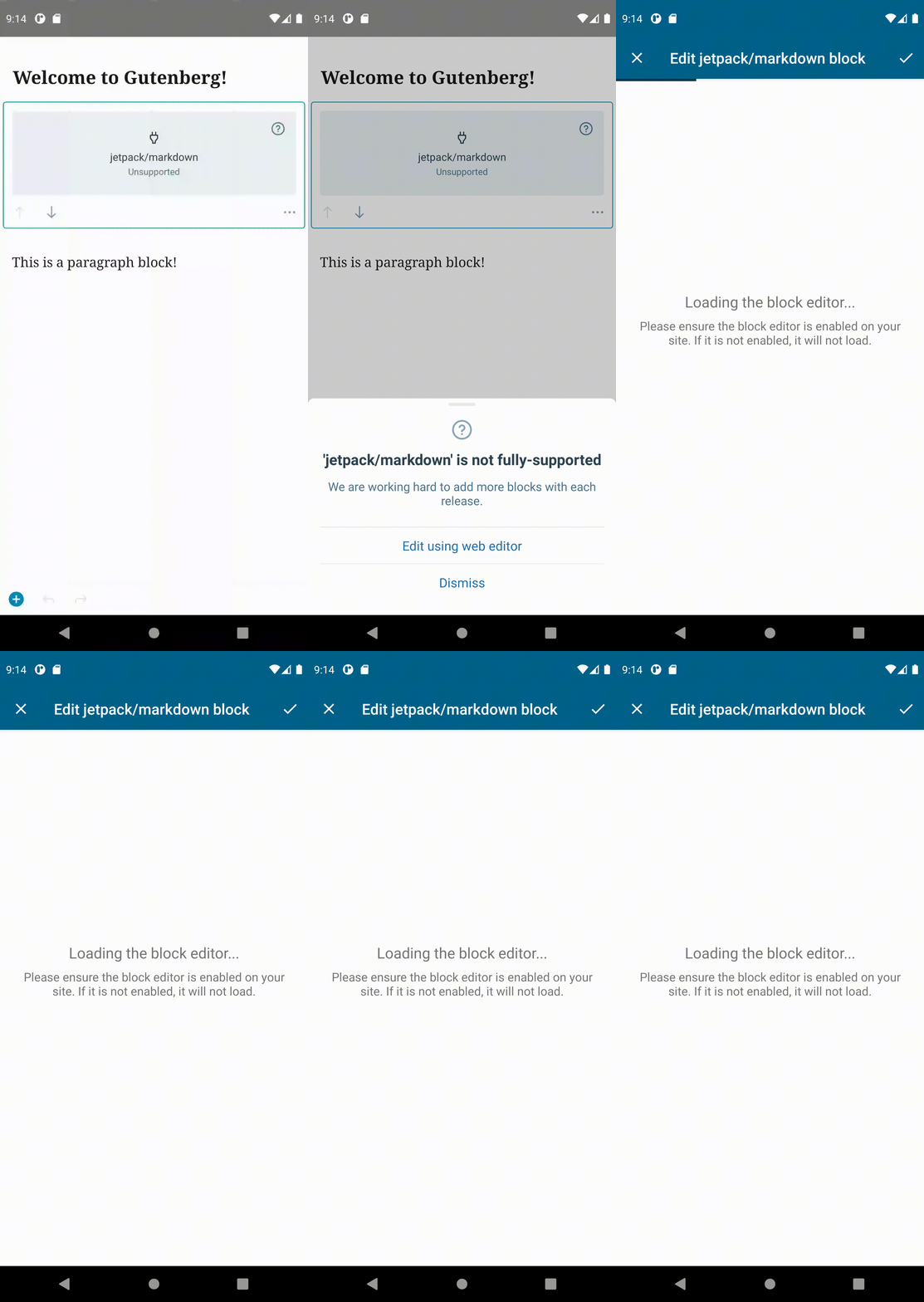

Headsup that that's an error that should now be fixed (via #32506). |
At the moment, the code that loads the failed screen in cases where "mIsGutenbergReady" is false loads in a separate if statement to code that loads if "mIsGutenbergReady" is true. This isn't optimal.

If "mIsGutenbergReady" resolves as true, then the code that loads the failed screen doesn't need to be processed at all.

This commit optimises the code by combining the current two separate if statements into an if/else statement.
The centered text alignment was unecessary, as the text remains centered without it.
|
@AmandaRiu, thank you for the review! I've gone ahead to fetch the latest changes from |

|
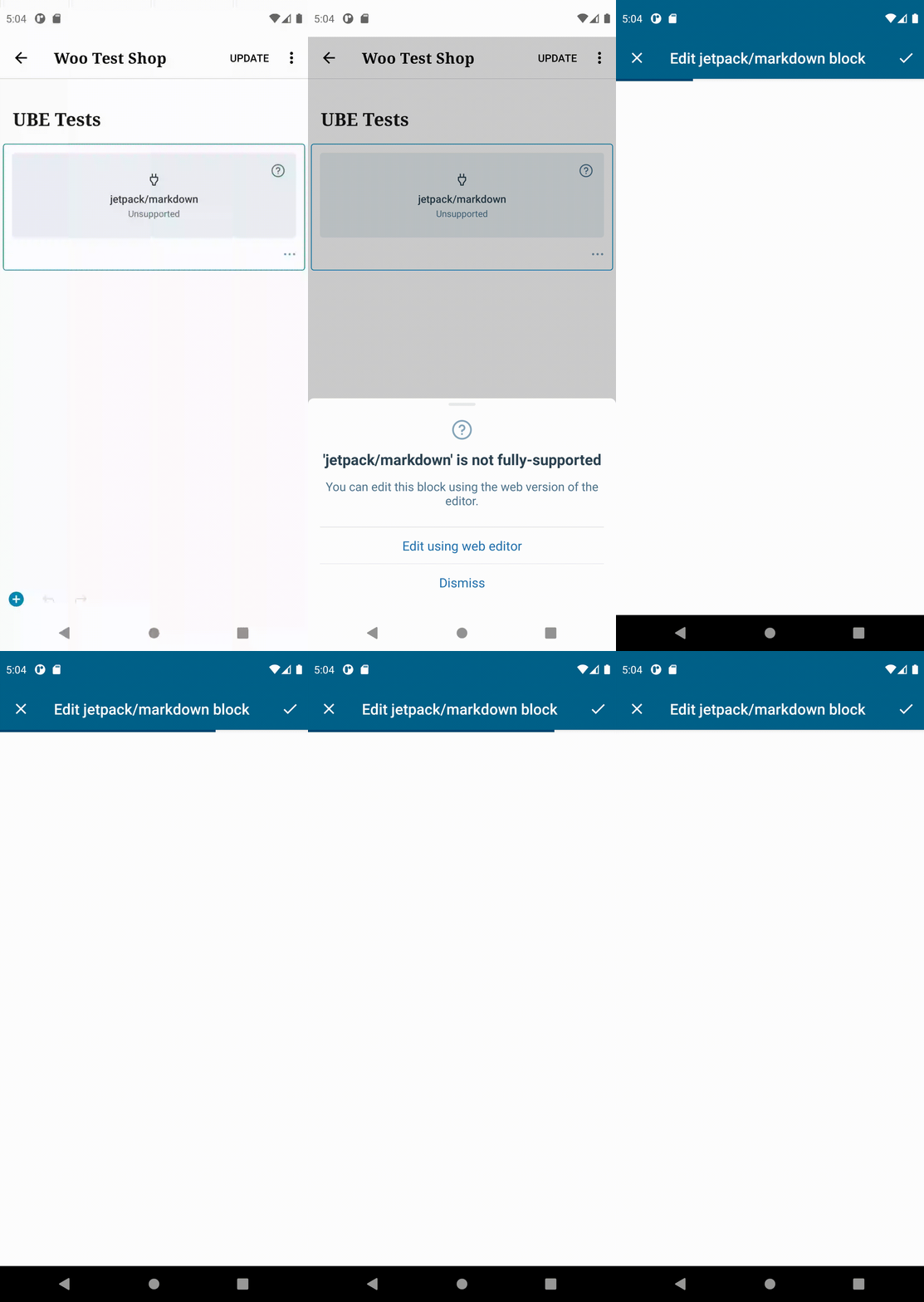
@SiobhyB Thank you for updating everything. The error went away and I'm now able to test. Here are the results: Test: TC001 - User can edit unsupported blocks on Simple WP.com sites ✅ Even though I was able to edit the unsupported blocks from the above tests, I did not see any loading screen. In the gif below I'm using my testwooshop.mystagingwebsite.com site to test. This site is connected to a WPcom account created back in 4/2018. I added a UBE test post to my site via the web and then opened it in WPAndroid. I'm able to edit the post using the web editor, but I don't see the UBE loading screen:
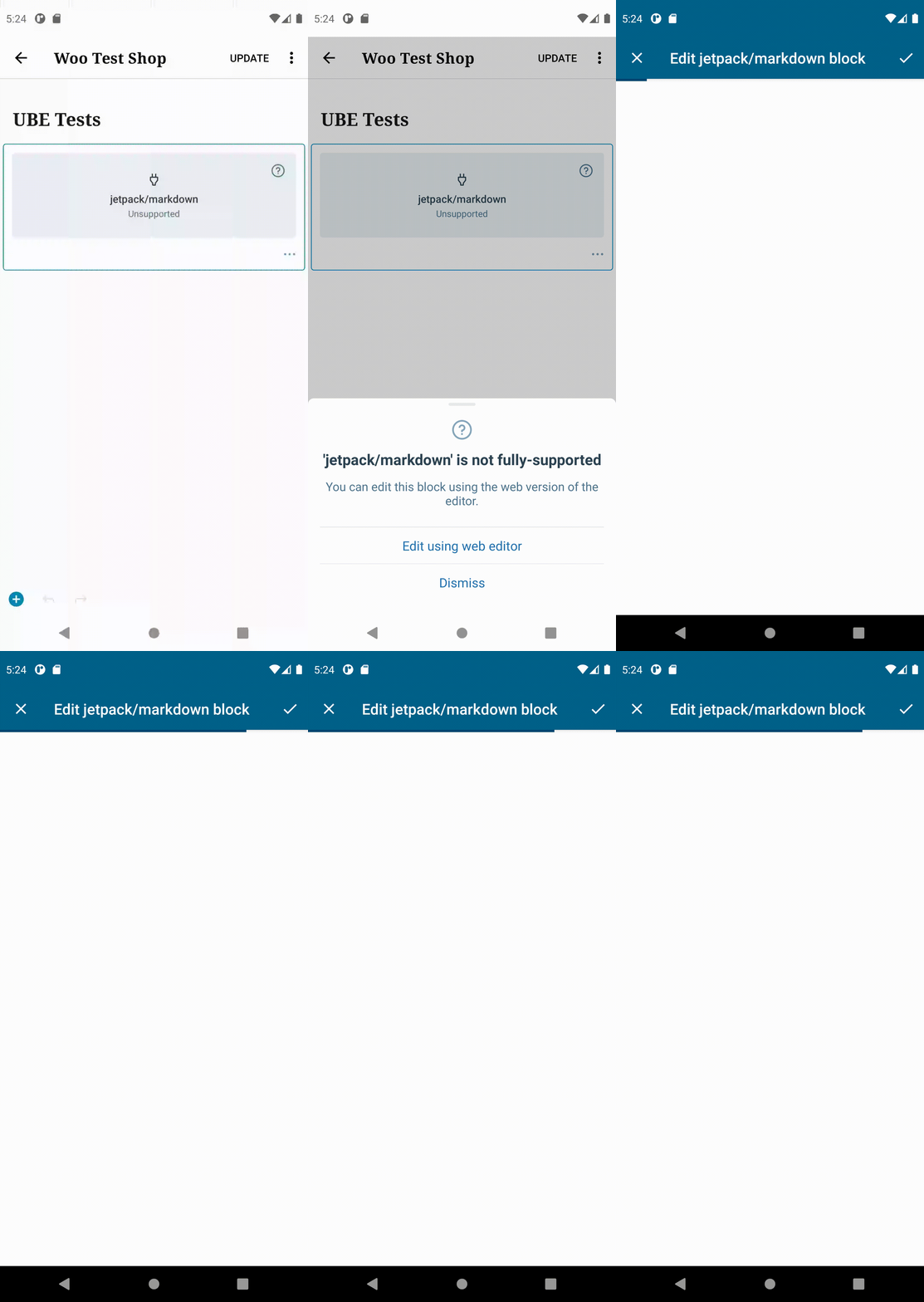
Test: TC004 - Editing unsupported blocks is disallowed on Classic-enabled Atomic sites I then went into my test site and installed the Classic Editor plugin and deactivated Gutenberg, relaunched the app, and tried to edit the unsupported block. Still no loading screen, and the "unable to load the block editor right now" screen is also blank:
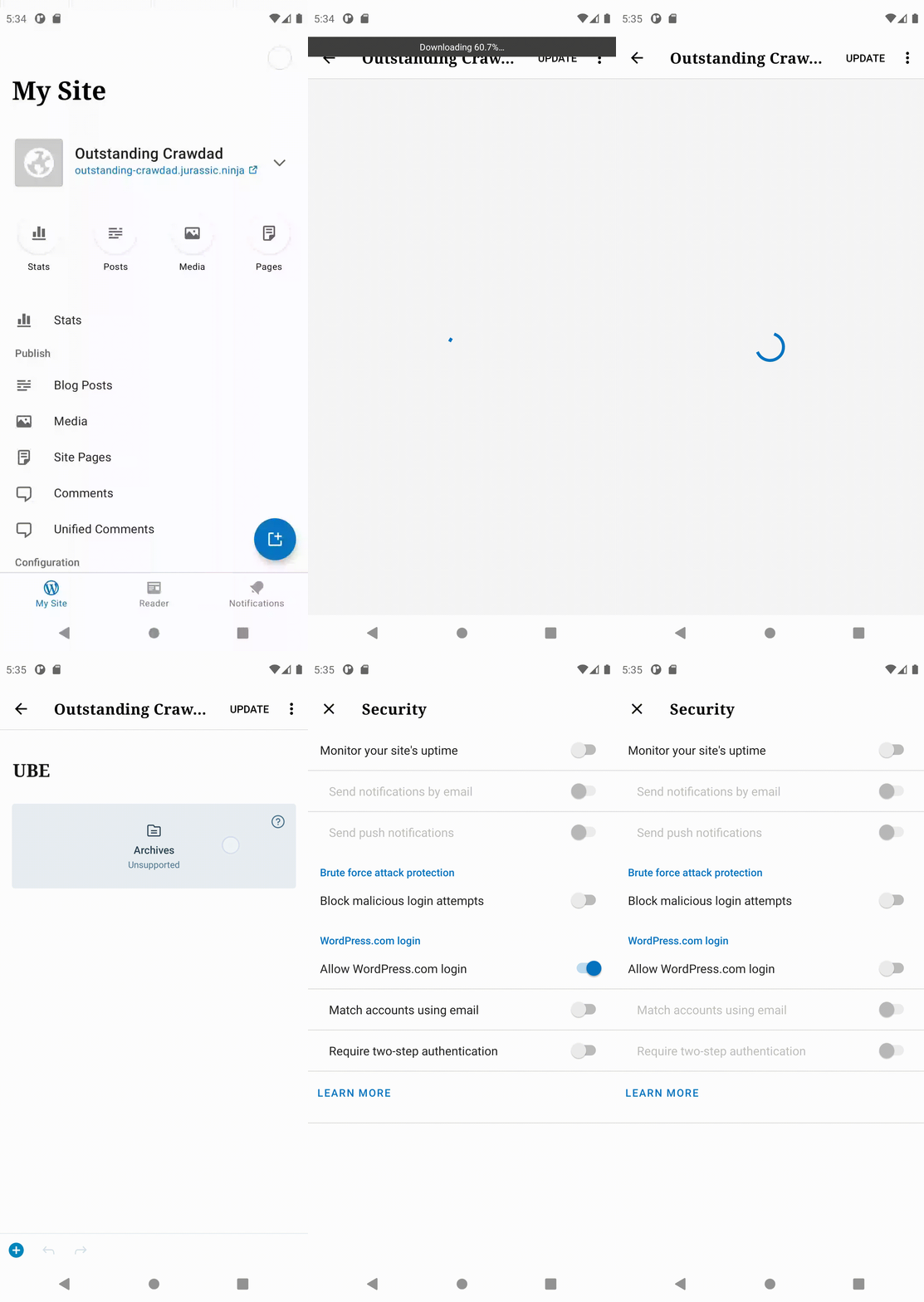
Test: TC006 - Editing unsupported blocks is disallowed on self-hosted sites accessed via their own username and password I created a test site using jurassic.ninja: https://outstanding-crawdad.jurassic.ninja and created a post on the web with the "Archives" block. I logged into WPAndroid using the site address/username/password option, opened the UBE post, and clicked the unsupported block. I get the "Open Jetpack Security settings" option which when clicked does open the settings even though the site doesn't have the plugin installed, and "Jetpack Settings" is not an option available on the My Site page. I can enable the WPcom login but I'll continuously be directed to "Open Jetpack security settings":
Let me know if I can help with additional testing. I can also add you to my test sites. Just let me know 👍 Tested on Pixel 4 XL emulator running Android 11. |
|
Huh, thanks for this @AmandaRiu, I'm not able to replicate what you're seeing, so will dig into this more next week and may take you up on your offer to access your test sites. I tried a variation of unsupported blocks and Atomic/Jetpack sites, all on an account that was created back in August 2012, but the progress and failed screens are displaying on my side. For reference, here's what I'm seeing when accessing unsupported blocks on a classic-enabled Atomic site. The loading screen displays, eventually followed by the failed screen, as hoped for: Screen.Recording.2021-06-26.at.00.23.38.movSimilarly, the loading screen is displaying on a Jetpack-connected site in my testing: Screen.Recording.2021-06-26.at.00.28.31.movI'll do further testing, with a fresh mind, next week. |
|
@AmandaRiu, I've continued testing on my main account, which was created in August 2012, as well as a test account that was created in July 2014, but I am seeing the new screens when testing the UBE on both simple and Atomic sites. I'm stumped. 🤔 I have a couple of questions to hopefully help pinpoint why the screens don't load in your testing:
Thanks in advance! 🙇♀️ |
AmandaRiu
left a comment
AmandaRiu
left a comment
There was a problem hiding this comment.
@SiobhyB Since you unable to reproduce the issues I was having I repulled all branches and started from scratch to make sure I was getting everything and testing all the changes, and it worked! I'm not sure what was going on, but I'm now able to see the loading and error screens. 👍
The only part I'm unsure of at this point is TC006 – Editing unsupported blocks is disallowed on self-hosted sites accessed via their own username and password. I'm getting stuck in an endless "Open Jetpack Security Settings" loop while logged into a self hosted site via Site Address + username/password option:
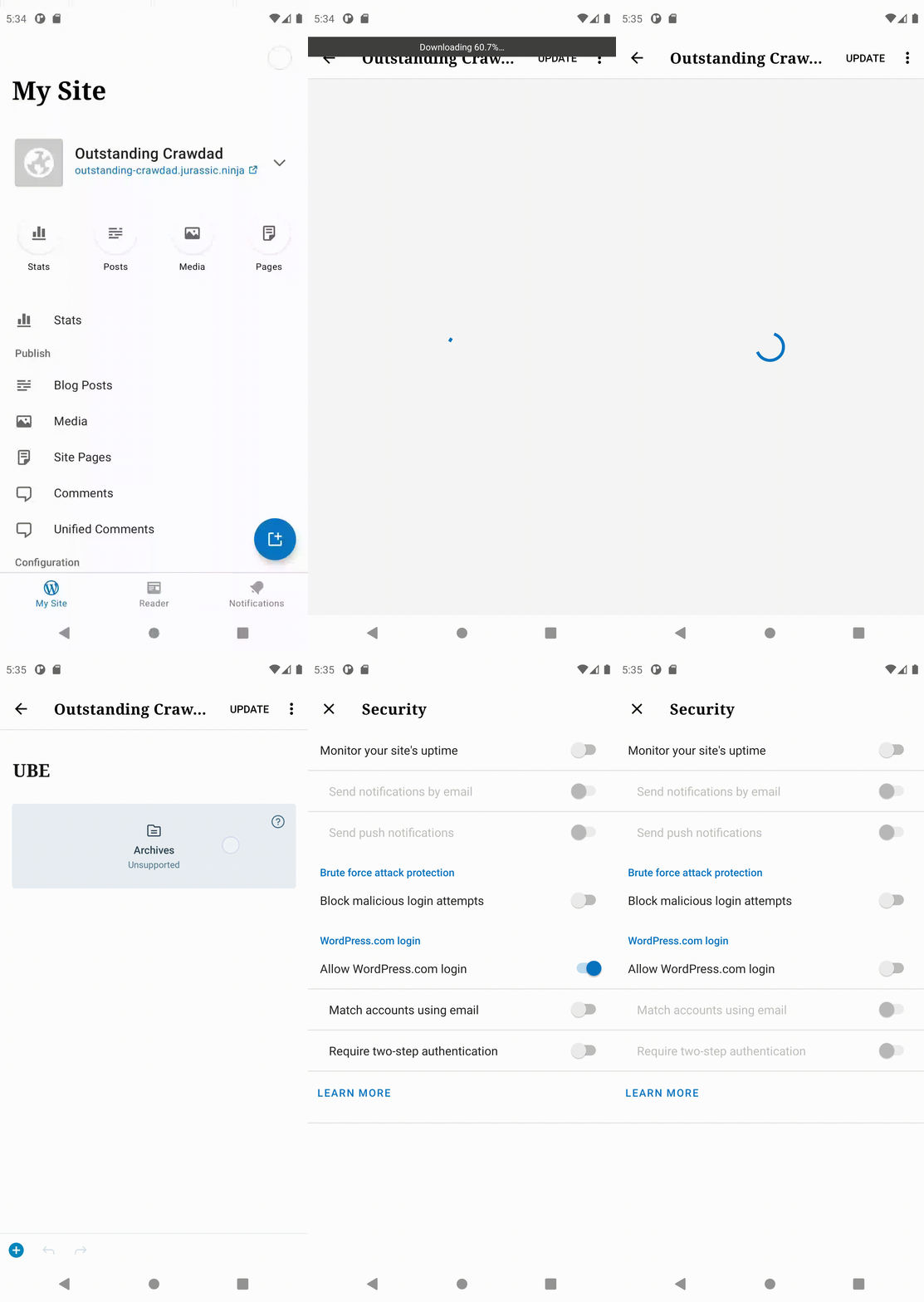
Here are the steps to reproduce this issue:
- On a self-hosted test site that does not have the Jetpack plugin installed, create a new post with the "Archives" block on the web.
- Log into this self-hosted, non-jetpack-connected site on WPAndroid using the "site address" option.
- Click "Posts" to view the list of blog posts on the site.
- Open the post from step 1
- Click the unsupported block to open the "unsupported block" bottom sheet. You should see the "Open Jetpack Security Settings" option.
- Tap "open jetpack security settings" to open the settings and enable WPcom Login.
- Tap the "back" arrow and tap the unsupported block again until the bottom sheet displays again. Notice how it still asks that you "Open Jetpack Security Settings".
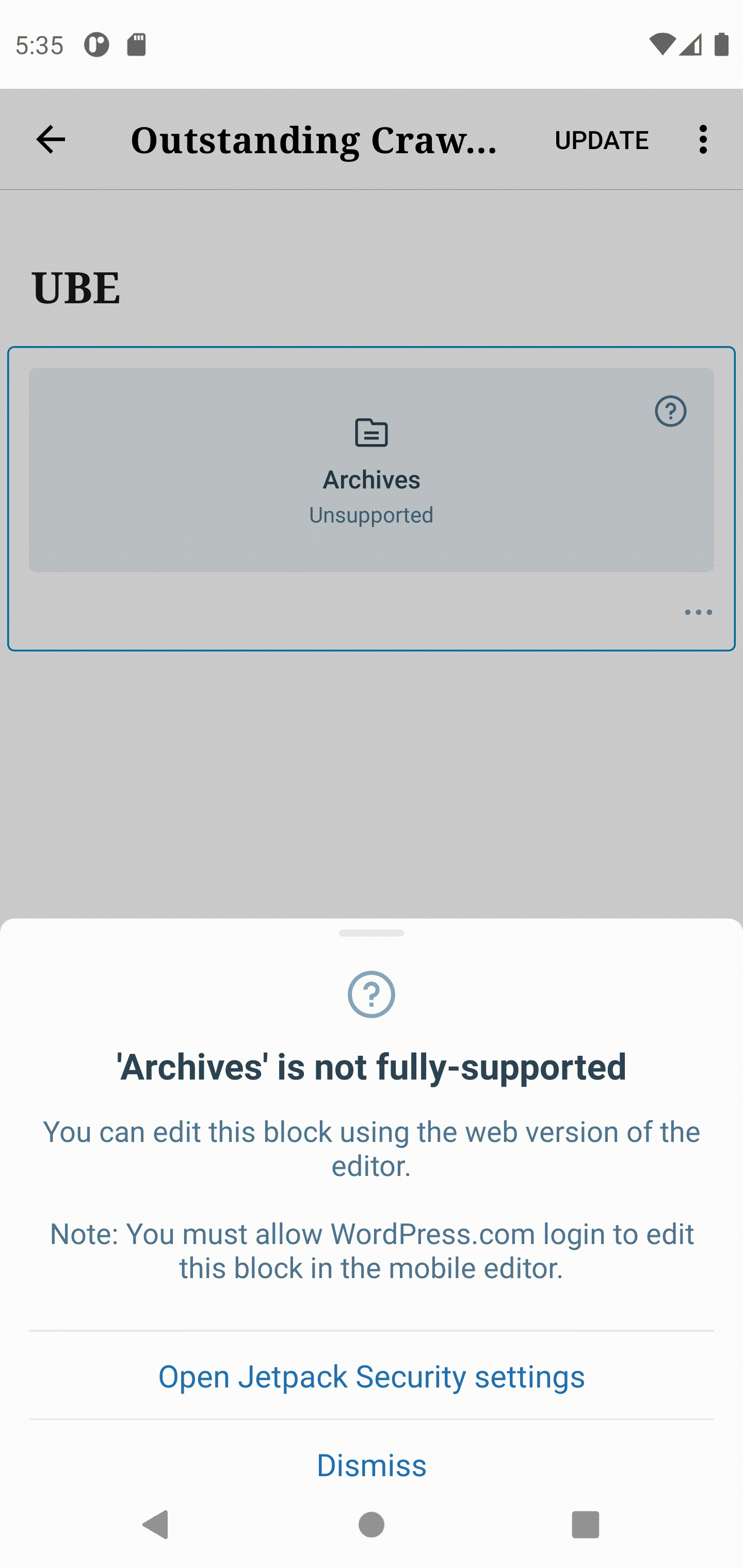
The reason the Jetpack Security settings aren't working is because it can't work - Jetpack is not installed on the test site. As a sanity test, I rebuilt the WPAndroid app using the develop branch and I get a more appropriate message in the bottom sheet:
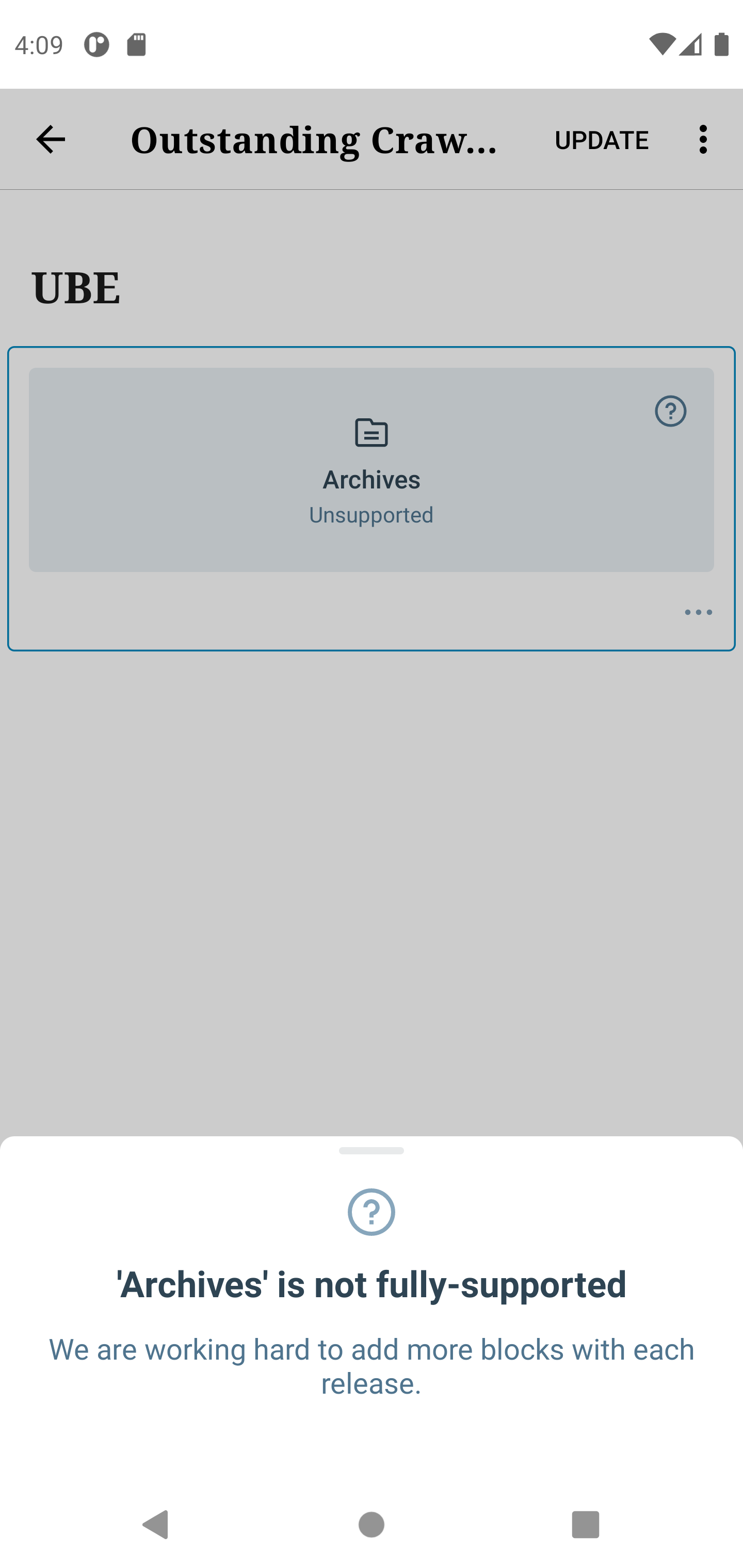
I'll invite you to my test site so you can test as well. Please let me know if you have any questions.
The editor check (" "gutenberg".equals(mSite.getWebEditor())") was removed from the "unsupportedBlockEditorSwitch" boolean in a previous commit.

This boolean checks for self-hosted sites, where Jetpack isn't enabled. Editing it had the unintended side effect of creating the bug described here: WordPress/gutenberg#32395 (review)

The edit is simply reverted in this commit, as the PRs main aim isn't to enable the UBE on self-hosted non-Jetpack-enabled sites.
If the 'unsupportedBlockEditorSwitch' boolean evaluates to 'true', it will display an option to sign in via SSO when attempting to access the UBE.

As the boolean was only checking for whether SSO is already enabled, it was evaluating to 'true' for self-hosted sites that didn't have Jetpack. This caused the issue outlined here: WordPress/gutenberg#32395 (review)

With this commit, an extra check is added to ensure this boolean only evaluates to 'true' when a site is actually a Jetpack site.
|
Ah, great catch @AmandaRiu. 🙇♀️ I found the option to log in via Jetpack's SSO pops up if the It began evaluating to In wordpress-mobile/WordPress-Android@bef9cf8, I've added an additonal check for whether a site is actually a Jetpack site to Let me know if this seems like a solid fix for you or if you see any room for improvement. :) |
AmandaRiu
left a comment
AmandaRiu
left a comment
There was a problem hiding this comment.
@SiobhyB Tested and the erroneous "Jetpack Settings" issue is resolved! Really nice work on this project! I ran through all the tests again and all passed. 
- TC001 - User can edit unsupported blocks on Simple WP.com sites
- TC002 - User can discard edits to an unsupported blocks on Simple WP.com sites
- TC003 - Editing unsupported blocks is allowed on Gutenberg-enabled Atomic sites
- TC004 - Editing unsupported blocks is disallowed on Classic-enabled Atomic sites
- TC005 - Editing unsupported blocks is enabled on self-hosted sites accessed via Jetpack
- TC006 – Editing unsupported blocks is disallowed on self-hosted sites accessed via their own username and password
This commit moves the description of these changes from the '1.55.2' section of the notes to the 'unreleased' section.


3 participants


Fixes the Android side of wordpress-mobile/gutenberg-mobile#3425
gutenberg-mobile: wordpress-mobile/gutenberg-mobile#3573WordPress-Android: wordpress-mobile/WordPress-Android#14762WordPress-iOS: wordpress-mobile/WordPress-iOS#16586Description
The
/sites/{site_id}/gutenbergendpoint is unreliable but was being used to check if Gutenberg was available on a site's backend, and if so, disable the Unsupported Block Editor (UBE).Since the majority of users will have Gutenberg enabled, it makes sense to remove usage of this unreliable API endpoint. That's done in the Android PR in this PR chain.
To account for the removal, what we do in this PR is:
How has this been tested?
To verify that the UBE now loads for Jetpack sites on an account created prior to December 2018:
The UBE test cases outlined here were used as a guide for further testing:
When going through each test case, verify that the following is true:
TC004, the failed screen is displayed to users after the progress screen has been visible for 10 seconds.Screenshots
Types of changes
This PR introduces a non-breaking change, with the following summarising the main changes to the code:
foreground_viewdisplayed to users when the UBE is loading was fleshed out to include an image, a title, and a subtitle.showTroubleshootingInstructions()function was introduced, which fires if the UBE hasn't loaded after 10 seconds. This function updates the image, title, and subtitle displayed in theforeground_view.img_illustration_cloud_offimage was taken directly from the WordPress Android app and is used in theube_failed.xmlfile. The title and subtitle for the screens were also taken directly from the iOS change.Ideas Explored
As there isn't an equivalent to the loading animation used in the iOS side of this PR, the progress screen doesn't have an image. There is, however, an existing progress bar that's animated, to convey the idea that something is happening behind the scenes.
Although I settled on no image on the progress screen, one could easily be added. Below are a couple of ones I experimented with on the Android side.
Images
Checklist:
*.native.jsfiles for terms that need renaming or removal).